Appendix B Setting Up Your Computer’s IP Address
B222s User’s Guide
210
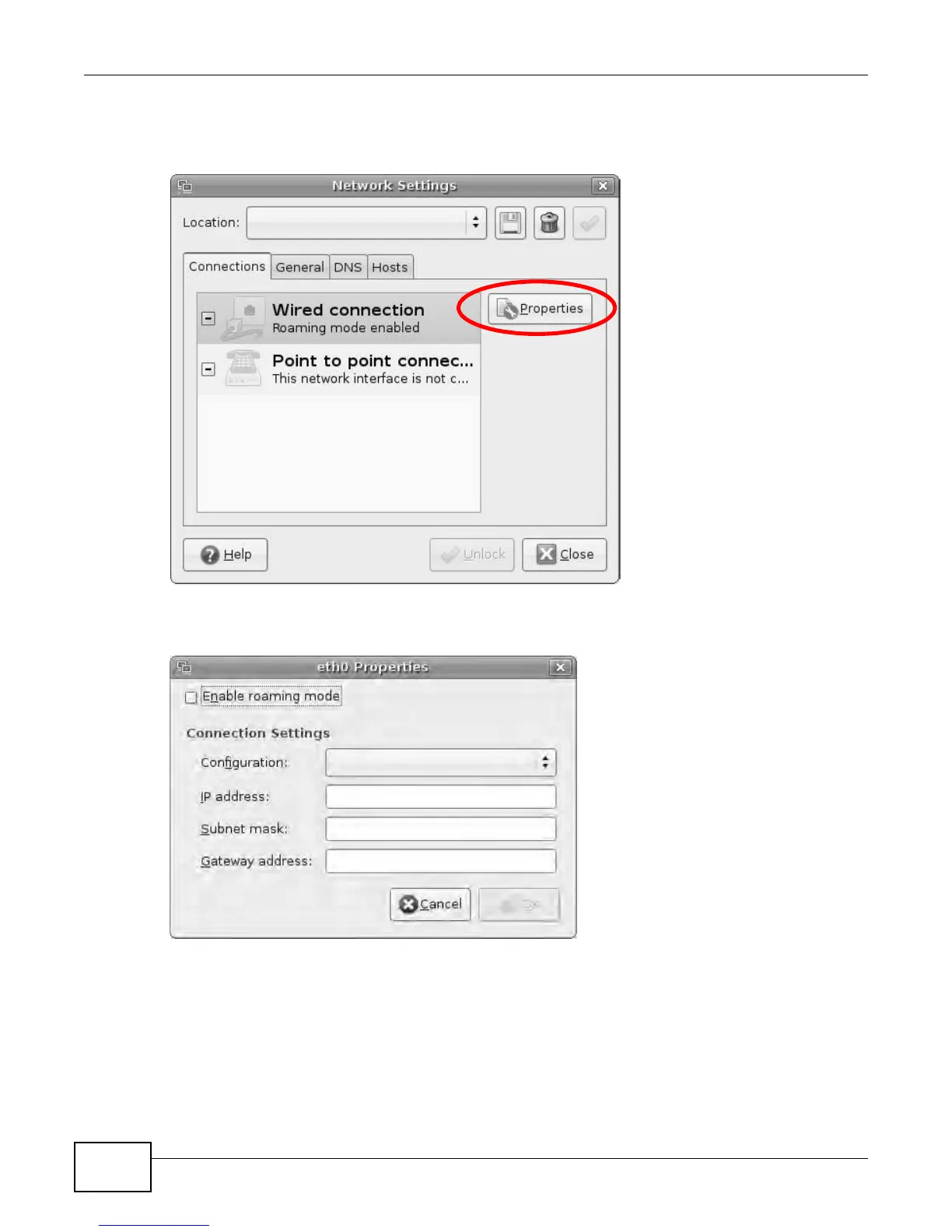
4 In the Network Settings window, select the connection that you want to configure, then click
Properties.
Figure 140 Ubuntu 8: Network Settings > Connections
5 The Properties dialog box opens.
Figure 141 Ubuntu 8: Network Settings > Properties
•In the Configuration list, select Automatic Configuration (DHCP) if you have a dynamic IP
address.
•In the Configuration list, select Static IP address if you have a static IP address. Fill in the
IP address, Subnet mask, and Gateway address fields.
6 Click OK to save the changes and close the Properties dialog box and return to the Network
Settings screen.











 To Next Page