Chapter 2 Introducing the Web Configurator
B222s User’s Guide
26
SIP SIP Service
Provider
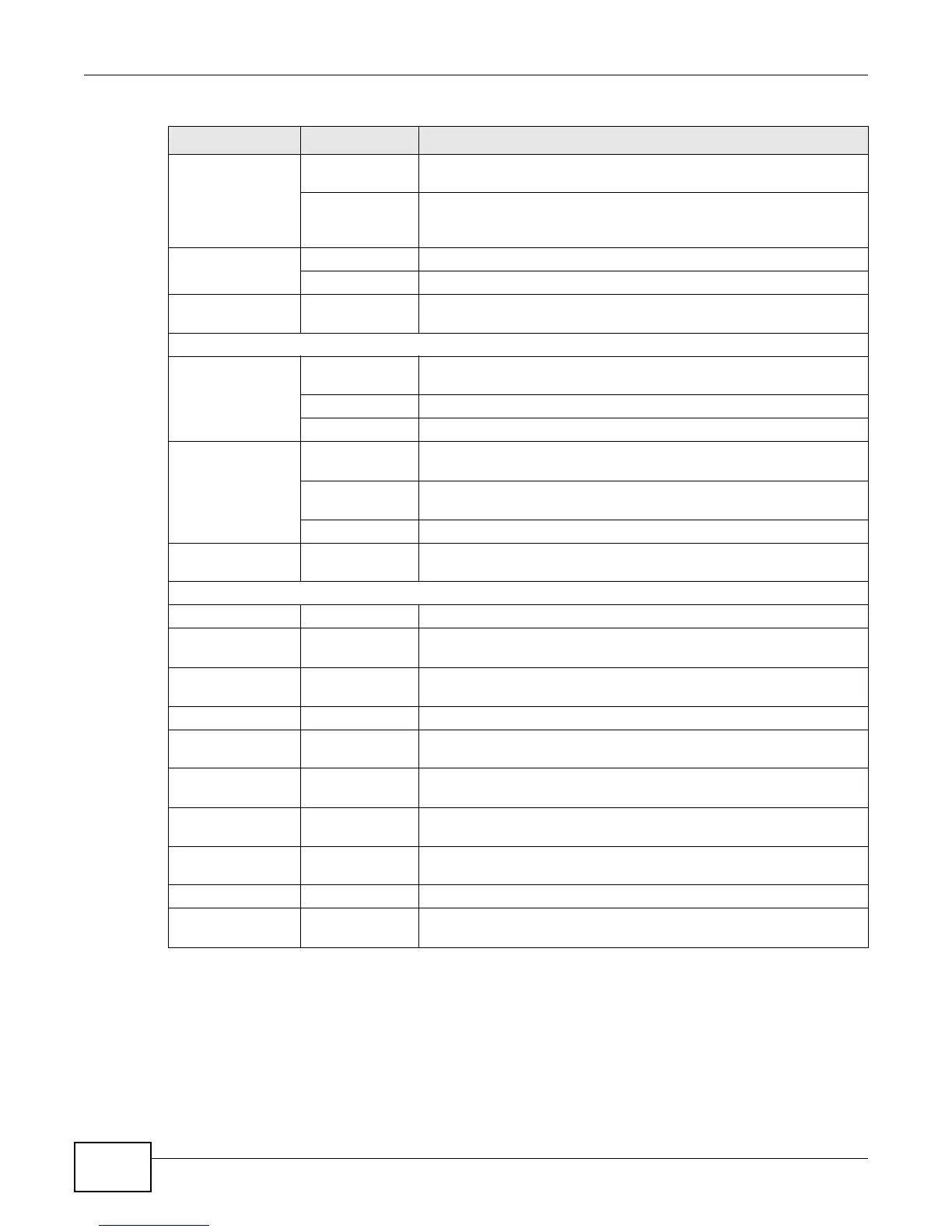
Use this screen to configure your LTE Device’s Voice over IP settings.
SIP Account Use this screen to set up information about your SIP account and
configure audio settings such as volume levels for the phones
connected to the LTE Device.
Phone Phone Device Use this screen to set which phone ports use which SIP accounts.
Region Use this screen to select your location.
Call Rule Speed Dial Use this screen to configure speed dial for SIP phone numbers that
you call often.
System Monitor
Log System Log Use this screen to view the system logs for the categories that you
select.
Phone Log Use this screen to view the LTE Device’s phone logs.
VoIP Call History Use this screen to view the LTE Device’s VoIP call history.
Traffic Status WAN Use this screen to view the status of all network traffic going through
the WAN port of the LTE Device.
LAN Use this screen to view the status of all network traffic going through
the LAN ports of the LTE Device.
NAT Use this screen to view the status of NAT sessions on the LTE Device.
VoIP Status VoIP Status Use this screen to view the SIP, phone, and call status of the LTE
Device.
Maintenance
Users Account Users Account Use this screen to configure the passwords your user accounts.
Remote MGMT Remote MGMT Use this screen to enable specific traffic directions for network
services.
System System Use this screen to configure the LTE Device’s name, domain name,
management inactivity time-out.
Time Setting Time Setting Use this screen to change your LTE Device’s time and date.
Log Setting Log Setting Use this screen to select which logs and/or immediate alerts your
device is to record. You can also set it to e-mail the logs to you.
Firmware
Upgrade
Firmware
Upgrade
Use this screen to upload firmware to your device.
Backup/
Restore
Backup/Restore Use this screen to backup and restore your device’s configuration
(settings) or reset the factory default settings.
Reboot Reboot Use this screen to reboot the LTE Device without turning the power
off.
Diagnostic Ping/TraceRoute Use this screen to test the connections to other devices.
Auto Provision Auto Provision Use this screen to configure auto provision which automatically
updates the latest firmware and configuration to the LTE Device.
Table 2 Navigation Panel Summary (continued)
LINK TAB FUNCTION











 To Next Page