9.9 Performing a Power-On Check on the BTS3902E
This chapter describes the procedure for performing a power-on check on the BTS3902E.
CAUTION
After you unpack a BTS3902E, you must power it on within 24 hours. If you power off the
BTS3902E for maintenance, you must restore power to it within 24 hours.
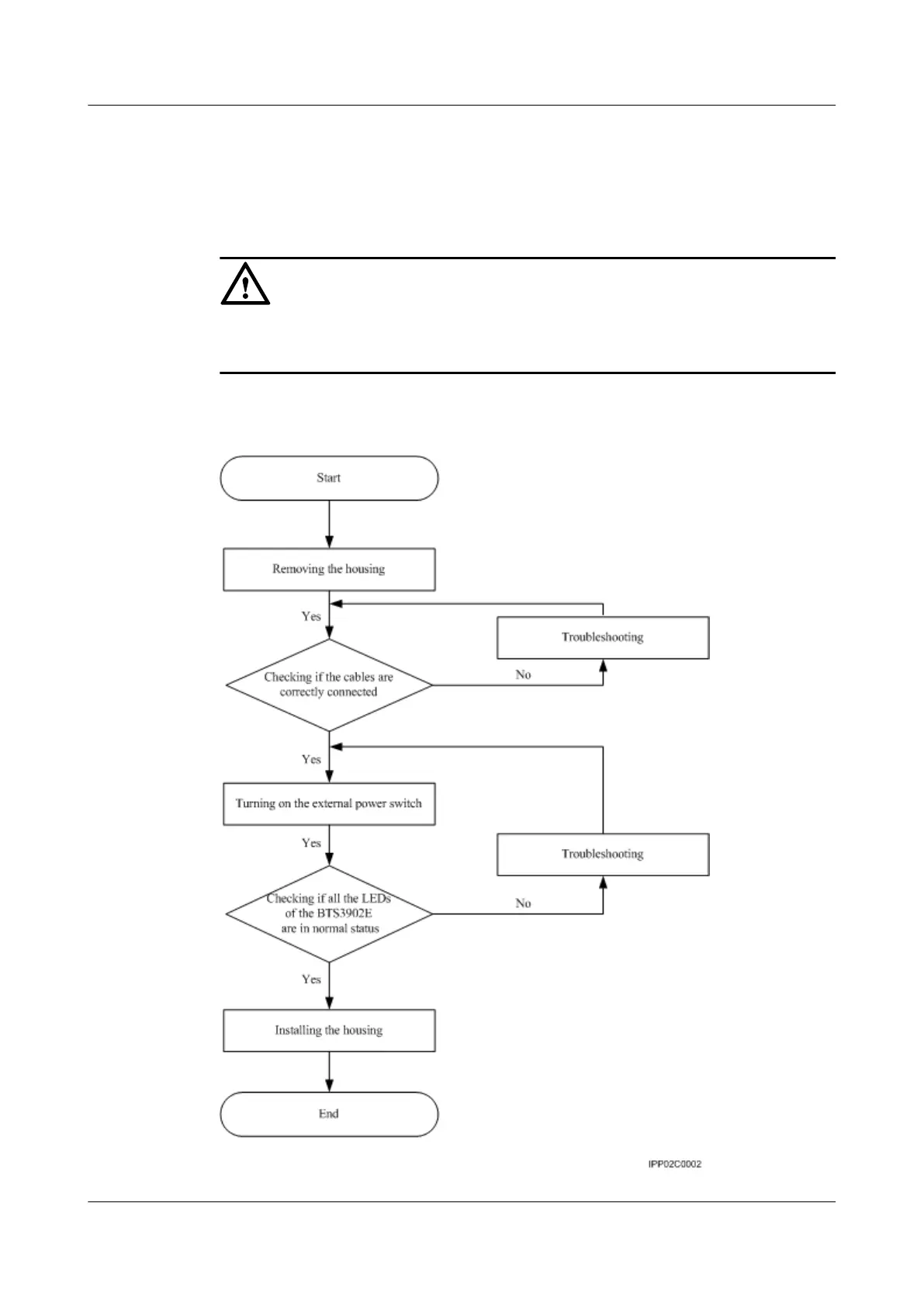
Figure 9-26 shows the BTS3902E power-on check procedure.
Figure 9-26 BTS3902E power-on check procedure
BTS3902E WCDMA
Installation Guide 9 Installing Cables
Issue Draft A (2011-06-30) Huawei Proprietary and Confidential
Copyright © Huawei Technologies Co., Ltd.
9-27









 To Next Page