1. Loosen the hose clamp.
2. Lead the clamp through the gap between the rear mounting plate and the case of the
AC surge protection box.
3. Install the hose clamp around the pole, and secure the clamp.
NOTE
If the diameter of the pole around which the clamp is installed is small, cut the extra part of the clamp.
l Install an AC surge protection box on a wall.
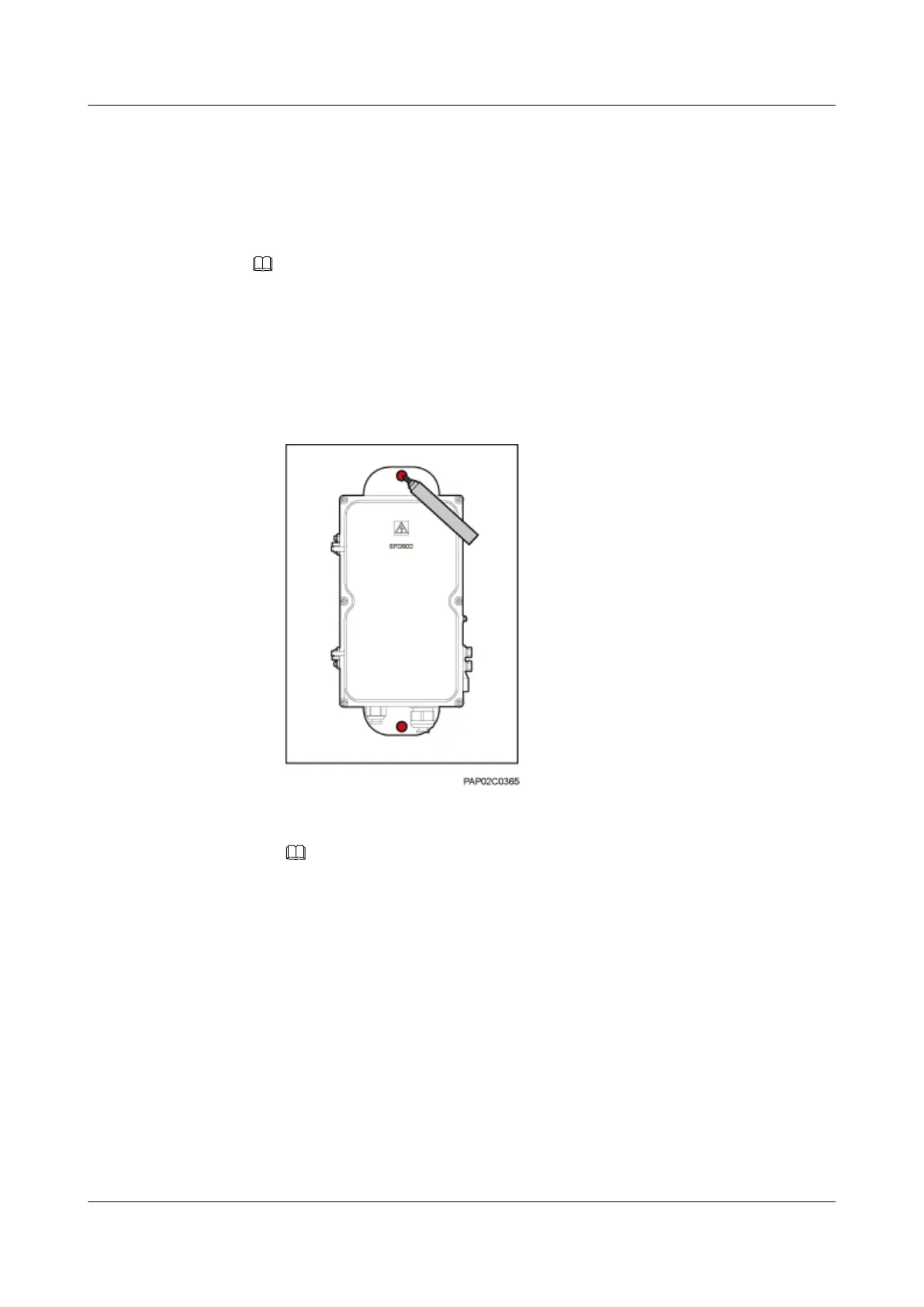
1. Place the rear mounting plate of the AC surge protection box against the wall, use a
level to verify that the plate is horizontal, and then mark anchor points using a marker,
as shown in Figure 8-11.
Figure 8-11 Marking the anchor points
2. Use a hammer drill with a Ø14 bit to drill holes at the anchor points, and install
expansion bolts, as shown in Figure 8-12.
NOTE
After disassembling the expansion bolt assemblies, discard the plastic tubes.
BTS3902E WCDMA
Installation Guide 8 Installing an AC Surge Protection Box and Related Cables
Issue Draft A (2011-06-30) Huawei Proprietary and Confidential
Copyright © Huawei Technologies Co., Ltd.
8-7









 To Next Page