NOTE
Following is based on the power cable longer than or equal to 5 m (16.4 ft.).
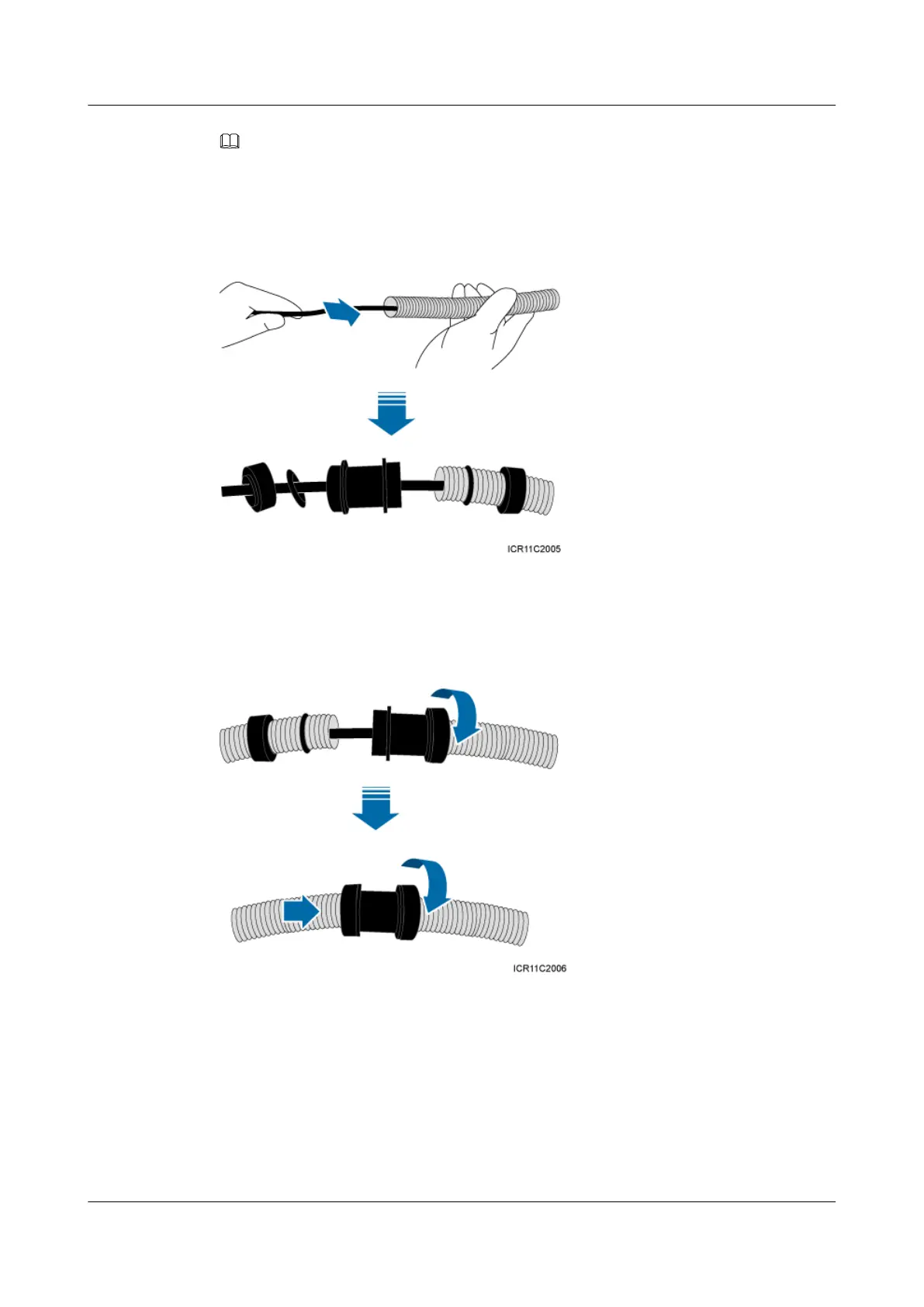
Step 3 Lead the power cable through corrugated pipes, and add a connector between two corrugated
pipes, as shown in Figure 9-28.
Figure 9-28 Leading the power cable through corrugated pipes
Step 4 Join the corrugated pipes, as shown in Figure 9-29.
Figure 9-29 Joining corrugated pipes
Step 5 Determine the length of the power cable for different operations based on the labels, as shown
in Figure 9-30.
BTS3902E WCDMA
Installation Guide 9 Installing Cables
Issue Draft A (2011-06-30) Huawei Proprietary and Confidential
Copyright © Huawei Technologies Co., Ltd.
9-29









 To Next Page