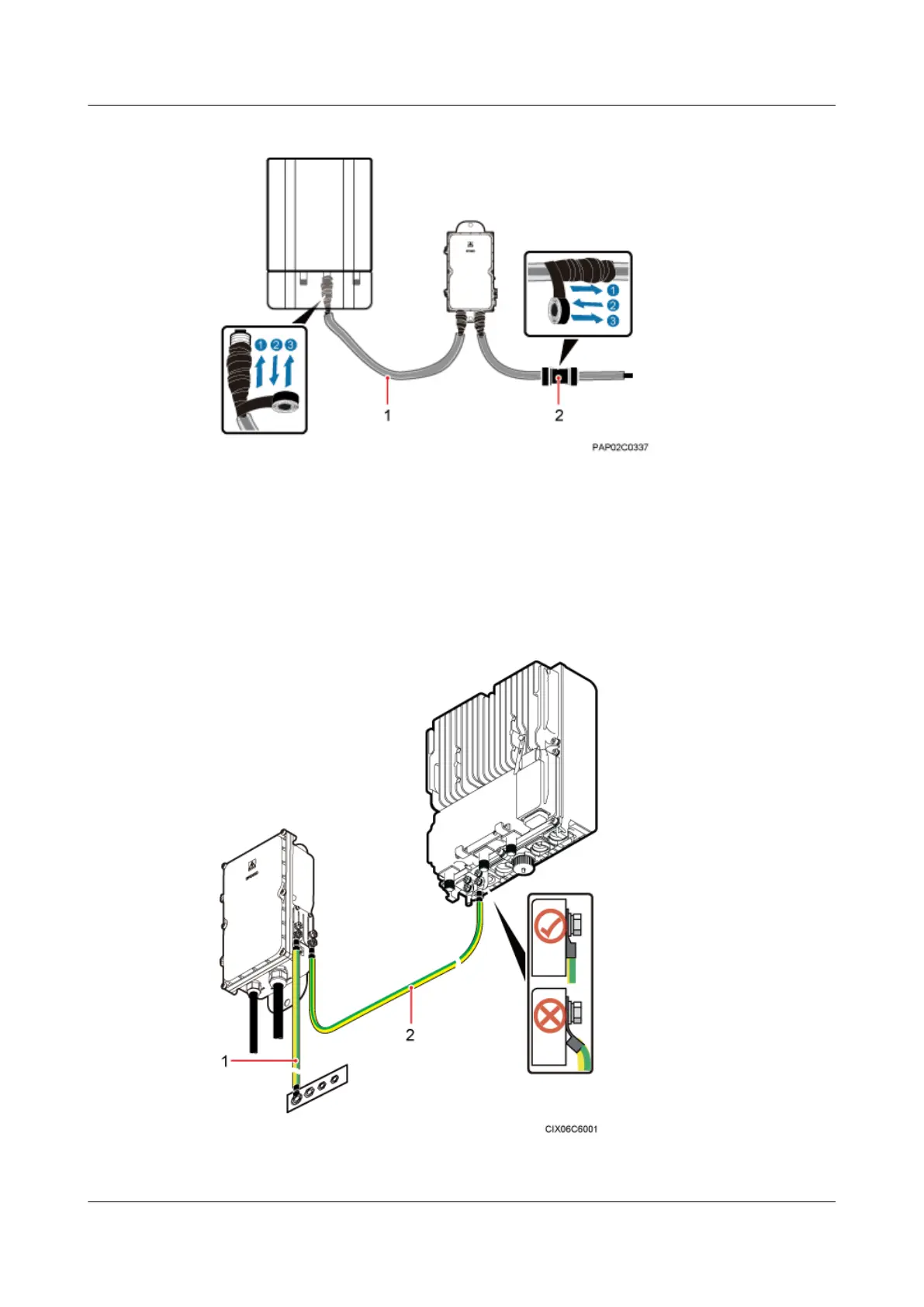
Figure 8-20 Securing AC power cables
(1) Corrugated pipe (2) Connector between corrugated pipes
Step 7 Bind the cables using cable ties at equal spacing of 30 cm (11.81 in.) and verify that the bend
radius of the corrugated pipe is not less than 60 mm (2.36 in.).
Step 8 Install the PGND cable and equipotential cable, as shown in Figure 8-21.
Figure 8-21 Installing the PGND cable and equipotential cable
(1) PGND cable
(2) Equipotential cable
8 Installing an AC Surge Protection Box and Related Cables
BTS3902E WCDMA
Installation Guide
8-14 Huawei Proprietary and Confidential
Copyright © Huawei Technologies Co., Ltd.
Issue Draft A (2011-06-30)









 To Next Page