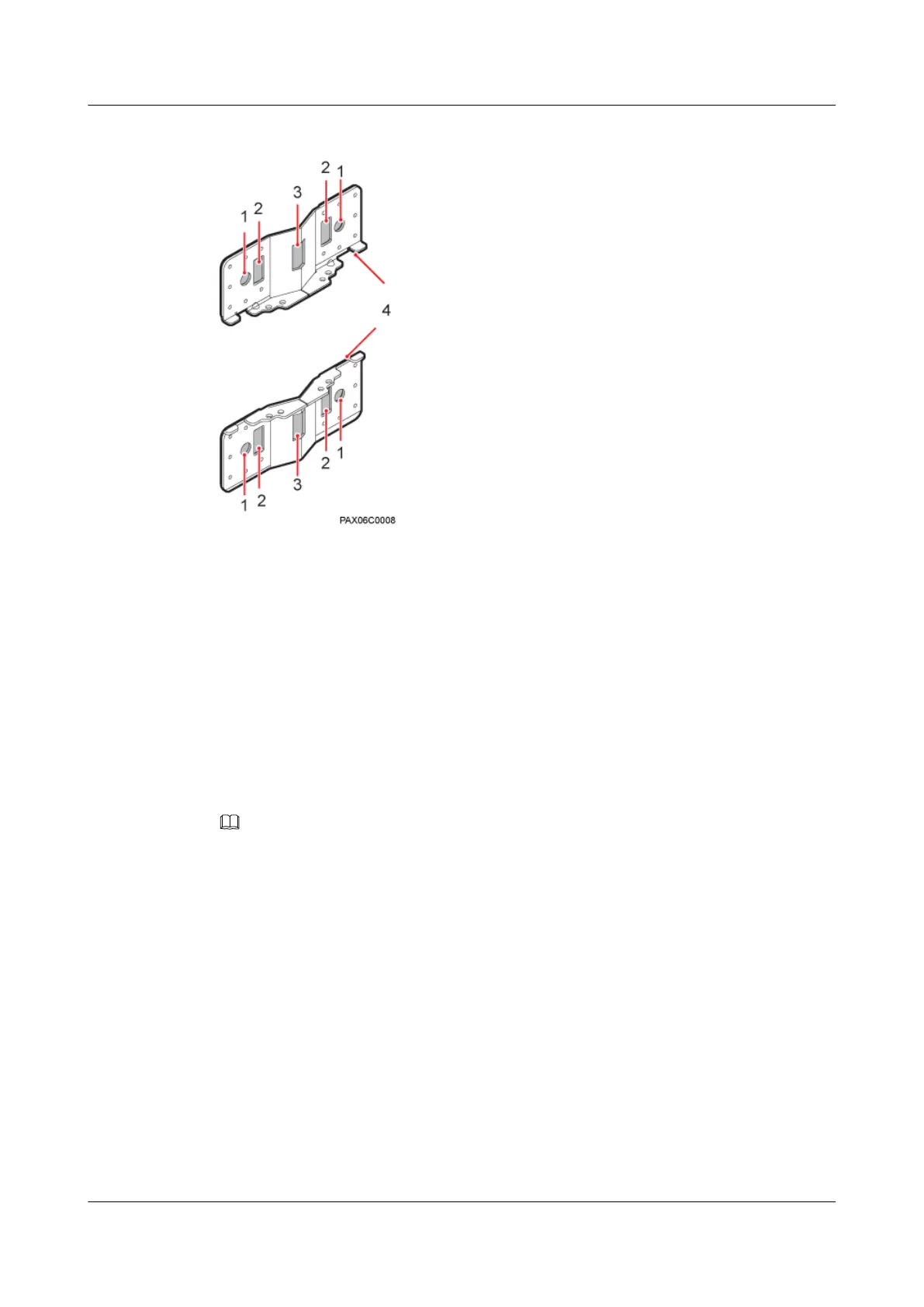
Figure 7-3 Adapting plate assembly for installing a BTS3902E
(1) Mounting hole group A (2) Mounting hole group B (3) Mounting hole group C (4) Adapting plates
7.2 Installing a BTS3902E on a Pole with the Diameter of 60
mm to 114 mm (2.36 in. to 4.49 in.)
This section describes the procedure and precautions for installing a BTS3902E on a pole with
the diameter of 60 mm to 114 mm (2.36 in. to 4.49 in.).
Context
NOTE
It is recommended that the BTS3902E be installed 8000 mm to 15000 mm (315 in. to 590.6 in.) above the floor.
Procedure
Step 1 Determine the position for installing the main mounting bracket.
Step 2 Fit one end of the auxiliary mounting bracket to one dual-nut bolt assembly of the main mounting
bracket.
Step 3 Install the bracket assembly on the pole, and then fit the other end of the auxiliary mounting
bracket to the other dual-nut bolt assembly, as shown in Figure 7-4.
BTS3902E WCDMA
Installation Guide 7 Installing a BTS3902E
Issue Draft A (2011-06-30) Huawei Proprietary and Confidential
Copyright © Huawei Technologies Co., Ltd.
7-3









 To Next Page