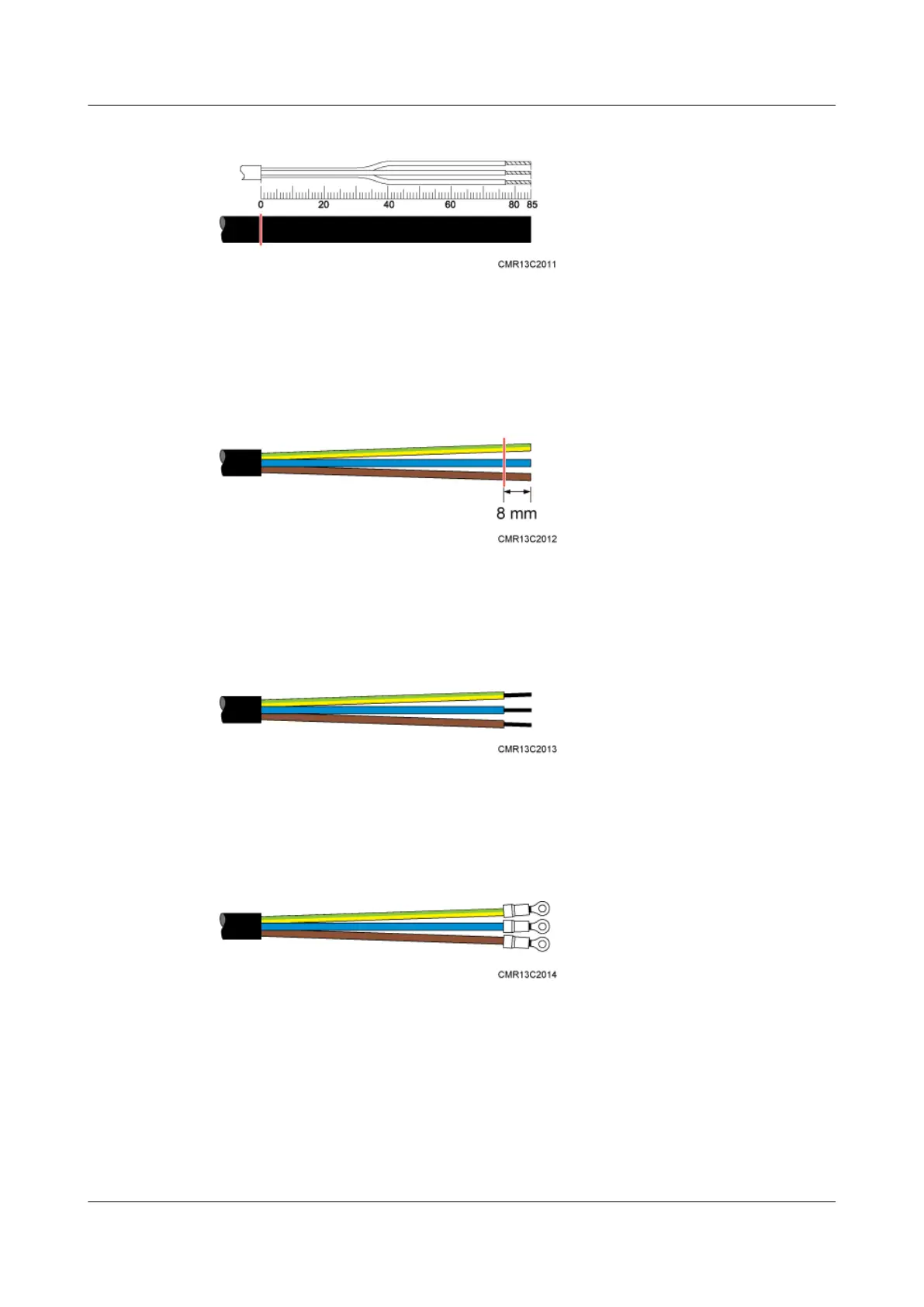
Figure 9-30 Determining the length of the power cable
Step 6 Use a utility knife to strip the specified length of the sheath and shield layer off the power cable,
as shown in Figure 9-31.
Figure 9-31 Stripping the specified length of the sheath and shield layer
Step 7 Strip the sheath off each core wire, as shown in Figure 9-32.
Figure 9-32 Stripping the sheath off each core wire
Step 8 Add OT terminals to the three core wires, as shown in Figure 9-33.
Figure 9-33 Adding OT terminals
----End
9.10.2 Installing a Ground Clip
This section describes how to install a ground clip on a fast Ethernet or gigabit Ethernet (FE/
GE) cable.
9 Installing Cables
BTS3902E WCDMA
Installation Guide
9-30 Huawei Proprietary and Confidential
Copyright © Huawei Technologies Co., Ltd.
Issue Draft A (2011-06-30)









 To Next Page