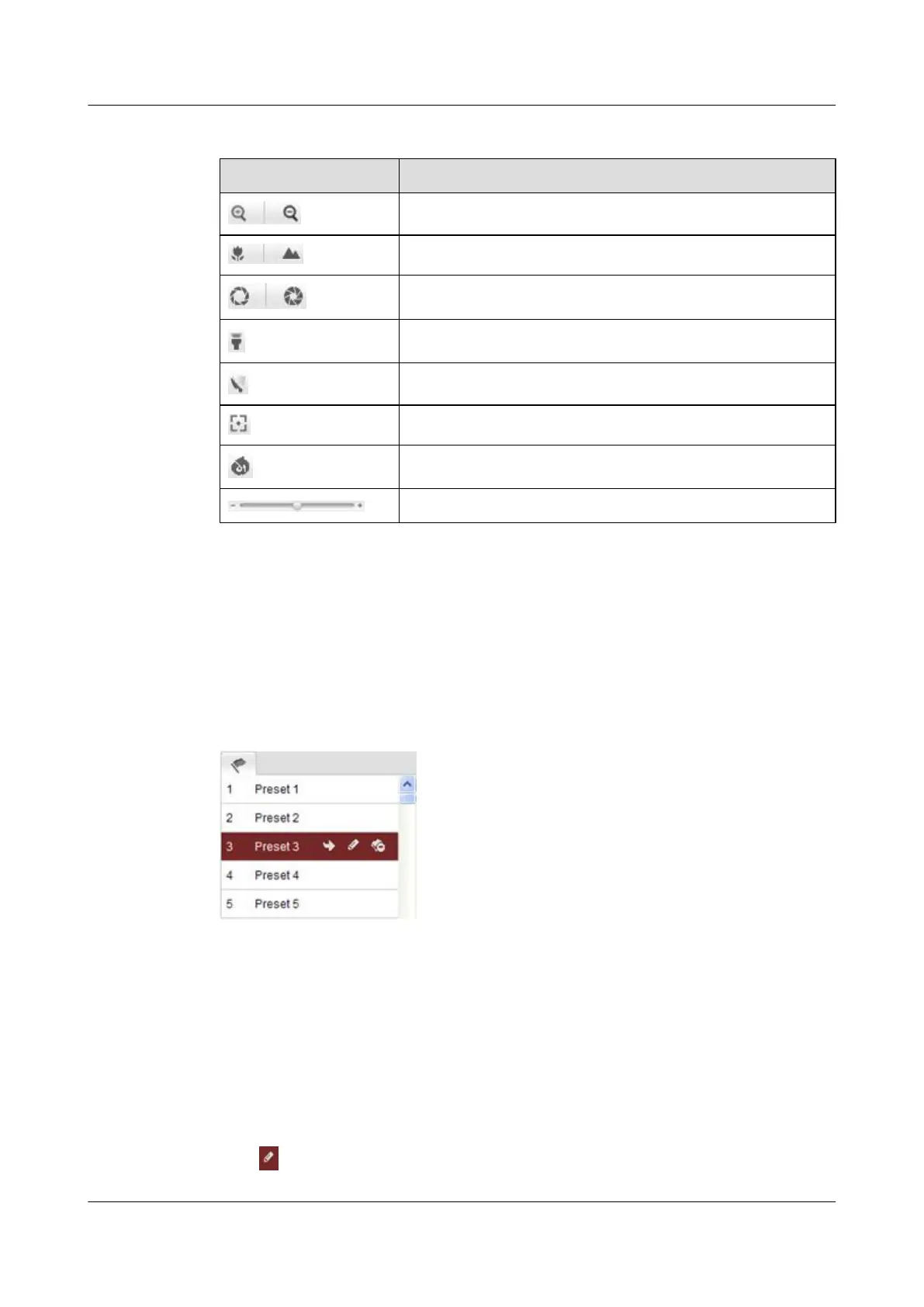
Table 7-3 Buttons on the PTZ Control Panel
Icon Description
Zoom in/out
Focus near/far
Iris open/close
Light on/off
Wiper on/off
Initialize lens
Adjust speed of pan/tilt movements
Iris open/close
7.3.2 Setting /Calling a Preset
Setting a Preset
Step 1 In the PTZ control panel, select a preset number from the preset list.
Figure 7-6 Setting a Preset
Step 2 Use PTZ control buttons to move the lens to a desired position.
You can perform any of the following operations:
l Pan the camera to the right or left.
l Tilt the camera up or down.
l Zoom in or out.
l Refocus the lens.
Step 3 Click
to save the preset.
IPC6131-WD-A&6123-WDL-A&6232-IR&6212-
IR&6231-WD-VRZ&6332-MIR&6311-IR&6331-IR
User Guide
7 Live View
Issue 02 (2014-12-25) Huawei Proprietary and Confidential
Copyright © Huawei Technologies Co., Ltd.
69



 To Next Page