Step 2 Configure the QoS settings, including video / audio DSCP, event / alarm DSCP and Management
DSCP.
The valid value range of the DSCP is 0~63. The bigger the DSCP value is the higher the priority
is.
NOTE
DSCP refers to the Differentiated Service Code Point; and the DSCP value is used in the IP header to
indicate the priority of the data.
Step 3 Click to save the settings.
NOTE
It asks for a reboot for the settings to take effect.
----End
8.3.8 Configuring FTP Settings
You can configure the FTP server related information to enable the uploading of the captured
pictures to the FTP server. The captured pictures can be triggered by events or a timing snapshot
task.
Step 1 Enter the FTP Settings interface: Configuration >Advanced Configuration >Network >
FTP.
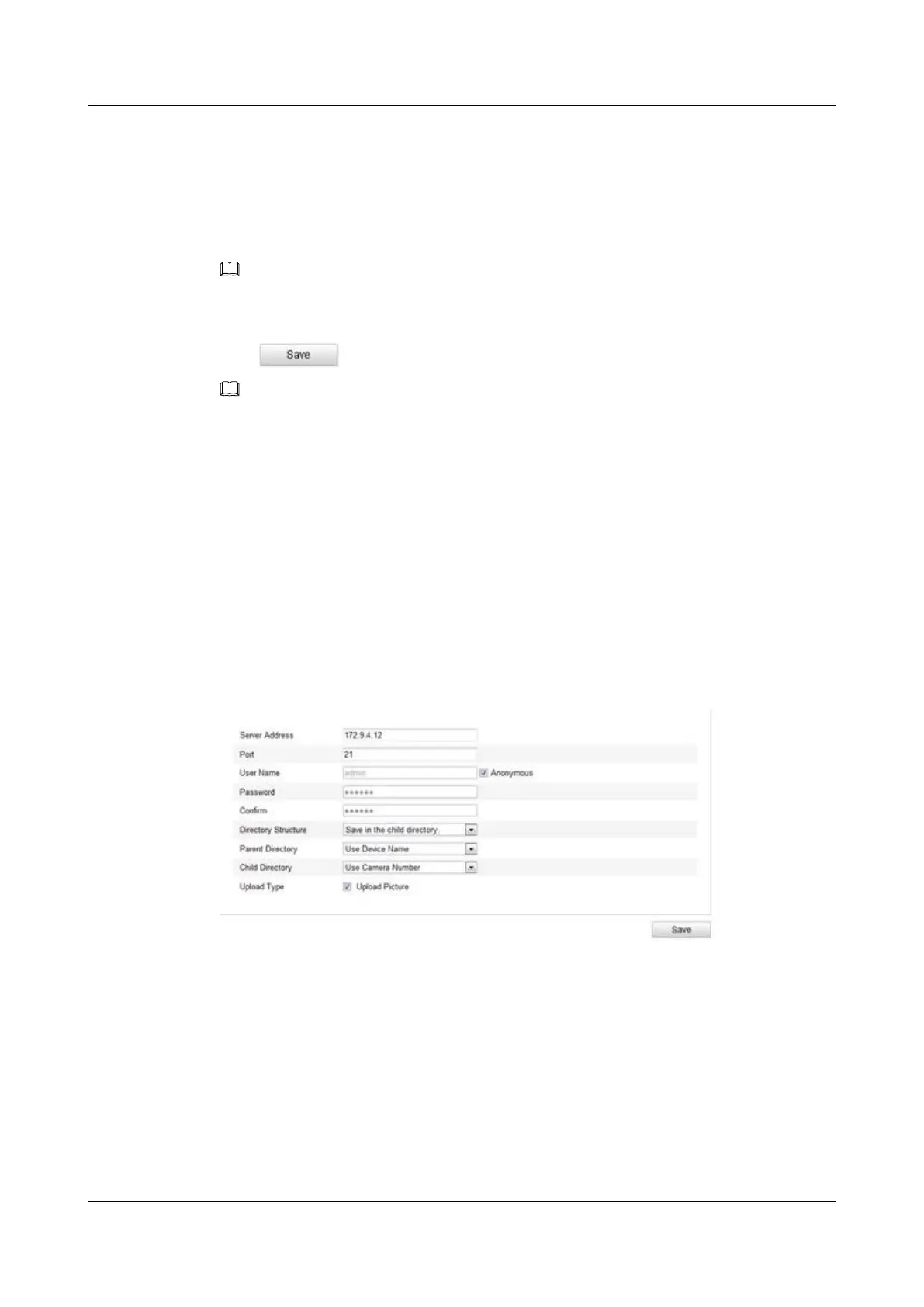
Figure 8-15 FTP Settings
Step 2 Configure the FTP settings; and the user name and password are required for login the FTP
server.
l Directory: In the Directory Structure field, you can select the root directory, parent directory
and child directory. When the parent directory is selected, you have the option to use the
Device Name, Device Number or Device IP for the name of the directory; and when the Child
Directory is selected, you can use the Camera Name or Camera No. as the name of the
directory.
l Upload type: To enable uploading the captured picture to the FTP server.
IPC6131-WD-A&6123-WDL-A&6232-IR&6212-
IR&6231-WD-VRZ&6332-MIR&6311-IR&6331-IR
User Guide
8 Network Camera Configuration
Issue 02 (2014-12-25) Huawei Proprietary and Confidential
Copyright © Huawei Technologies Co., Ltd.
81



 To Next Page