7 Live View
7.1 Starting Live View
Multiple users can access the device web page by means of PC clients at the same time. The
motion detection will occupy 50% of the CPU resources and local recording will occupy 20%
of the CPU resources. When multiple users access the web page at the same time:
l A maximum of two channels of video images can be viewed at the same time when both
the motion detection and local recording are enabled.
l A maximum of six channels of video images can be previewed at the same time when the
motion detection and local recording are not enabled.
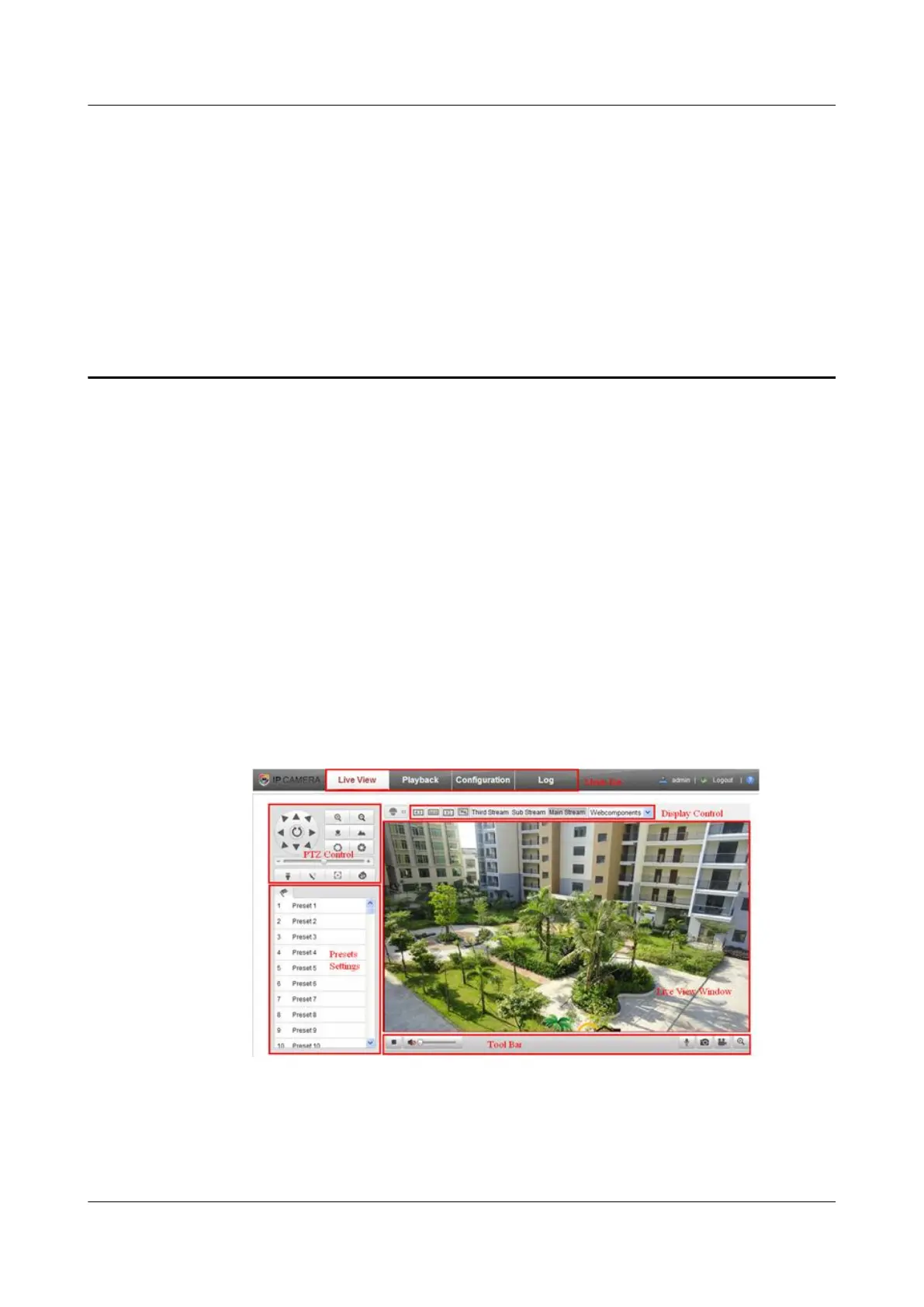
The Live View page is displayed after you login successfully. On this page, you can get
the live view, capture images, perform PTZ control, set or call presets, and configure live
video parameters, etc.
Figure 7-1 Live View page
IPC6131-WD-A&6123-WDL-A&6232-IR&6212-
IR&6231-WD-VRZ&6332-MIR&6311-IR&6331-IR
User Guide 7 Live View
Issue 02 (2014-12-25) Huawei Proprietary and Confidential
Copyright © Huawei Technologies Co., Ltd.
65



 To Next Page