NetCol5000-A 42 kW Air Cooled In-row Precision Air
Conditioner
User Manual
Huawei Proprietary and Confidential
Copyright © Huawei Technologies Co., Ltd.
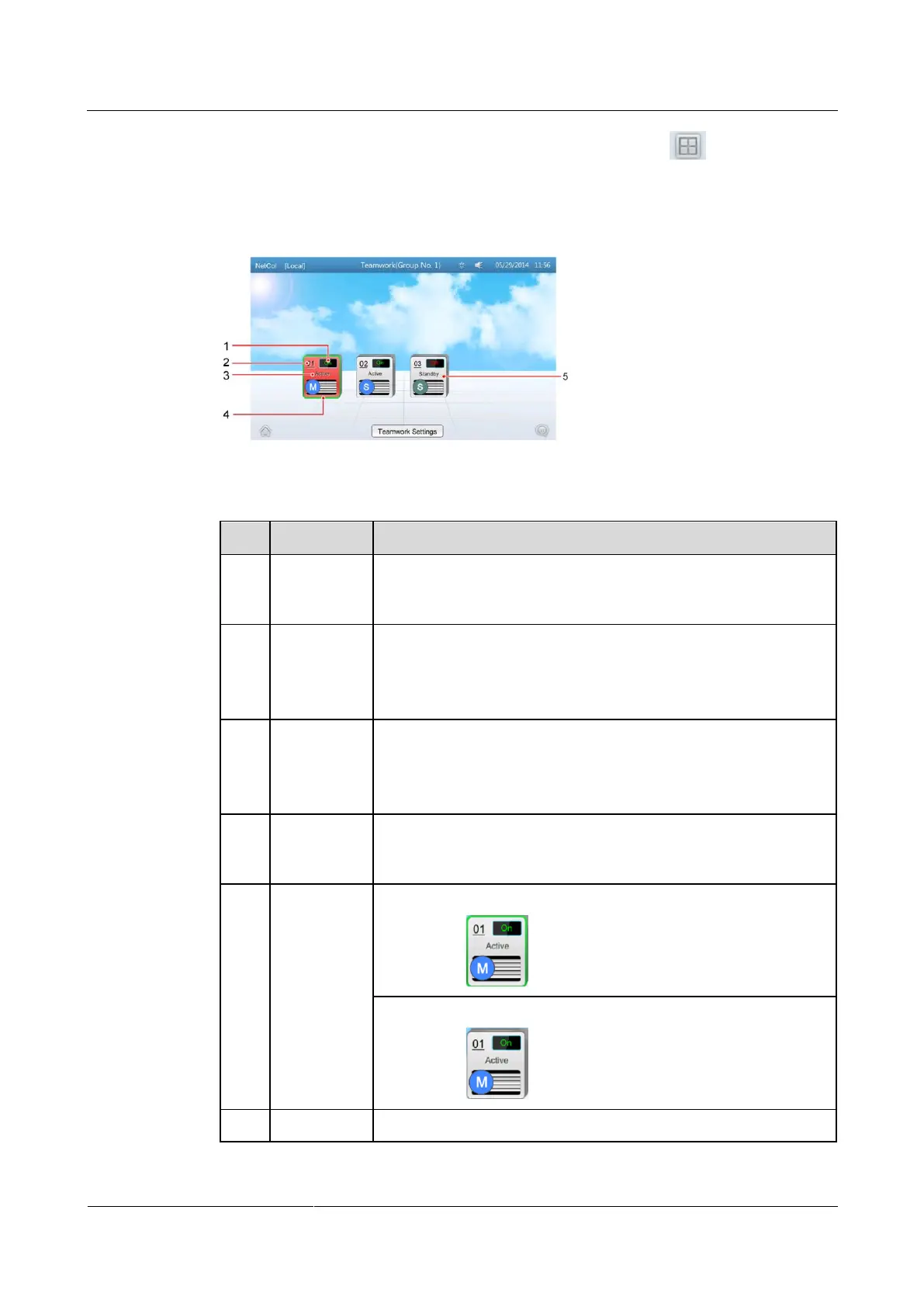
Step 4 On the home screen of any teamwork controlled air conditioner, tap . If the teamwork
control succeeds, the teamwork topology of the air conditioner in the group is displayed, as
shown in Figure 4-25. Table 4-11 describes the note for the screen.
Figure 4-25 Teamwork topology
Table 4-11 Notes for the screen
On indicates that the precision air conditioner is started and Off
indicates that the precision air conditioner is shut down. NA
indicates that the precision air conditioner is offline.
Indicates the device address. 01 is the master one and the rest are all
slave ones.
NOTE
If the master one offline, the teamwork networking failed.
Active: properly responds to the requirement control.
Standby: responds to the requirement control when Active is faulty
(critical alarms, shutdown, and offline) or Active cannot meet
cooling requirements.
M indicates the master unit, and S indicates a slave unit. Blue
indicates that the device is operating, and gray indicates that the
device is idle.
A device with green frame indicates the device itself,
as shown in .
A non-green frame indicates the other device in the group,
as shown in .
Red indicates that a critical alarm is generated,







 To Next Page