EasyManua.ls Logo

Hunter X-CORE - User Manual

Hunter X-CORE
372 pages
Print Icon
To Next Page IconTo Next Page
Loading...
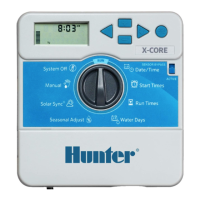
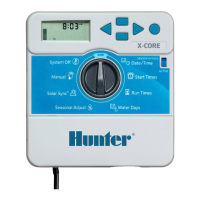
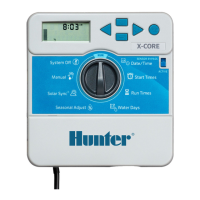
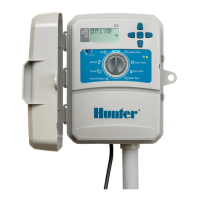
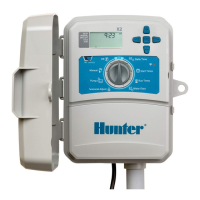
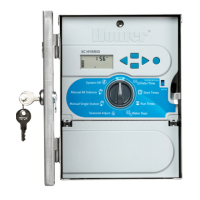
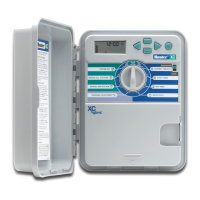
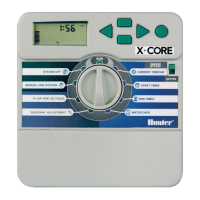
Residential Irrigation Controller
Owner’s Manual and Programming Instructions
Compatible with Hunter Remotes and Solar Sync
SEASONAL ADJUSTMENT
WATER DAYS
MANUAL-ONE STATION
START TIMES
SYSTEM OFF
CURRENT TIME/DAY
RUN TIMES
ACTIVE
SENSOR BYPASS
RUN
NEW

Table of Contents

Other manuals for Hunter X-CORE

Questions and Answers

  • R
    Robert HuntSep 12, 2025
    Why does my Hunter Irrigation System display show dashes in Solar Sync Settings?
    • J
      Jeremy HendricksSep 12, 2025
      If the display on your Hunter Irrigation System shows dashes when the dial is in the Solar Sync Settings position, it means that the Solar Sync sensor is either not connected to the controller or the Solar Sync sensor wires may have a break in them or a bad connection. Connect the Solar Sync to the “SEN” positions on the wiring terminal. The display will then show the Region and Water Adjustment setting.
  • C
    Christopher WardSep 12, 2025
    Why won't my Hunter Irrigation System rain sensor shut off the system?
    • B
      banksashleySep 12, 2025
      If your Hunter Irrigation System rain sensor will not shut off the system, it could be due to a defective rain sensor, the jumper not being removed when the sensor was installed, or stations being programmed to override the sensor. Verify the operation of the rain sensor and proper wiring. Remove the jumper from the sensor terminals. Reprogram the sensor override to enable the sensor.
  • M
    molly28Sep 10, 2025
    How to fix a Hunter X-CORE with no display?
    • S
      Shaun LandrySep 10, 2025
      If the display on your Hunter Controller is blank, check the AC power wiring and correct any errors.
  • B
    Bonnie SullivanSep 9, 2025
    Why does my Hunter Controller show dashes in the Solar Sync Settings?
    • D
      Danielle WalkerSep 9, 2025
      If the Hunter Controller display shows dashes when the dial is in the Solar Sync Settings position, it means that the Solar Sync sensor isn't connected to the controller, or the sensor wires may have a break or bad connection. Connect the Solar Sync to the 'SEN' positions on the wiring terminal. The display will then show the Region and Water Adjustment setting.
  • J
    Jeffrey BowenSep 8, 2025
    What does 'P ERR' mean on my Hunter Controller display?
    • D
      Daniel DelgadoSep 8, 2025
      If the Hunter Controller display shows 'P ERR', it indicates a problem with the pump relay or master valve wiring. It could also be due to an incompatible or defective relay or solenoid, or undersized wire to the pump relay or master valve. To address this: * Check the wiring to the relay or master valve solenoid. Press any button to clear the 'P ERR' from the display. * Verify the electrical specifications for the pump relay, ensuring you don't exceed the controller's electrical rating. Replace if defective. * Replace the wire with a larger gauge wire.
  • M
    Marc ChangAug 23, 2025
    What to do if my Hunter Irrigation System display reads “No AC”?
    • L
      Laura JenningsAug 23, 2025
      If the display on your Hunter Irrigation System reads “No AC,” it means the controller isn't getting power. Check that the transformer is properly installed to ensure it's receiving AC power.
  • M
    Martin McdonaldSep 6, 2025
    What does it mean when my Hunter X-CORE display reads “No AC”?
    • C
      Chloe PerrySep 6, 2025
      If the Hunter Controller display reads “No AC”, it means there is no AC power present, and the controller is not receiving any power. Check to see if the transformer is properly installed.
  • C
    cardenasvictorSep 5, 2025
    Why doesn't my Hunter Controller start automatic irrigation at the start time?
    • D
      donaldhannaSep 5, 2025
      Automatic irrigation may not start at the start time on your Hunter Controller (when not in System Off mode) due to several reasons: * AM/PM of time of day not set correctly * AM/PM of start time not set correctly * Start Time is disabled (set for Off) * Controller is not receiving AC power Correct the AM/PM of the time of day and start time. See the section on Setting Program Start Times. Check AC power connections.
  • K
    Kevin MorrisSep 4, 2025
    Why does my Hunter X-CORE display a station is running but the and icons are flashing?
    • A
      Aaron JacobsSep 4, 2025
      If your Hunter Controller display shows a station is running but the and icons are flashing, it means that the sensor is interrupting irrigation; however, the station has been programmed to override the sensor. Check the sensor override status.
  • J
    Joy GomezSep 3, 2025
    What does it mean when my Hunter X-CORE display reads “Of,f ”?
    • M
      Marc PowellSep 3, 2025
      If the Hunter Controller display reads “Of,f ”, it means that the rain sensor is interrupting irrigation or the sensor jumper has been removed. Slide the rain sensor bypass switch to the BYPASS position to bypass the rain sensor circuit, or reinstall the jumper.

Summary

X-Core Components

Mounting the Controller to Wall

Connecting Valves and Transformer

Connecting a Hunter “Clik” Weather Sensor

Connecting a Hunter Solar Sync ET Sensor

Installing Solar Sync Sensor

Steps for connecting the Solar Sync sensor to the controller.

Installing the Wireless Solar Sync

Instructions for connecting the Wireless Solar Sync receiver.

Connecting a Hunter Remote

Controller Programming

Setting the Date and Time

Steps to set the current date and time on the controller.

Setting the Program Start Time(s)

How to set start times for each watering program.

Setting Station Run Times

How to set the duration of watering for each station.

Setting Days To Water

Options for selecting watering days (calendar, interval, odd/even).

Automatic Watering

System Off

Programmable Rain Off

Seasonal Adjustment %

Manually Run a Single Station

One Touch Manual Start and Advance

Advanced Features

Easy Retrieve Program Memory

Clearing the Controller’s Memory;Resetting the Controller

Troubleshooting Guide

Specifications

Hunter X-CORE Specifications

General IconGeneral
Start Times Per Program4
Max Station Run Time4 hours
Warranty2 years
ApplicationResidential
MountingWall mount
Station Timing1 minute to 4 hours
Number of Stations2, 4, 6, or 8
Watering Duration1 minute to 4 hours
DisplayLCD
Stations2, 4, 6 or 8 stations
Indoor/OutdoorIndoor or Outdoor
Seasonal AdjustmentYes
Watering Days7 days
Rain DelayYes
Power Source24V AC transformer
Battery BackupYes
Programs3

Related product manuals