77
Operations
Enjoying Net Audio
—Continued
Presetting Internet Radio Stations
You can preset up to 30 Internet radio stations.
Choosing a Preset Internet Radio Station
Erasing a preset Internet radio station
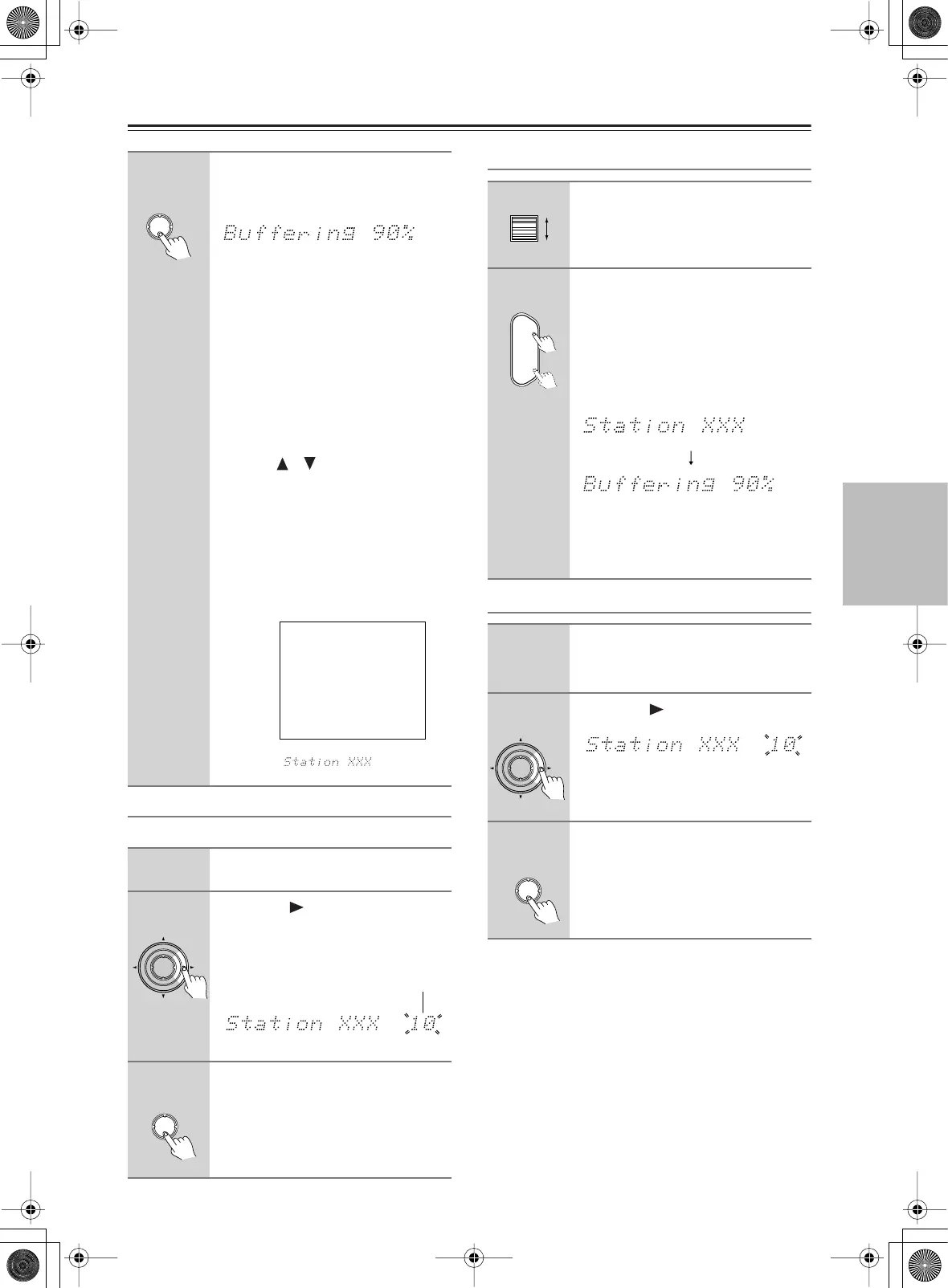
7
Press the [Enter] button.
Buffering starts with the following mes-
sage displayed.
When the buffering is complete, the
DTR-10.5 starts playback of the broad-
cast.
Note:
If you’re using a narrowband Internet
connection (e.g., 56K modem, ISDN),
depending on the station, Internet radio
may not work satisfactorily. For best
results use a broadband connection (e.g.,
cable modem, xDSL modem, etc).
You can switch the displayed content
using the [ ]/[ ] buttons.
After the switch operation, the display
mode appears for 3 seconds, and then
the appropriate information scrolls.
If there is no information on title or art-
ist, “No Info” appears.
When using the OSD screen, all the
information is displayed on one screen
without scrolling.
1
Receive your desired station.
2
Press the [ ] button.
The DTR-10.5 enters into preset mode;
the currently selected preset number
blinks for 5 seconds.
3
Press the [Enter] button.
The preset is now complete.
Enter
iNet Radio Station XXX
7ch
Title:
Station XXX Live
Program:
Station XXX Live
Artist:
RealXXXNet.com
Data:
WMA 20kbps
Tuned
OSD
Display
Enter
ch
Preset number
Enter
1
While neither the [Input] button
nor [Mode] button is illuminated,
roll the scroll wheel to select IRD
(Internet Radio).
2
Use the remote controller’s
[CH Disc +/– ] button to select the
preset.
When you choose a preset station, the
station name is displayed for 5 seconds,
and then the progress of buffering is dis-
played instead.
When the progress of buffering reaches
100%, you will be presented with the
playing screen.
1
Select the station to erase, follow-
ing the instructions described
above.
2
Press the [ ] button.
The DTR-10.5 enters into preset erase
mode.
3
Press the [Enter] button.
Your selected station is erased.
CH
Disc
+
-
Enter
ch
Enter



 To Next Page