Adding the IP Cameras
OPTION 1:
Steps:
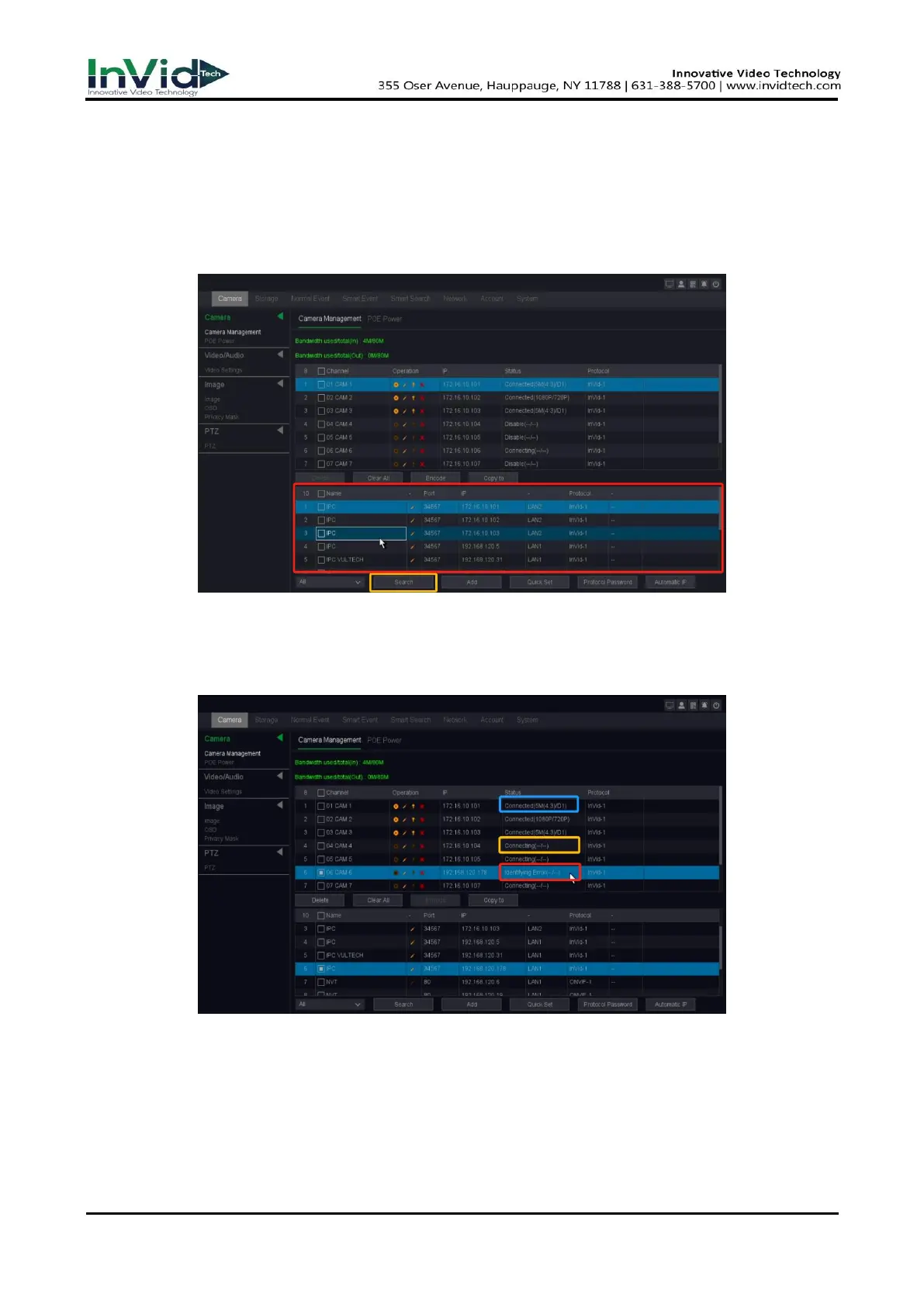
1. Select the Camera Management from the Seven Grid Menu or Move the mouse to the bottom
of the interface then enter camera management interface.
Figure 2-5-1
2. Click the 'Search' button below, the online cameras with same network segment will be
detected and displayed in the camera list.
3. Select the IP camera from the list and click the ‘ADD’ button to add the camera.
Figure 2-5-2
4. Check the status of the camera, 'Connected' means connected, 'Connecting' means connecting,
'identifying error' means the password is incorrect, except 'Connected', all others need to check
the connection information to ensure that the camera can be connected normally.



 To Next Page