Chapter 7 Maintenance
7.1 Restore Default
Steps:
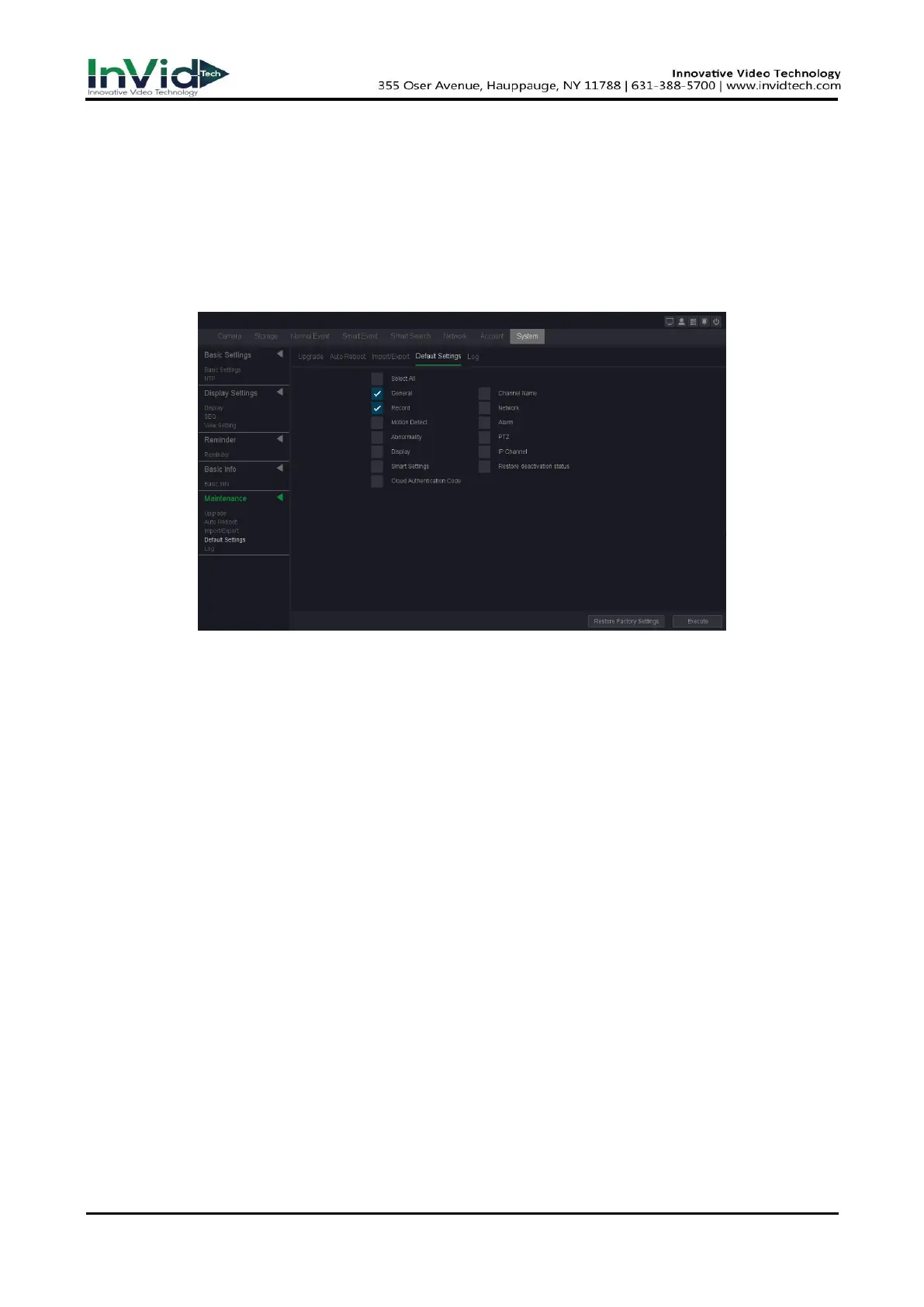
1. Go to Seven Grid Menu → System → Maintenance → Default Settings.
Figure 7-1-1
2. Select the restoring type.
Simple Restore
Choose the function item, General/Channel name/Control/Network/Motion
Detect/Alarm/Abnormality/PTZ/Display/IP Channel/Smart settings/Cloud Authentication
Code.
Click ‘execute’ button, the item what you chosen restore defaults.
Optional: you can also select the “select all” button, all the items restore default.
Factory Defaults
Click the ‘Restore factory settings’ button Restore all parameters to the factory default
settings.
3. If you did the restore, the device will reboot automatically.
7.2 Log
The operation, alarm, exception and information of video recorder can be stored in logs, which
can be viewed and exported at any time.
Steps:
1. Go to Seven Grid Menu → System → Maintenance → Log.



 To Next Page