Chapter 4 Playback
4.1 GUI Introduction
Go to Playback.
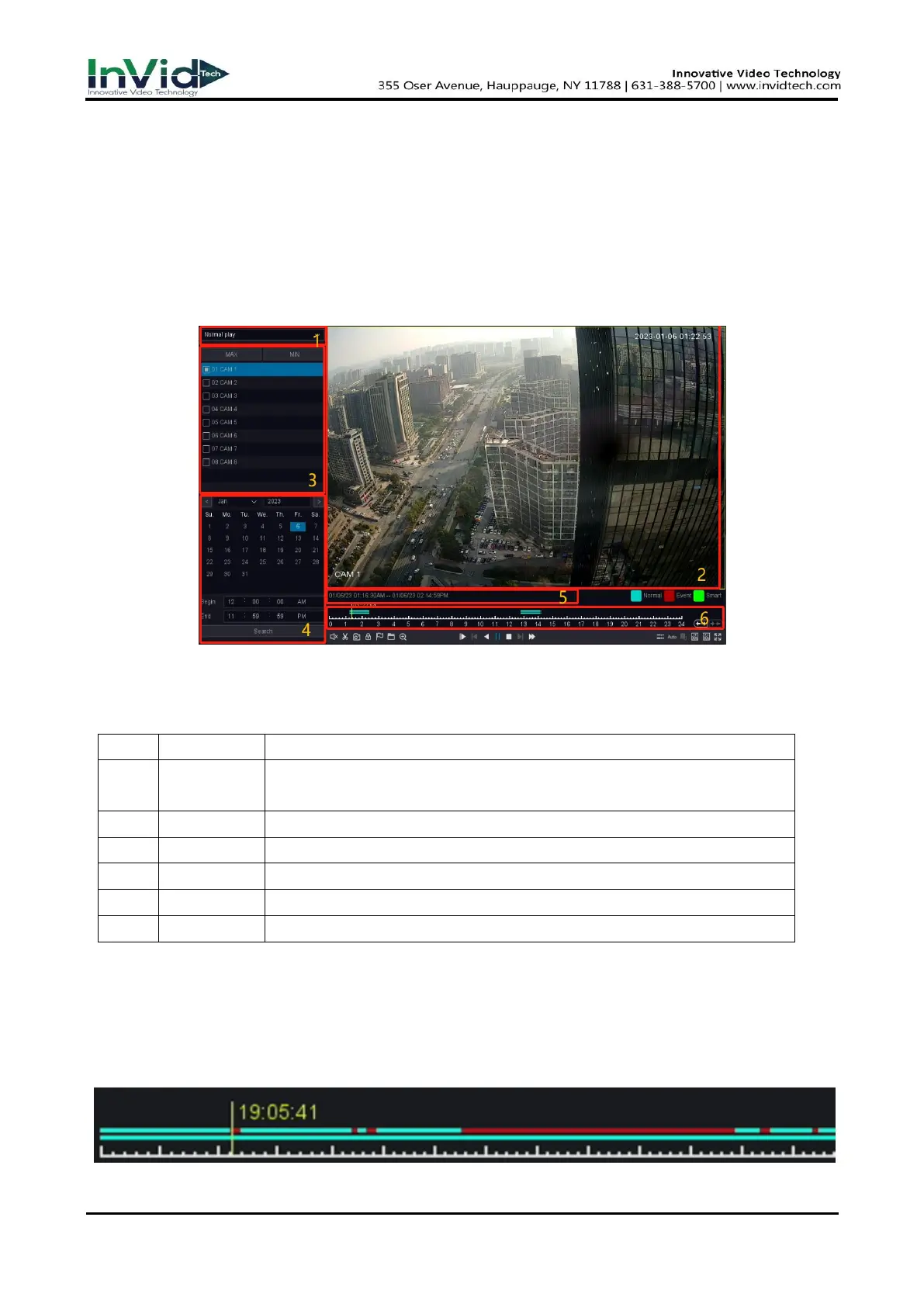
Move the mouse to the bottom of the interface and select the “Playback” to enter the
playback interface as shown in the figure 4-1-1.
Figure 4-1-1 Playback
● The functions of each block in the above figure are described as follows.
Table 4-1-1 Area Functions Introduce of Playback
● The video playback timeline as the Figure 4-1-2 shows
Figure 4-1-2 Timeline
NVR support four types playback mode “Normal Play”, “Event Play”,
“Label Play”, “Smart Play”,” Time Division Play”, “Normal Play (Picture)”.
The windows display videos.
You can select the channels for playback in this area.
Shows the date that have video files and marked blue.
Shows the start time and the end time of files in HDD.
Shows files playing course in this area.



 To Next Page