6.2.2
P2P
We provide mobile apps and cloud services to access and manage your connected devices,
allowing you to conveniently access your surveillance system remotely.
Steps:
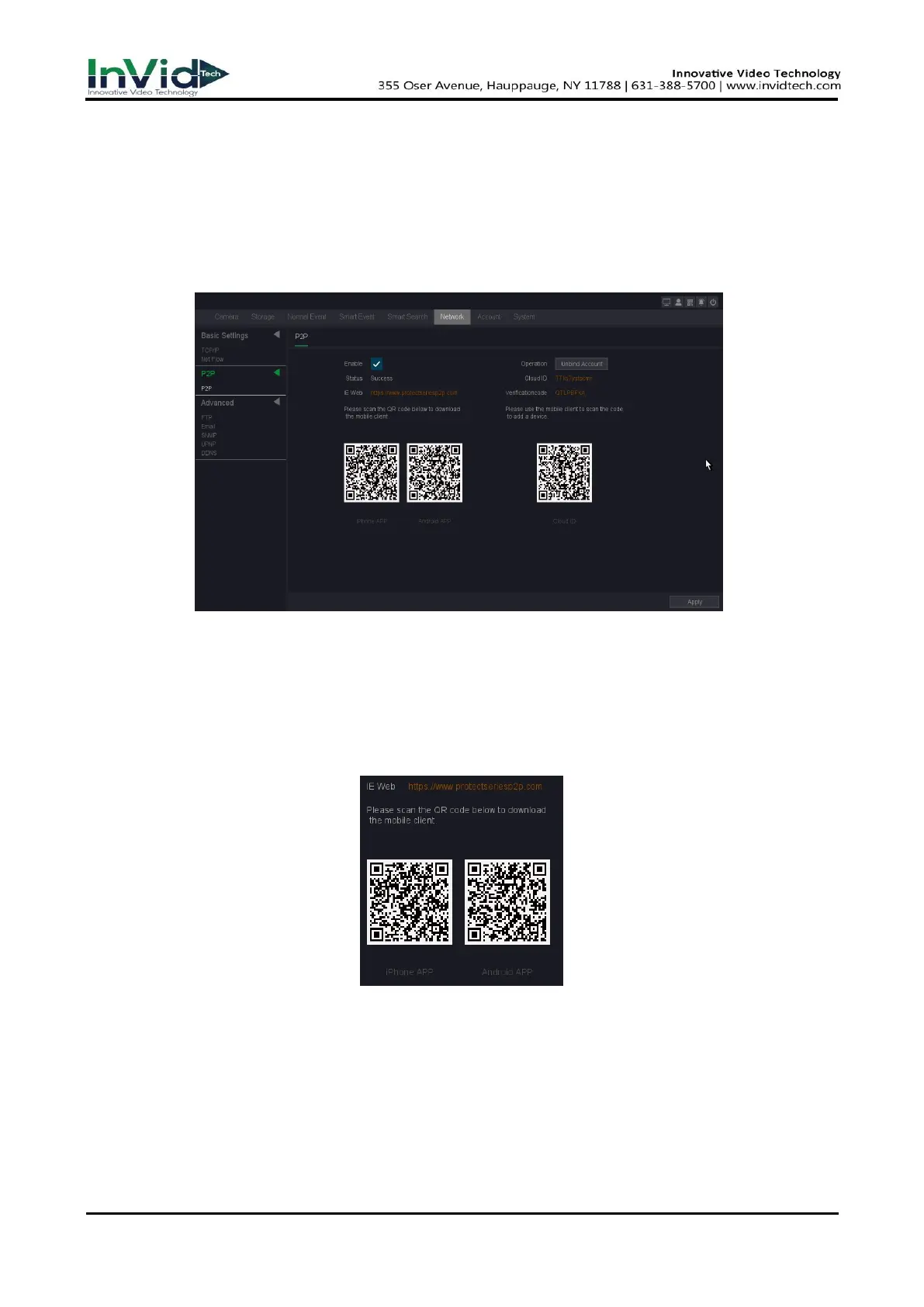
1. Go to Seven Grid Menu → Network → P2P → P2P.
2. Turn on Enable, your device will automatically perform P2P cloud registration connection.
Figure 6-2-2-1
3. Your device will change from connected to connected, which means your device has
successfully registered with the P2P cloud.
4. Bind your device to the cloud account.
1) Scan the QR code with your smartphone to download the InVid Protect APP. You can also
download from https://www.protectseriesp2p.com or the QR code below.
Figure 6-2-2-2 Download
2) Use InVid Protect APP to scan the device QR, and bind the device.
Steps:
1. Open the InVid Protect application on the smart phone.
2. Tap ‘Register’ in the lower left corner of the login box, then register your credentials and
then Login to the app. Creating an account allows user to connect multiple sites.
3. Open the ‘Menu’ by tapping the top left option.



 To Next Page