10.5.3
Face Detection
Face detection function detect peoples’ faces in a certain pre-defined virtual region, and
some certain actions can be taken when the alarm is triggered.
Before You Start
Please make sure whether your IPC supports this function.
Steps:
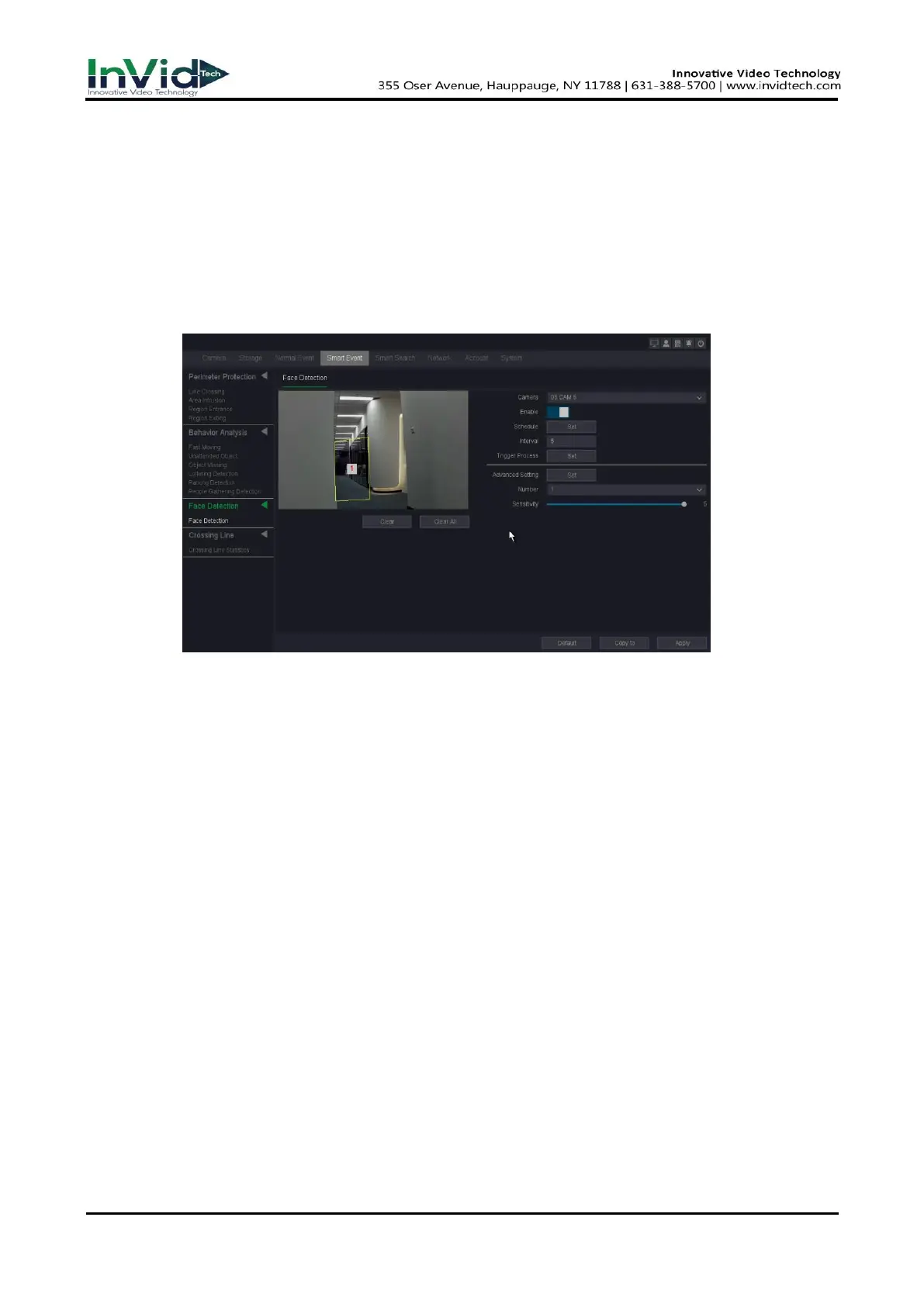
Go to Seven Grid Menu→Smart Event→Face Detection→ Face Detection.
Figure 10-5-3-1 Face Detection
1. Select a camera.
2. Turn on Enable.
3. Set detection rules and detection areas.
1) Select the Number to set Arming Area. But only one arming areas are selectable.
– Click Clear or set four points in the preview window to clear or draw a quadrilateral
detection region.
2) Set Sensitivity. The size of the object that can trigger the alarm. The higher the value is, the
easier the detection alarm can be triggered. Its range is [1-100].
4. Set the arming Schedule. Refer to for 6.3.3 Configure Arming Schedule for details.
5. Set the Trigger process. Refer to 6.3.3 Configure Alarm Trigger process for details.
6. Set the alarm interval time and recommend using the default.
7. Click Apply



 To Next Page