10.2 Network Configuration
10.2.1
Basic Settings
TCP/IP
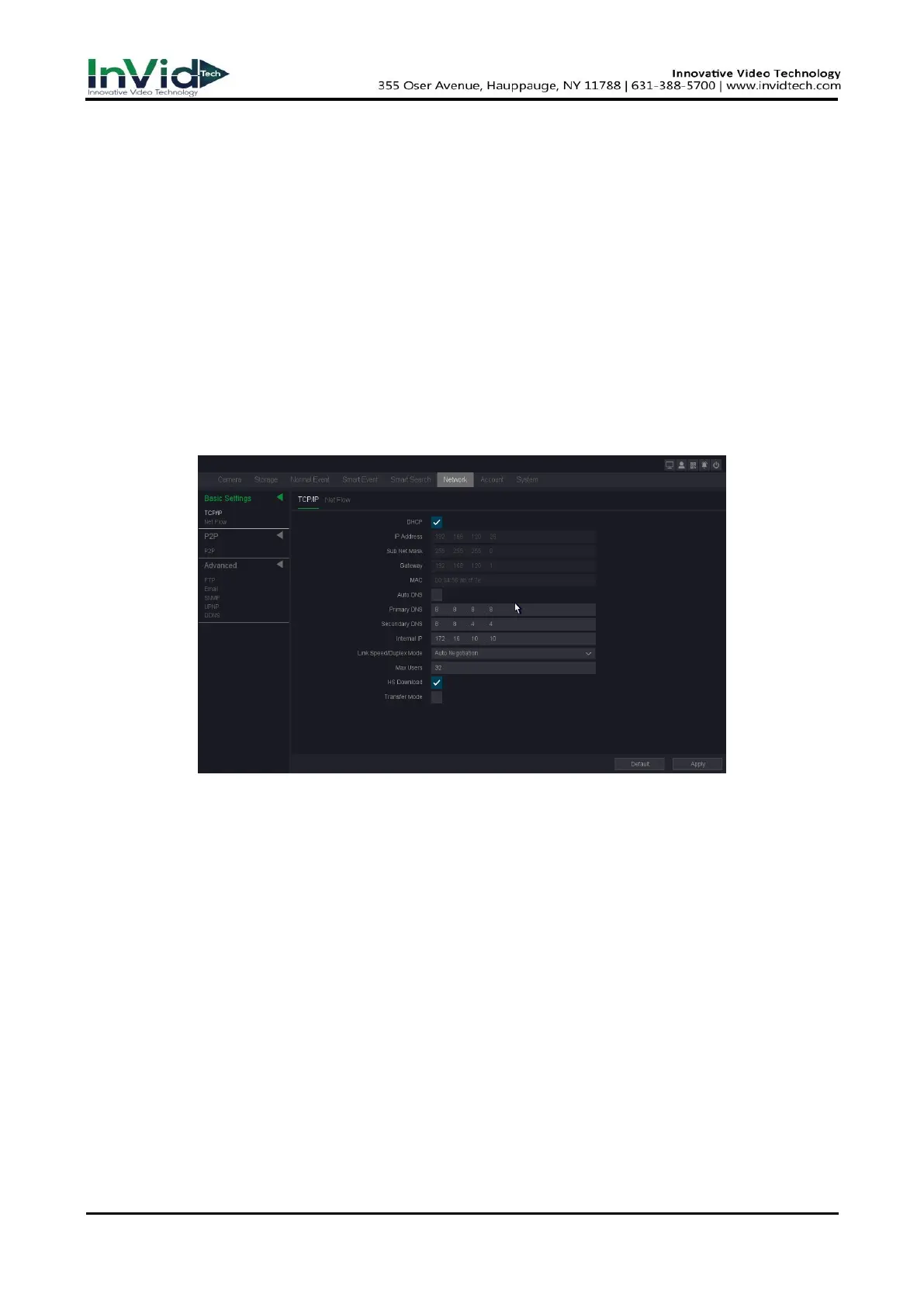
TCP/IP must be properly configured before you operate video recorder over network. This page
you can set the device IP Address, gateway, DNS as well as view MAC Address. If the NVR has two
Ethernet ports, you can connect with two net segments and set one for default Route.
Steps:
1. Go to Seven Grid Menu → Network → Basic Settings → TCP/IP.
2. For general settings, please refer to 6.2.1 General - TCP/IP for details.
3. Configure other network parameters as your desire.
Figure 10-2-1-1
DHCP
If the DHCP server is available, you can check Enable DHCP to automatically obtain an IP
address and other network settings from that server.
MAC
The physical address of NVR.
DNS setup
Domain Name Server, it translates the domain name into IP address, it contains primary
DNS and secondary DNS.
Internal IP
Set the beginning of IP addresses of those IP Cameras connected to POE panel. Default is
192.168.3.10. Make sure that this value should not be at the same subnet with the IP
address of NVR.
Max Users
The maximum number of users can simultaneously access the NVR. Default value is 32.



 To Next Page