● If the camera does not load in the selected position after double clicking, try deleting
the information of the connection by clicking the red ‘X’ then double clicking the IP
address to add here.
● Explanation of the icons:
Get the live view of the
camera
Edit basic parameters of
the camera
OPTION 2:
Steps:
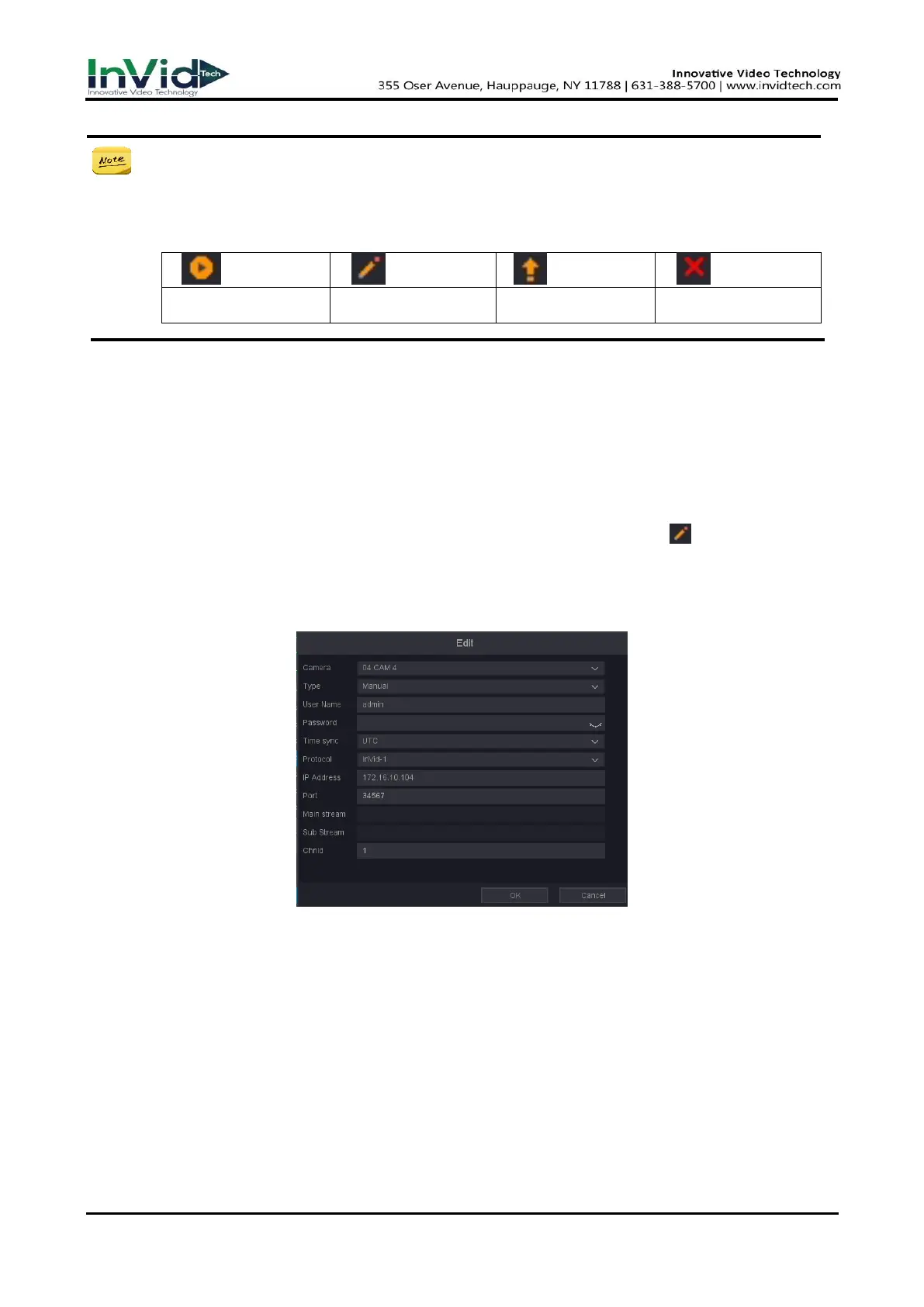
1. On the Camera Management interface, you can also click the pencil icon ‘ ’ to pop up the
Edit IP Camera (Custom) interface.
2. If the prompt password is wrong, please modify the correct user name and password; if it has
been in the "connecting" state, please modify the port or protocol.
Figure 2-5-3
2.6 Editing the connected IP cameras and Configuring
Customized Protocols
After the adding of the IP cameras, the basic information of the camera lists in the page, you can
configure the basic setting of the IP cameras.
Steps:



 To Next Page