6.2 Network Configuration
6.2.1
General - TCP/IP
You shall properly configure the network settings before operating the device over network.
Steps:
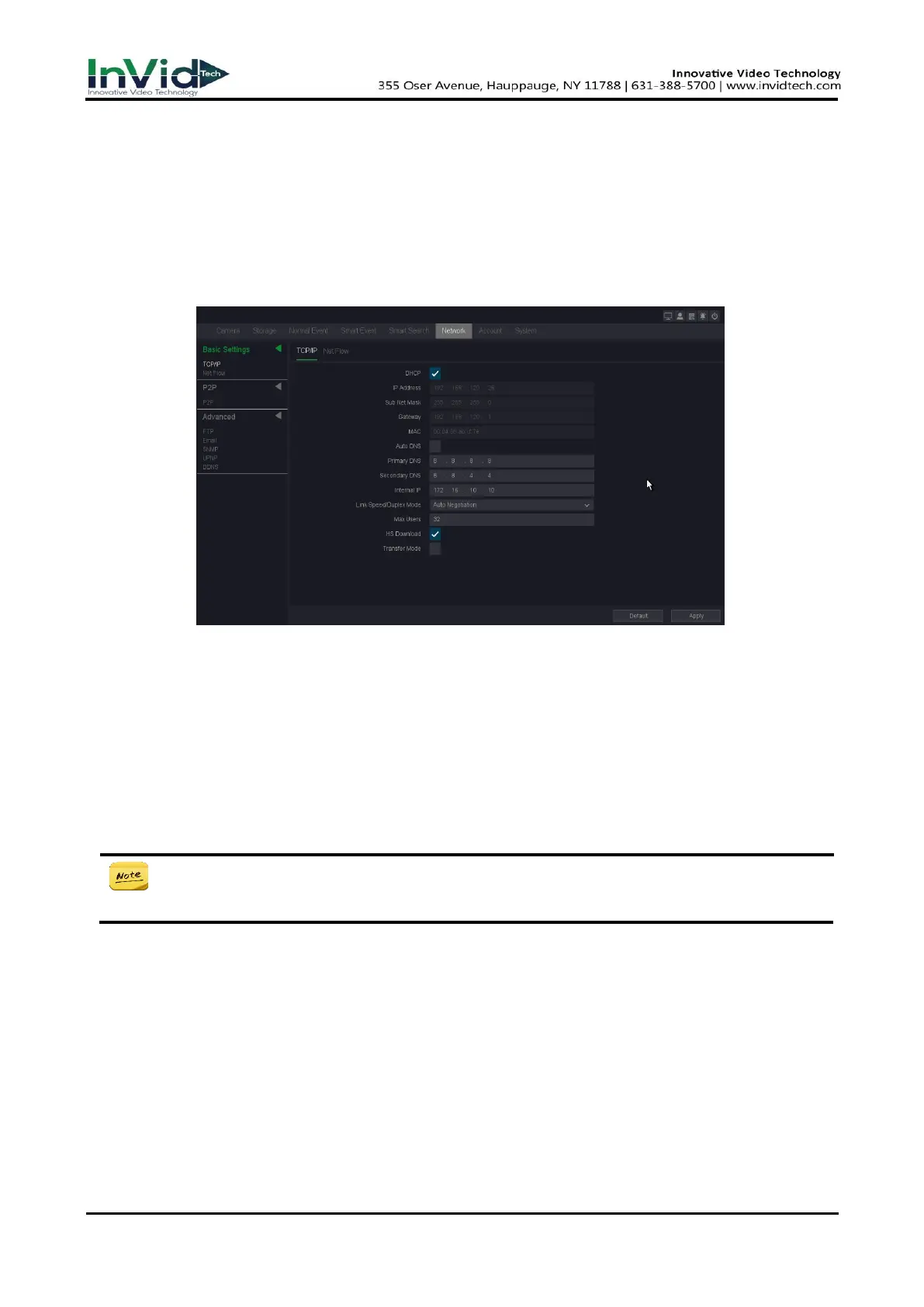
1. Go to Seven Grid Menu → Network → Basic Settings → TCP/IP.
Figure 6-2-1-1 Network
2. Set network parameters.
DHCP
If the DHCP server is available, you can enable DHCP to automatically obtain an IP address
and other network settings from that server.
Auto Obtain DNS
If DHCP is enabled. You can enable Auto Obtain DNS to automatically obtain Preferred DNS
Server and Alternate DNS Server.
● Auto obtain DNS function options, there will be differences between different models,
subject to the specific model.
Manual
Manually configure your IP address, Such as:
IP Address: 192.168.1.100
Sub Net Mask: 255.255.255.0
Gateway 192.168.1.1
Please make sure that your IP address and the IP address of the camera are in the same LAN.
3. Click Apply.



 To Next Page