Tour
When the alarm is triggered, it will patrol the screen you choose.
Snapshot
It triggers the alarm picture for that channel when an alarm is triggered.
Interval
The interval time of picture capture when the alarm lasts.
3. Click OK.
● For certain network cameras, you can set the alarm linkage action as audio alarm or light alarm.
● Ensure your camera supports audio and light alarm linkage.
● Ensure the audio output and volume are properly configured.
● If you require to set audio and light parameters, please log into the network camera via
web browser to configure them.
6.4 Recording Management
6.4.1
Storage
Initialize HDD
A newly installed hard disk drive (HDD) must be initialized before it can be used to save videos and
information.
Before You Start
Install at least an HDD to your video recorder. For detailed steps, refer to 1.4 HDD Installation.
Steps:
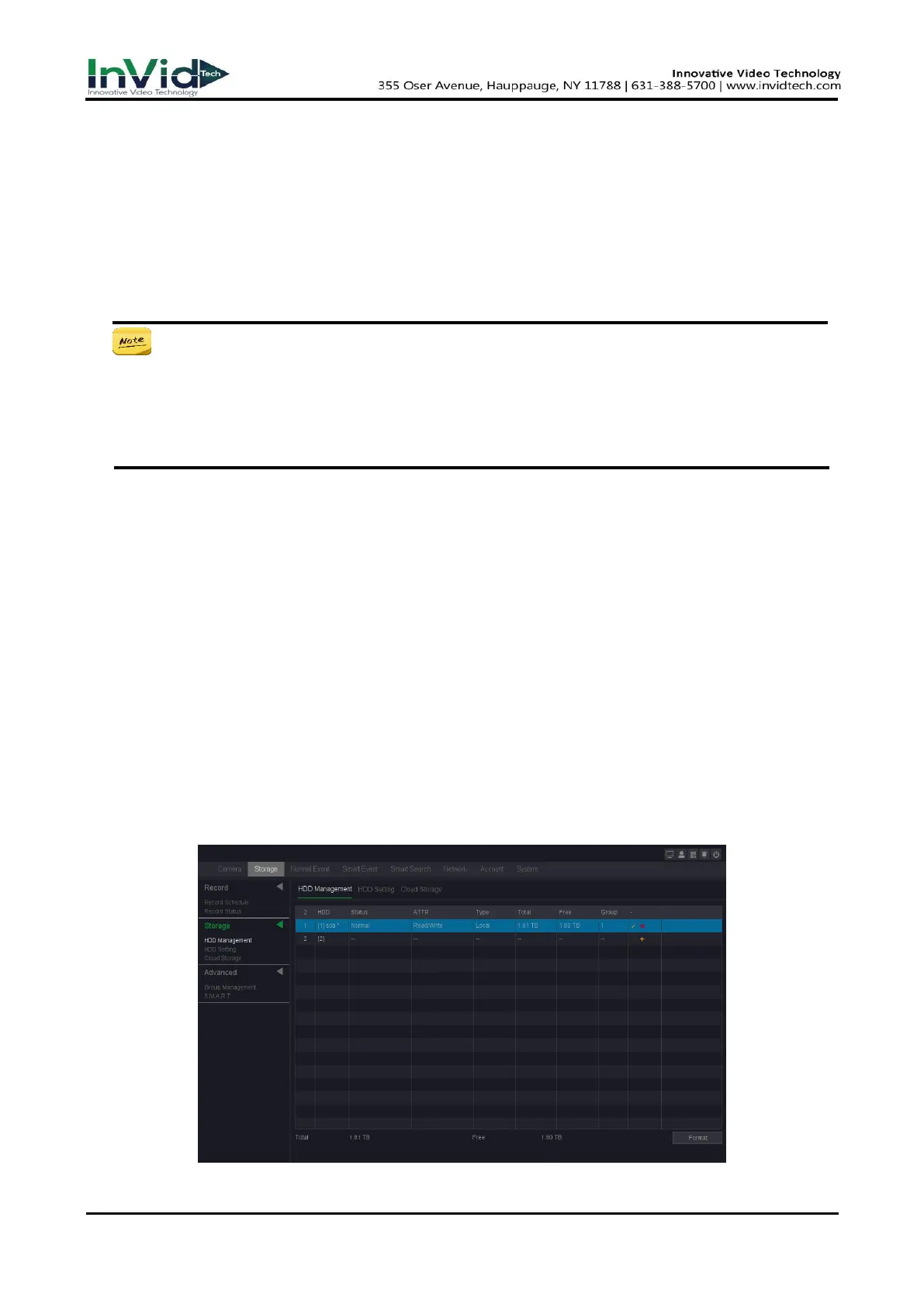
1. Go to Seven Grid Menu → Storage →Storage→ HDD Management.
Figure 6-4-1-1



 To Next Page