Supplementary function description
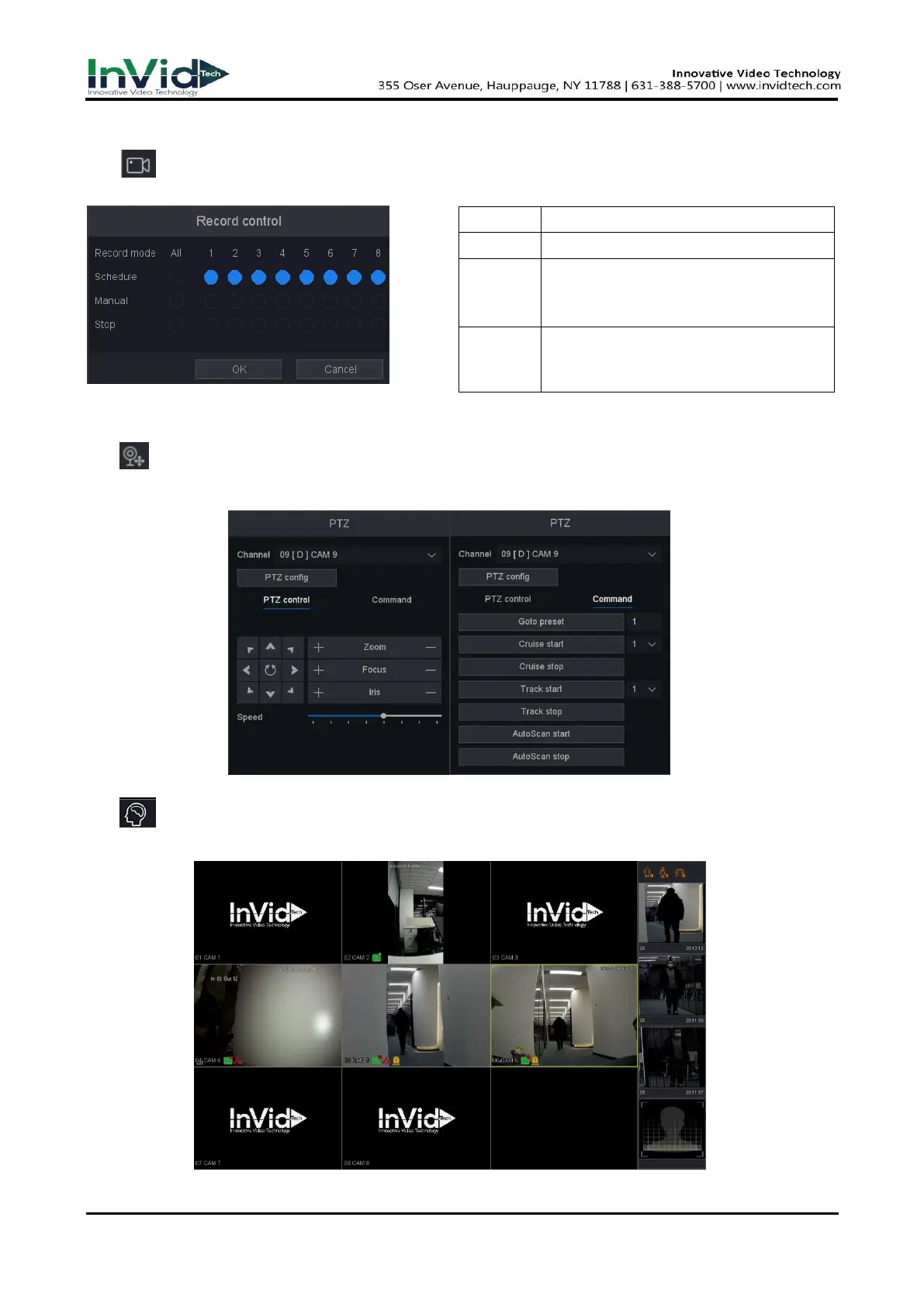
● Record Control: You can check current channel status: “○” means it is not selected,
“●”means it is selected.
Figure 3-4-2
Table 3-4-2
● PTZ control: Operation interface is as shown in picture below. The functions include: PTZ
direction control, speed, zoom, focus, iris, setup operation, patrol between spots, pattern,
border, tour.
Figure 3-4-3 Figure 3-4-4
● Smart: After clicking this mode, NVR can show the captured face picture on the bottom of
preview interface, as shown below (it needs to enable IP camera’s face detection function firstly).
Figure 3-4-5
Record according to the configuration.
Click the button and the according
channel will record immediately
regardless of the current state.
Click the stop button and the according
channel will stop recording regardless of
the current state.



 To Next Page