7. The video playback can be controlled by the following buttons.
Table 4-2-2
8. All the operations of these buttons to control the playback, you can refer to the previous table.
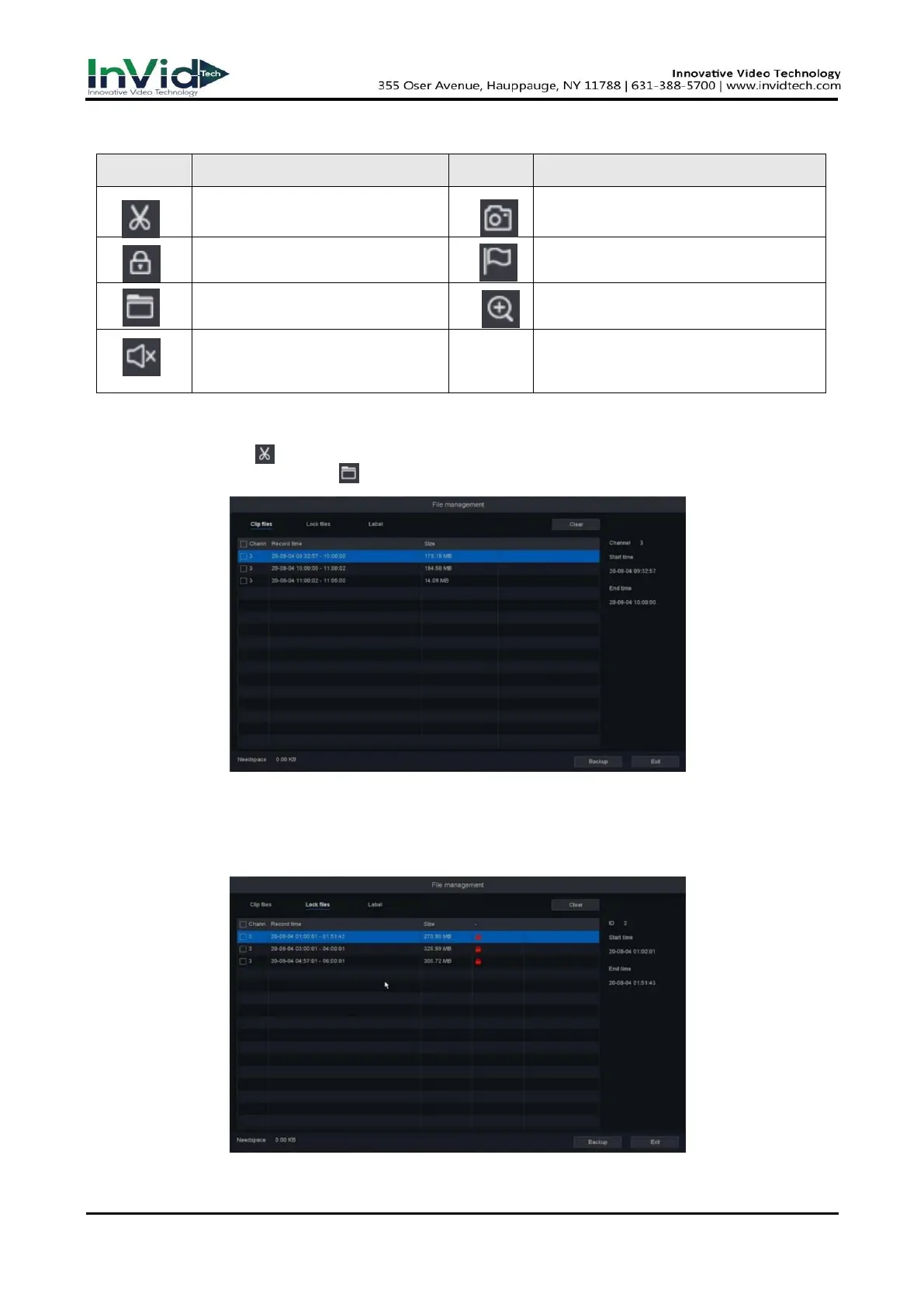
● The “Cut” button will cut all the files of the channels you’re playing, you can check the files
you cut in the “File Manage” .
Figure 4-2-3
● The “Lock Record” button will lock the file in case this file be covered by new file. You can
check and backup the locked files in “File Manage”. And you can unlock the locked files in this
interface.
Figure 4-2-4
Cut the interest video of
playing channel
Snap a picture of playing channel
Lock the file in case over
written in HDD
Default label, Label the file
File manager, Mange the cut
file/locked file/labeled file
Zoom, Zoom the playing channel
Switch of playback channel
audio



 To Next Page