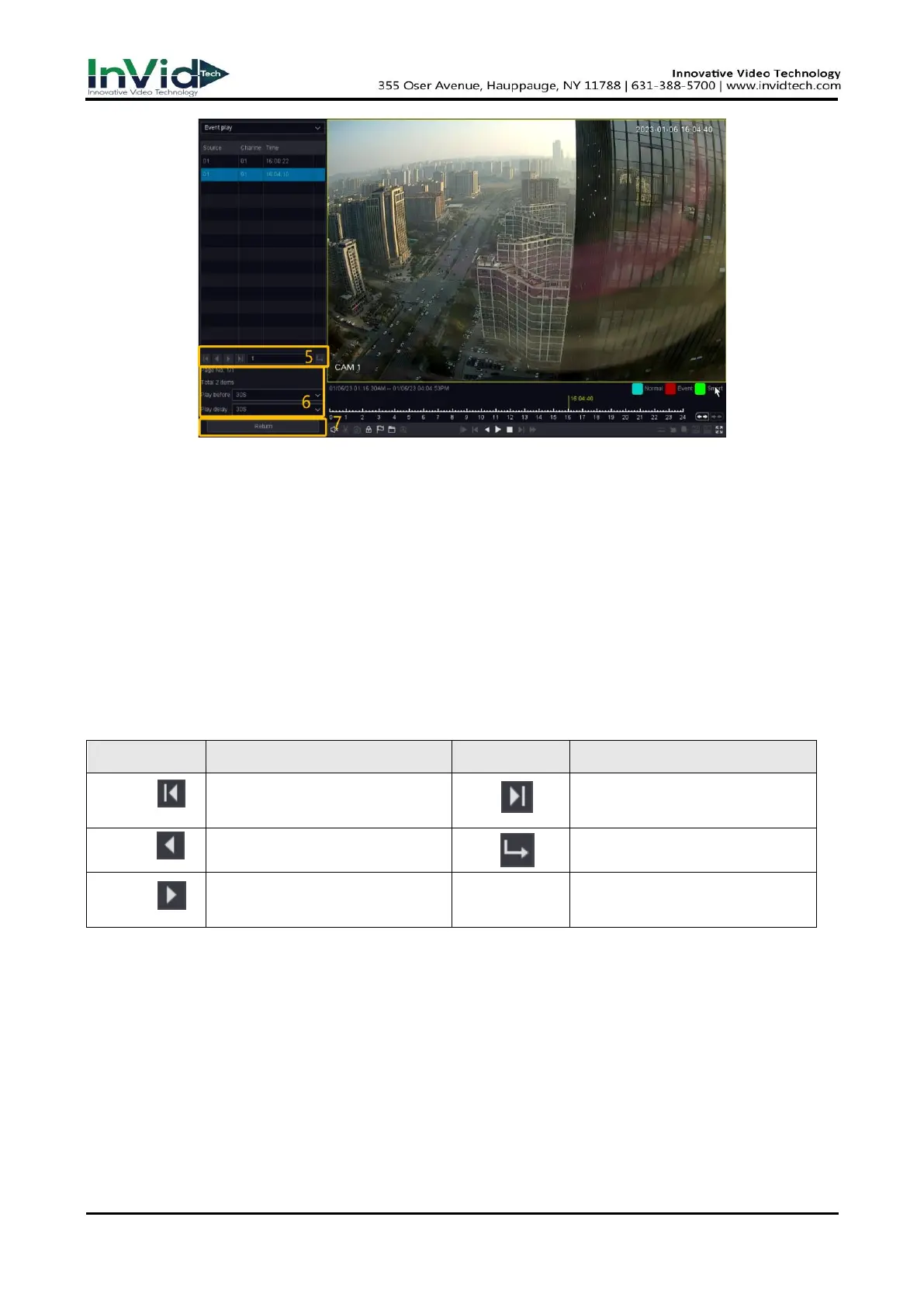
Figure 4-3-1 Event Playback
5. Search results as shown in the figure, “Source” means alarm channel and “Chan” means
record channel of linkage operations, “Time” means when the alarm happened.
6. The next area shows all the alarm items and you can change the page to find the alarm item
you want. And then you can set the play period before/after of the alarm time.
7. You can change the alarm types and channels by click the return button back to the last
interface. As for the operations of these buttons you can refer to the below table. But you can’
t use the” Sync/Async ”, “Main/Sub stream”, “Frame Control” button in event playback
mode.
The Buttons of Event Search Results:
Quickly go to the first page of
event search results.
Quickly go to the last page of
event search results.
Go to the previous page of event
search results.
Quickly go to the last page of
event search results.
Go to the next page of event
search result.
Table 4-3-1 Button Description



 To Next Page