Chapter 4 SYSTEM MODE
IP-EMZ Service Manual 4-33
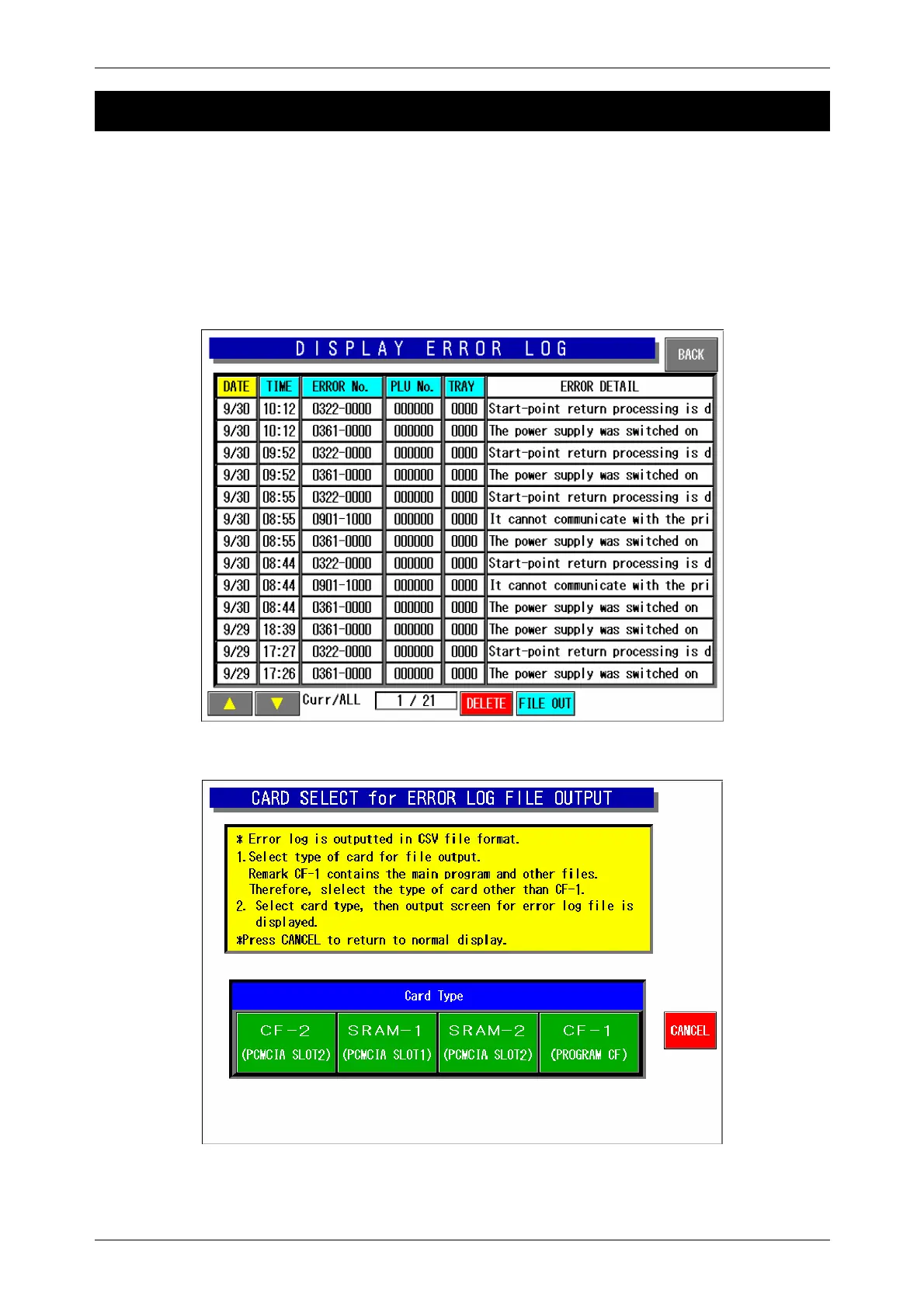
4.13 DISPLAY ERROR LOG
With this machine, the display error log can be recorded. To save the error log data to the CF card,
press the FILE OUT button. Press to select one of four card types to which the log data is stored.
Usually, main program is stored in the CF-1. Therefore, select the card type other than the CF-1.
Note 1: Press the [PRINT] key to print the error log label. (Journal output is performed when the journal
printer is connected)
Note 2: Error logs are output in CSV format.
Note 3: The error log can be analyzed by opening spreadsheet software (Excel and Lotus123) or
database software (Access).
Display Error Log Screen
Error Log File Output Screen



 To Next Page