Chapter 3 TEST MODE
IP-EMZ Service Manual 3-9
3.5 SELF DIAGNOSTIC
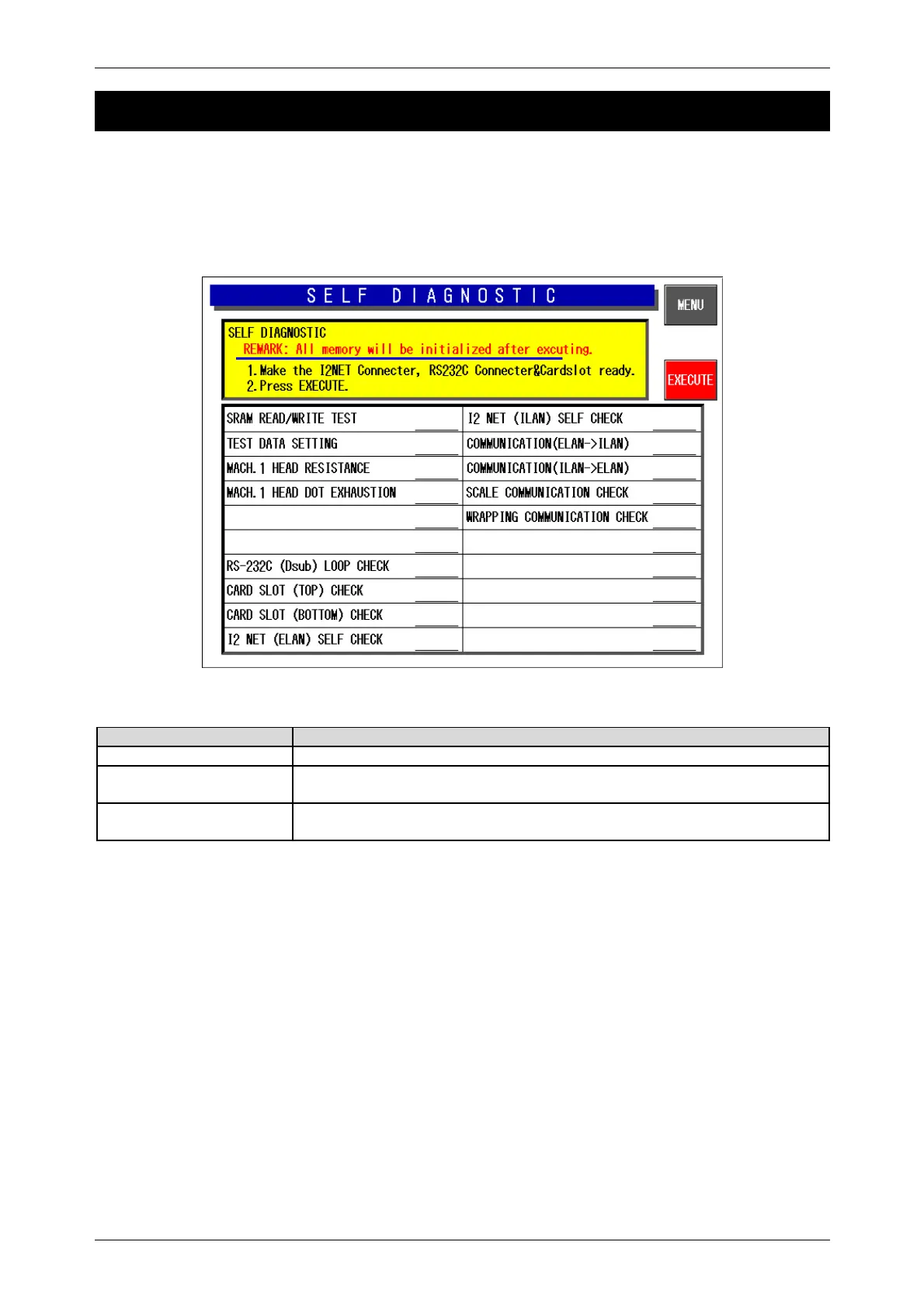
Press the [Self Diagnostic] button on the Test Menu screen. Then, the Self Diagnostic screen appears.
This procedure is used to perform self-diagnosis for the listed items.
Make sure that the I2Net connecters, RS232C connectors, and card slot are provided.
Note: All memory will be initialized after executing this procedure.
Self-diagnostic Screen
Buttons/Display Fields Function
MENU Returns to the Test Menu 1/2 screen.
EXECUTE Press the [EXECUTE] button to execute cable, memory, printer head,
display operation checks, and initialization.
Execution Item Displays execution results (Operating/Normal/Abnormal) to the right of each
item.



 To Next Page