Chapter 3 TEST MODE
3-2 IP-EMZ Service Manual
3.1 TEST MENU ENTRY
1.
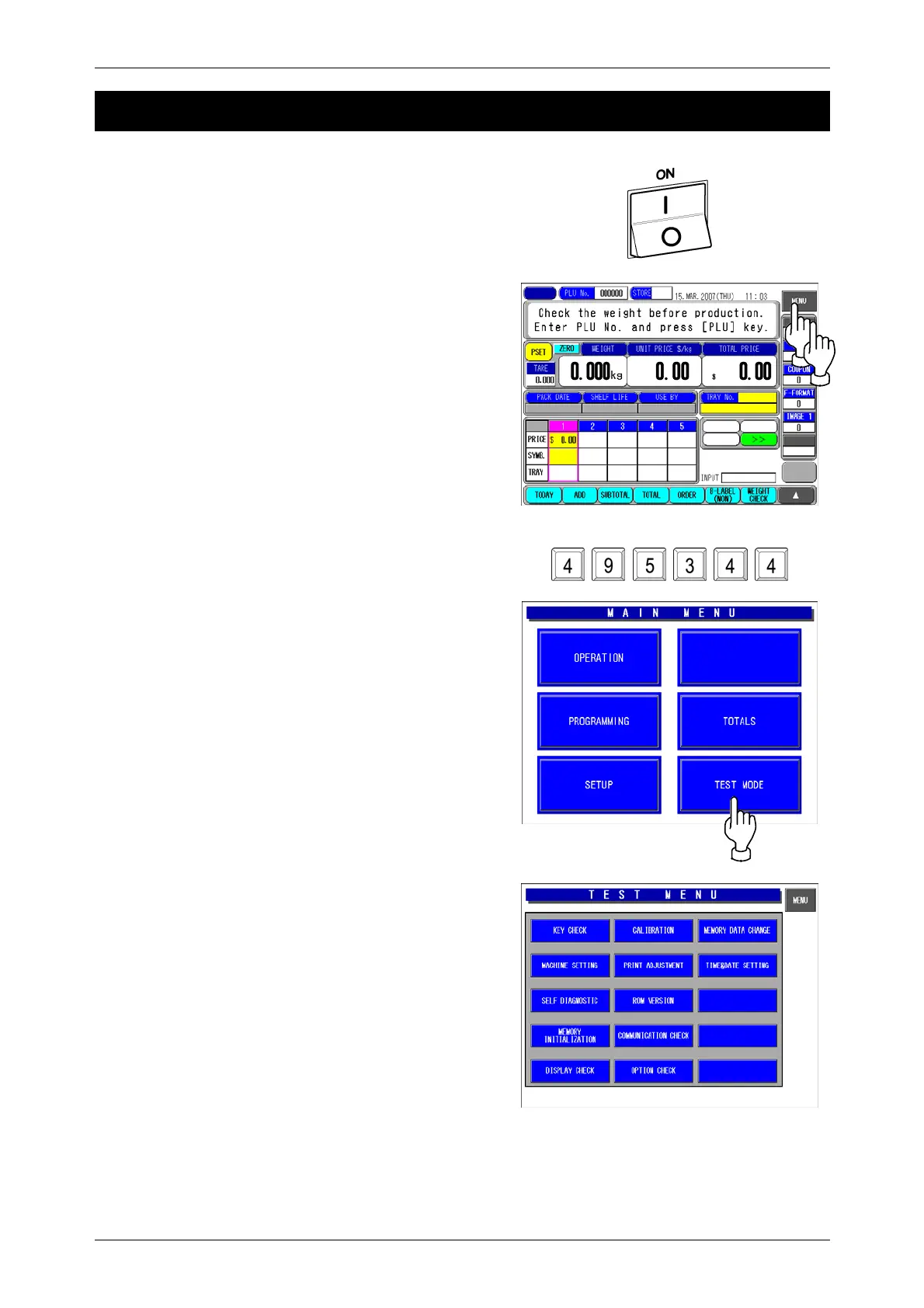
Turn on the Main Power Switch.
2.
Press the [MENU] button on the initial screen.
3.
Enter “495344” using the numeric keys and
press the [TEST MODE] button.
4.
The Test Menu screen appears.



 To Next Page