Chapter 2 SETUP MODE
2-28 IP-EMZ Service Manual
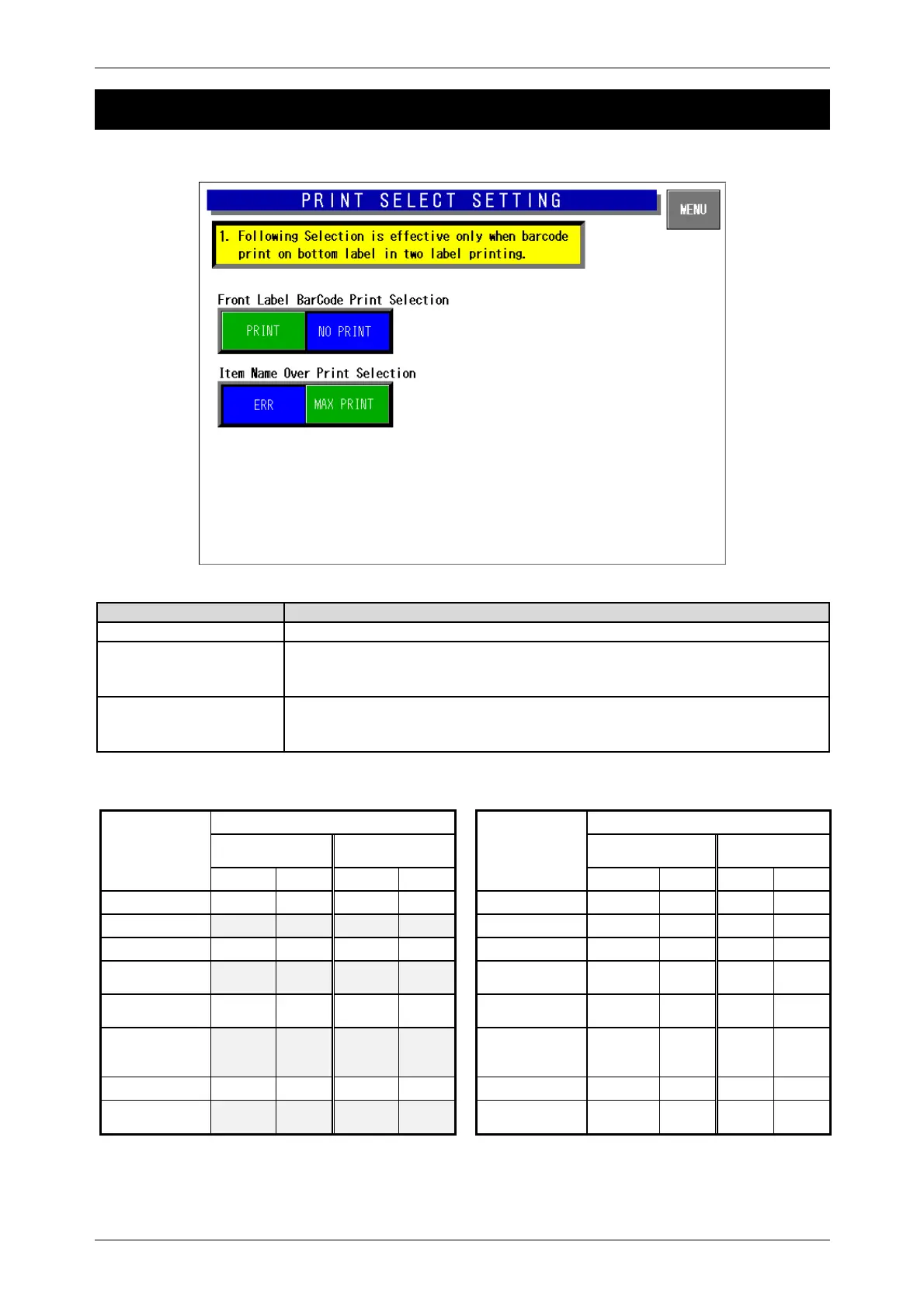
2.17 PRINT SELECT SETTING
Buttons/Display Fields Function
MENU Returns to the first screen of the Setup Menu.
Front Label Barcode
Print Selection
This function is effective only when two labels are issued, and the bottom
label type is selected to print the barcode. Select whether or not to print the
barcode on the first label. (See the table below)
Item Name Over Print
Selection
Select one of the following items to determine an expansion error procedure.
y Error: Output the expansion error, and stop processing.
y Max. Print: Expand to a maximum and print within the range.
When front label barcode is printed
(PLU master file)
When front label barcode is not printed
(PLU master file)
Front Label Barcode Print Selection
Front Label Barcode Print Selection
Bottom Label
Type
Print No print
Bottom Label
Type
Print No print
Front Bottom Front Bottom
Front Bottom Front Bottom
None
{
-
{
-
None
²
-
²
-
Barcode
{ { ² {
Barcode
² { ² {
Additive
{ ² { ²
Additive
² ² ² ²
Barcode +
Additive
{ { ² {
Barcode +
Additive
² { ² {
Collective
display
{
-
{
-
Collective
display
²
-
²
-
Collective
display +
Barcode
{ { ² {
Collective
display +
Barcode
² { ² {
Collective import
{
-
{
-
Collective import
²
-
²
-
Collective import
+ Barcode
{ { ² {
Collective import
+ Barcode
² { ² {
{: With barcode print ²: Without barcode print



 To Next Page