Chapter 2 SETUP MODE
IP-EMZ Service Manual 2-9
2.5 WORDWRAP WIDTH SETTING
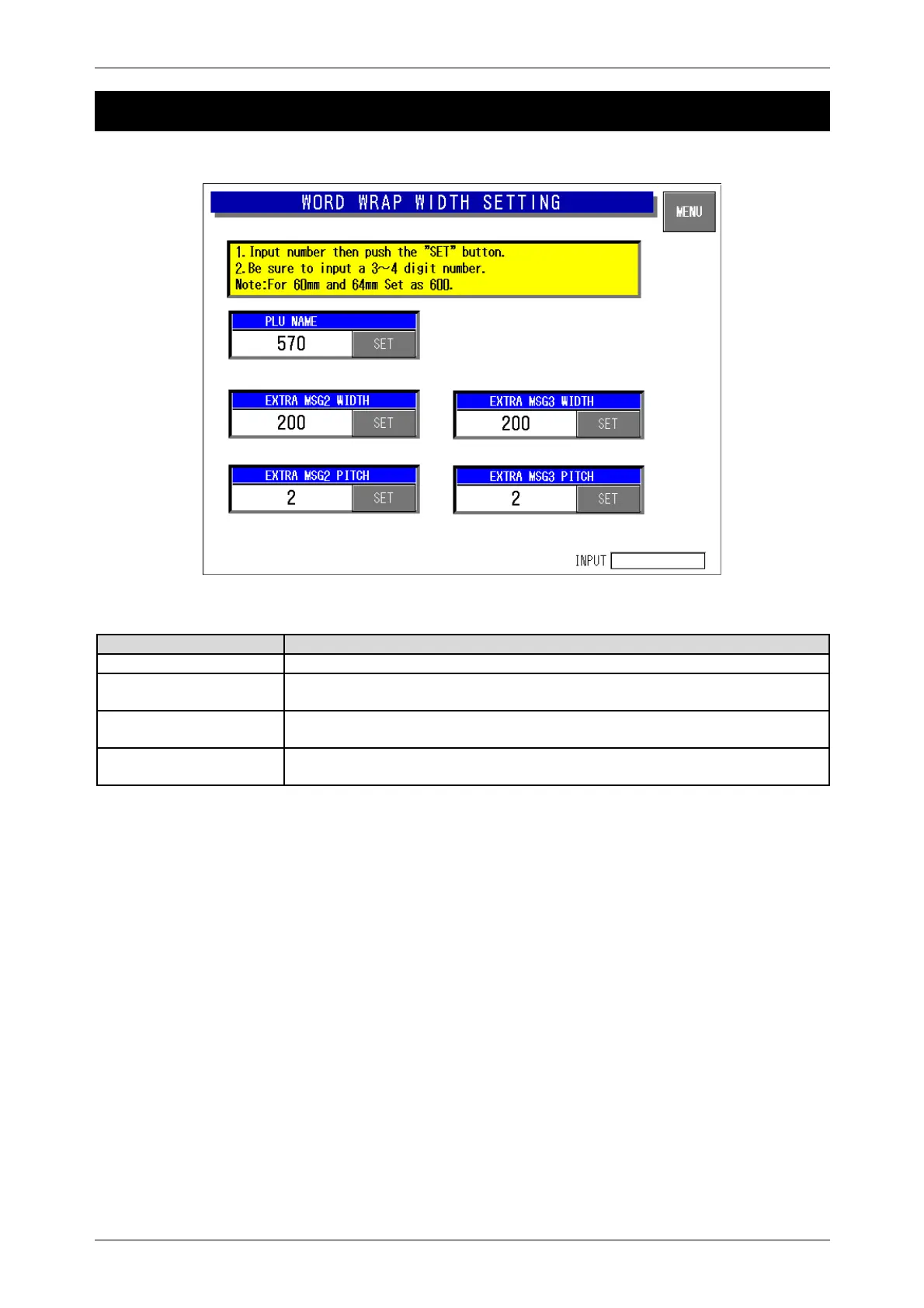
Word-wrap Width Setting Screen
Buttons/Display Fields Function
MENU Changes to the first screen of the Setup Menu.
PLU Name Enter a numeric value (1-9999) and press the [SET] button to set the entered
value (unit: 0.1mm) as a word-wrap width value.
Extra Message 1,2 Width Enter a numeric value (1-9999) and press the [SET] button to set the entered
value (unit: 0.1mm) as a word-wrap width value.
Extra Message 1,2 Pitch Enter a numeric value (1-99) and press the [SET] button to set the entered
value (unit: 0.1mm) as a gap between characters.



 To Next Page