Chapter 4 SYSTEM MODE
4-8 IP-EMZ Service Manual
4.4 SYSTEM DATA SETUP
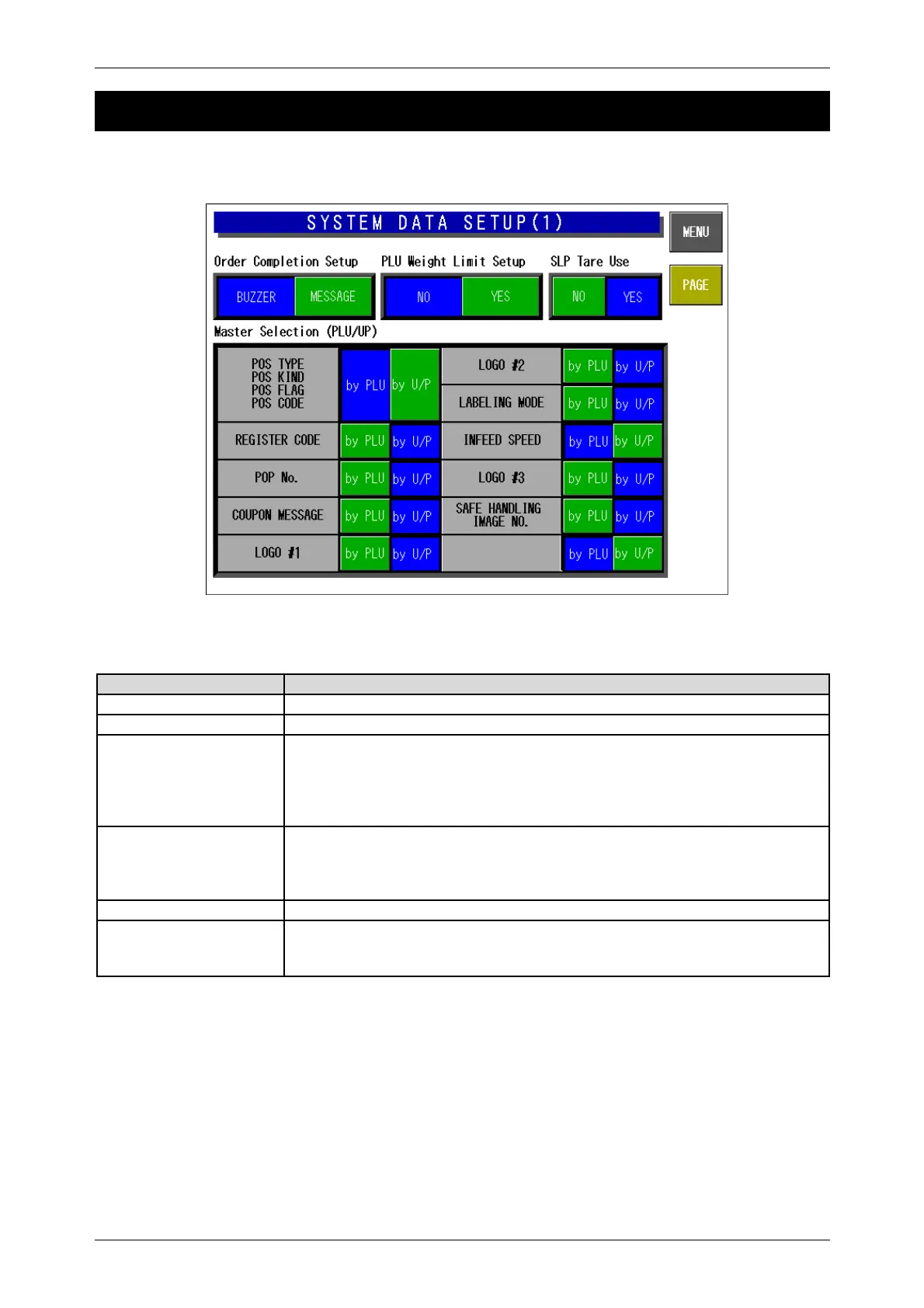
There are two System Data Setup screens. On these screens, select the basic machine conditions.
System Data Setup Screen(1)
Buttons/Display Fields Function
MENU Returns to the System Menu 1/2 screen.
PAGE Turns over the screens.
Order Completion Setup The end process can be selected when the production quantity reaches the
set order number.
Press the desired button to select either “Buzzer” or “Message.”
The selected button color will change to blue.
Default data: “Buzzer”
PLU Weight Limit Setup Selects whether to use the upper/lower weight limit check or not when
processing a weighing commodity.
Press to select the item and the button color will change to blue
Default data: “No”
M Price Key Setup Select whether to enable a markdown price entry in the operation mode
Master Selection
(PLU/Unit price)
Press the corresponding button to select “By PLU” or “By Unit Price”
The selected button will change to blue.
Default data: “By U/P” except POS related data and infeed speed.



 To Next Page