Chapter 3 TEST MODE
3-12 IP-EMZ Service Manual
3.8 SCALE CALIBRATION
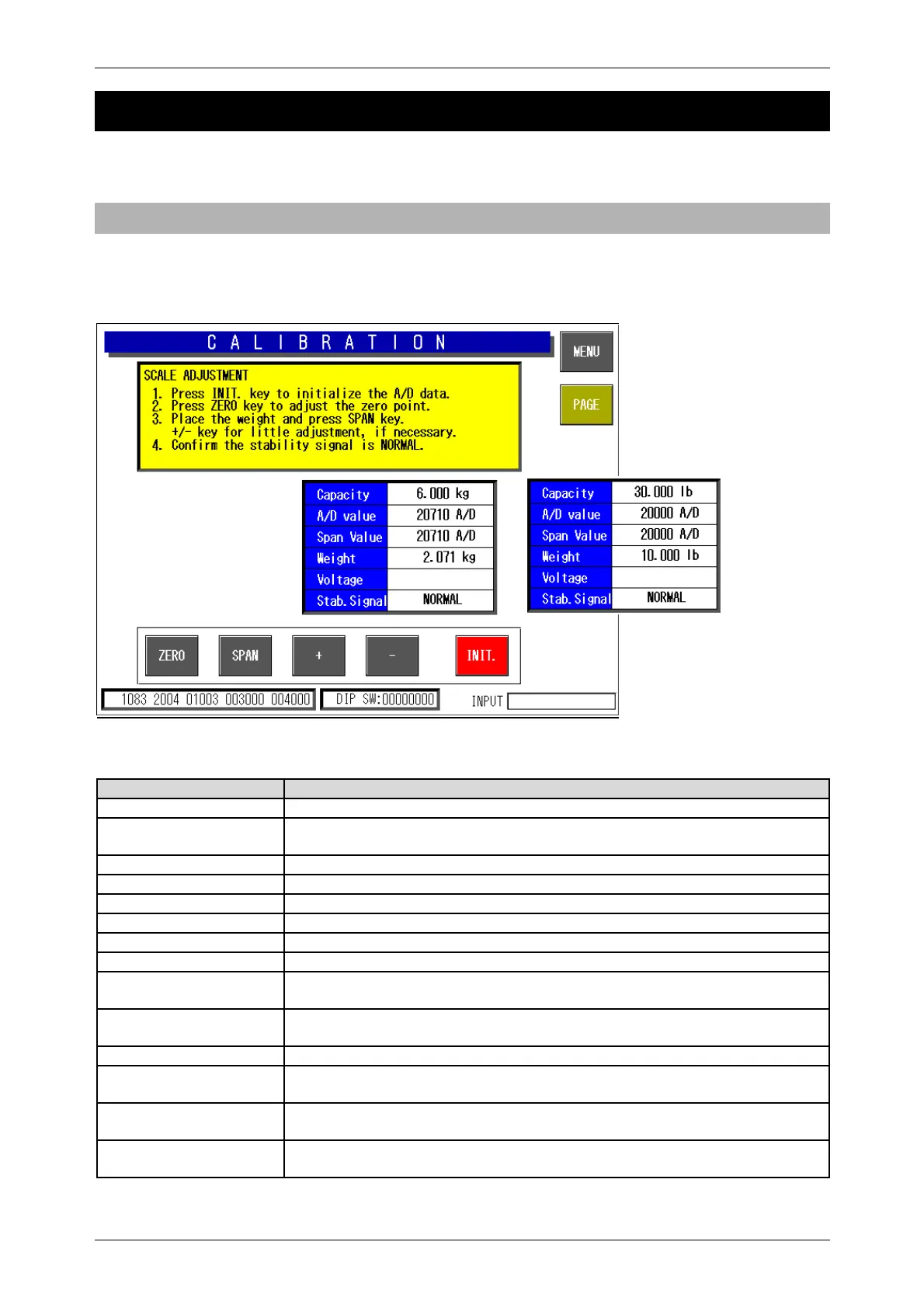
Press the [Calibration] button on the Test Menu screen. Then, the Calibration screen appears.
3.8.1 A/D DATA INITILAIZATION, ZERO POINT/SPAN ADJUSTMENT
This procedure is used to initialize the A/D data, adjust the zero point, and perform span adjustment of
the scale.
Calibration Screen
Buttons/Display Fields Function
MENU Returns to the Test Menu 1/2 screen.
PAGE Changes to the scale adjustment screen after password has been entered.
Inputting the command sends it directly to the scale board.
ZERO Executes zero point adjustment.
SPAN Executes span adjustment.
[ + ] [ - ] Executes fine span adjustment using these buttons.
INITIALIZE Executes the scale board initialization.
Capacity Displays weighing capacity in “kg” based on scale board information.
A/D Value Displays A/D (read) data (count value) in A/D units.
Span Value Subtracts span data from the read data (the above mentioned A/D value) and
displays the value (count value) in A/D units.
Weight Displays the weight value in “kg” calculated form the A/D value based on the
set district information.
Voltage Displays the voltage.
Stability Signal “Normal” is displayed when the first stability signal is received normally.
The display goes blank if communication is unsuccessful.
Scale Setting
Information
Displays basic performance data and country specific scale setting data.
DIP Switch Data Displays scale board DIP switch setting status.
Refer to the table below.



 To Next Page