Chapter 2 SETUP MODE
IP-EMZ Service Manual 2-25
2.14 PLU DATE/TIME SETTING
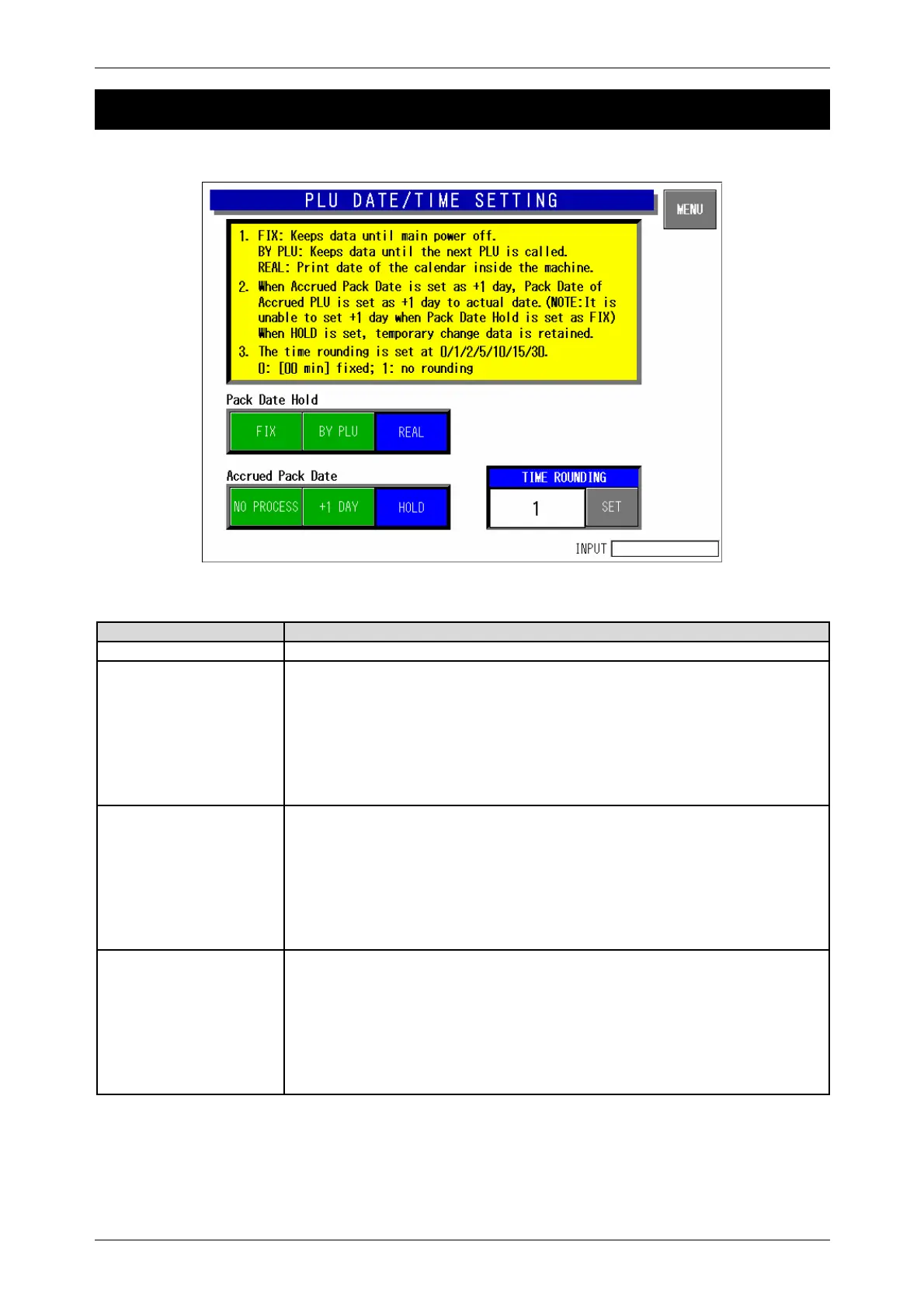
PLU Date/Time Setting Screen
Buttons/Display Fields Function
MENU Determines the settings and returns to the first screen of the Setup Menu.
Pack Date Hold Select one of the following items:
y Fix: Pack date and time which have been set after the power was turned on
will be held until the power will be turned on again, or data will be changed.
When “+1 Day” is selected in the Accrued Pack Date, the date changes to
holding condition.
y By PLU: Pack date and time at the time of PLU call is held until next PLU is
called.
y Real: Pack date and time are printed when the label is printed.
Accrued Pack Date Select one of the following items:
y No process: Temporary change data is canceled when next PLU is called
and becomes the date of that day.
y +1 day: The pack date will become the date added by one day to that day.
When “Fix” is selected in the Pack Date Hold, this selection cannot be
made.
y Hold: Data that has been changed temporarily as an accrued pack date will
be held until next PLU is called.
Time Rounding Select one of the following items:
y 0: 00 minute fixed
y 1: No rounding
y 2: Touch panel key group
y 5: 05 minutes
y 10: 10 minutes
y 15: 15 minutes
y 30: 30 minutes



 To Next Page