Chapter 3 TEST MODE
3-26 IP-EMZ Service Manual
3.11 COMMUNICATION CHECK
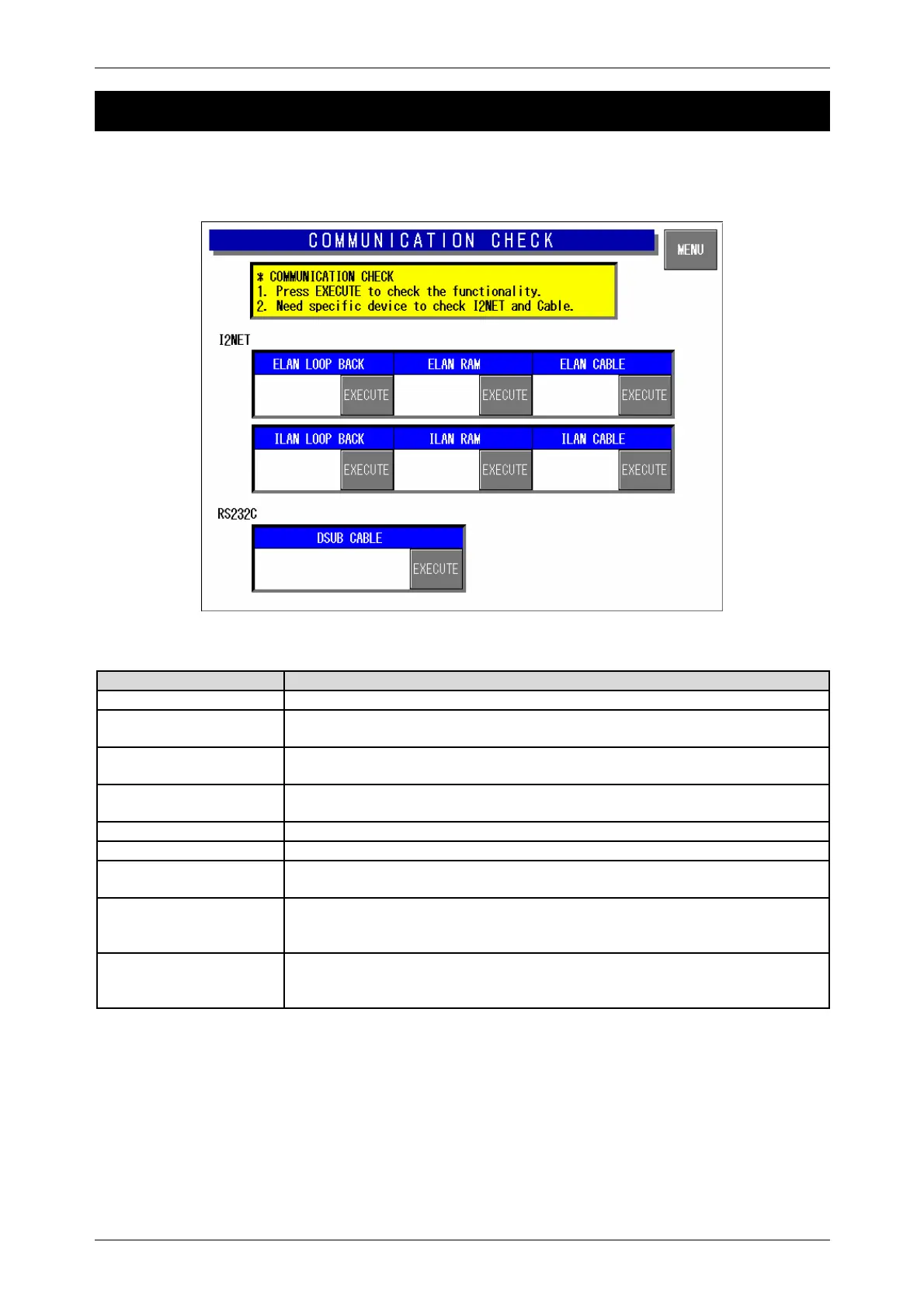
Press the [Communication Check] button on the Test Menu screen. Then, the Communication Check
screen appears. This procedure is used to perform various communication checks.
Communication Check Screen
Buttons/Display Fields Function
MENU Returns to the Test Menu 1/2 screen.
ELAN Loop Back Press the [EXECUTE] button to execute a send and receive loop test within
the board.
ELAN RAM Press the [EXECUTE] button to execute a send and receive buffer memory
test.
ELAN Cable Connect the IF-21FD to the cable to confirm the response.
Press the [EXECUTE] button to execute a cable test.
ILAN Loop Back Press the [EXECUTE] button to execute a loop back test.
ILAN RAM Press the [EXECUTE] button to execute an ILAN RAM test.
ILAN Cable Connect the IF-21FD to the cable to confirm the response.
Press the [EXECUTE] button to execute a cable test.
RS232C Dsub Cable Press the [EXECUTE] button to execute a cable test and RS-232C
input/output check.
Use the loop back connector for testing.
Display Status
“Operating” is displayed during execution.
“Normal” is displayed when the execution has ended normally.
“Abnormal” is displayed when execution has ended abnormally.



 To Next Page