Chapter 3 TEST MODE
IP-EMZ Service Manual 3-3
3.2 TEST MENU
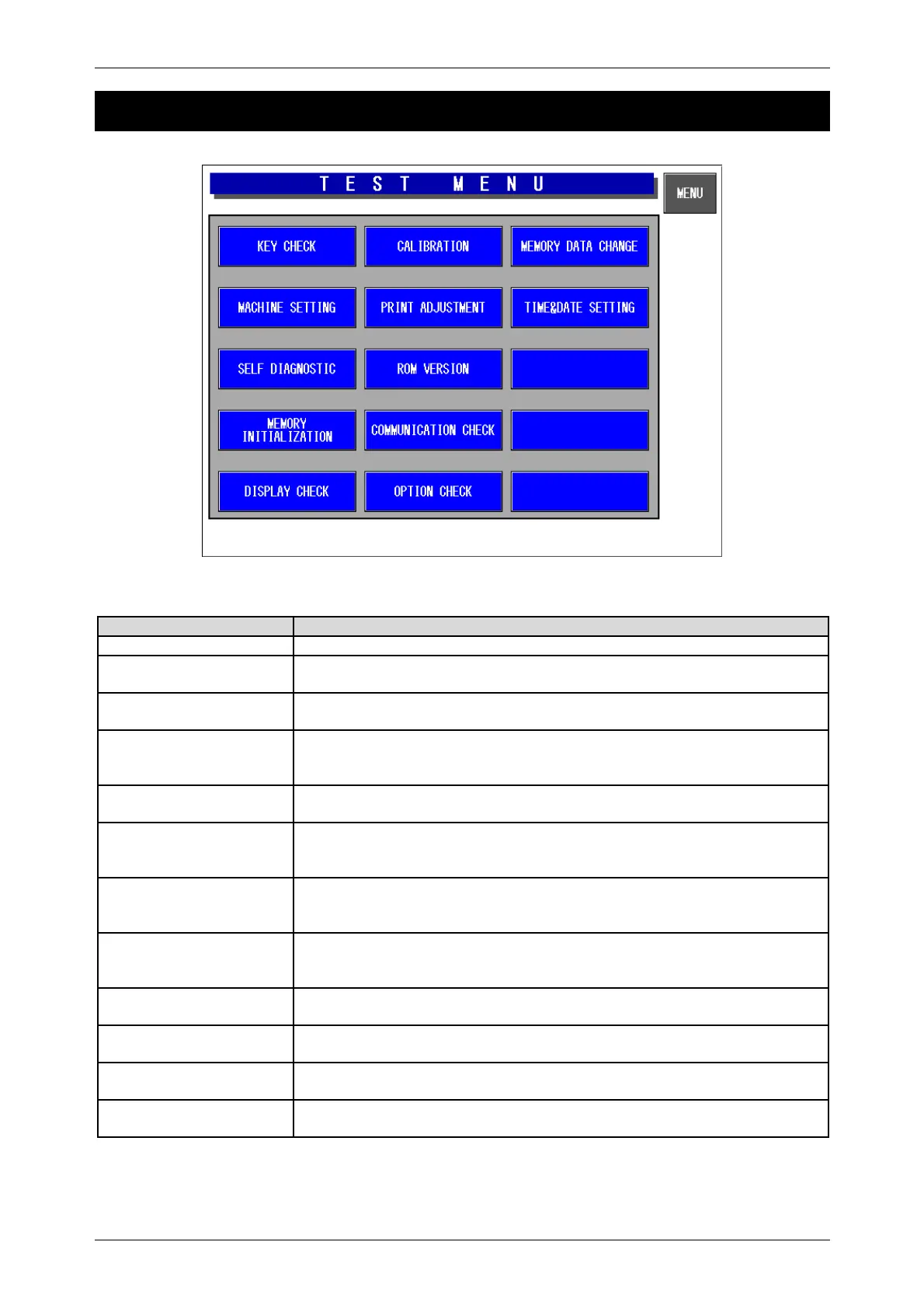
Test Menu Screen
Buttons/Display Fields Function
Key Check Changes to the Key Check menu screen.
Machine Setting Changes to the Machine Setting screen.
Set basic machine and optional unit configuration.
Self-diagnostic Changes to the Self-diagnostic screen.
Check cables, memory, printer head and connection check, etc.
Memory initialization Changes to the Memory Initialization screen.
Display memory information (installed and remainder) and initialize memory
(master data clear, system data initialization, and test data setting).
Display check Changes to the Display Check screen.
Adjust color contrast.
Calibration Changes to the Scale Calibration screen.
There are two screens for calibrating the scale and setting the scale board.
(Scale board setting requires password entry)
Print adjustment There are two screens for adjusting the printer head information (head type,
head resistance, head running distance, etc.) and the print information (print
density, various sensor distances, label length, etc.).
ROM version Changes to ROM version display.
Displays ROM versions for OS, BSP, BIOS, Main memory, Scale, ELAN,
Thermal head, Wrapper, etc.
Communication check Changes to the Communication Check screen.
Check I2NET and RS232C hardware (Communication and RAM).
Option check Changes to the Option Check screen.
Check barcode scanner reading and card slot operation.
Memory data change Changes to the Memory Data Change menu screen.
Confirm and change SRAM memory and refer FROM.
Time/ Date setting Changes to date and time setup screen.
Set the present date, time, and printing year.



 To Next Page