Chapter 2 SETUP MODE
2-26 IP-EMZ Service Manual
2.15 PLU OPERATION SETTING
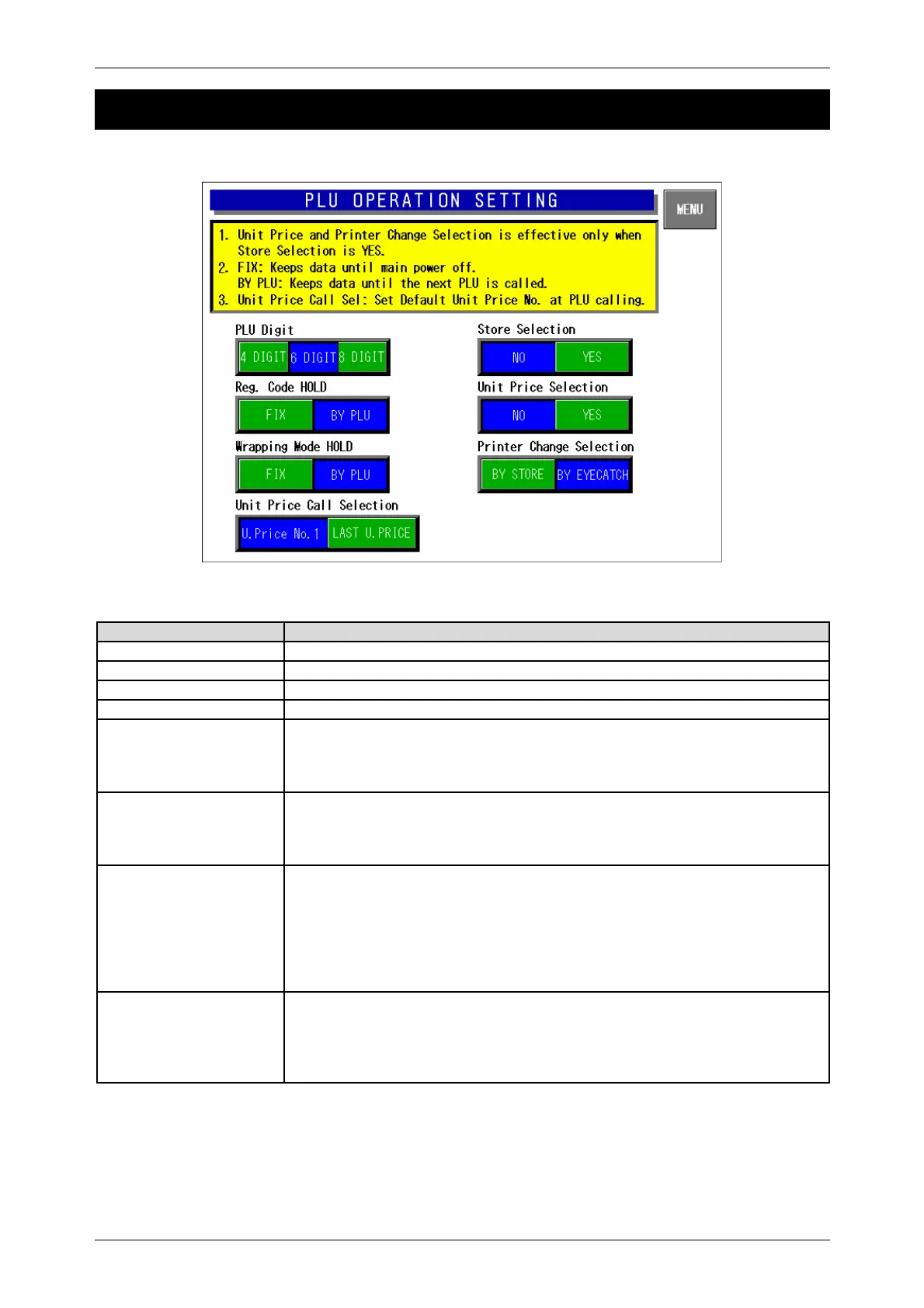
PLU Operation Setting Screen
Buttons/Display Fields Function
MENU Determines the settings and returns to the first screen of the Setup Menu.
PLU Digit Select the number of digits (4/6/8) when calling a PLU.
Store Selection Select whether or not to call a store in the normal mode.
Unit Price Selection Select whether or not to fix the Unit Price No. that is set to the called store.
Register Code Hold Select one of the following items to hold the register code:
y Fix: The register code which has been set after the power was turned on
will be held until the power will be turned on again, or data will be changed.
y By PLU: The register code will be updated every time the PLU is called.
Wrapping Mode Hold Select one of the following items to hold the wrapping mode:
y Fix: The wrapping mode which has been set after the power was turned on
will be held until the power will be turned on again, or data will be changed.
y By PLU: The wrapping mode will be updated every time the PLU is called.
Printer Change Selection When the machine is set as “Store change available”, select one of the
following items to determine the printer changing method:
y By Store: This is effective only when the machine is set as “Store change
available”, the printer number registered in the store master file is given
priority.
y By Eye-catch: The printer is selected according to the eye-catch (label print
pattern).
Unit Price Call Selection Perform the holding selection for the Unit Price No. in the normal mode.
y Unit Price No.1: The Unit Price No.1 is always selected when any PLU is
called.
y Last Unit Price: The Unit Price No. which was processed last is memorized,
and it will be called when the PLU is called next time.



 To Next Page