Chapter 3 TEST MODE
IP-EMZ Service Manual 3-31
3.14 TIME AND DATE SETTING
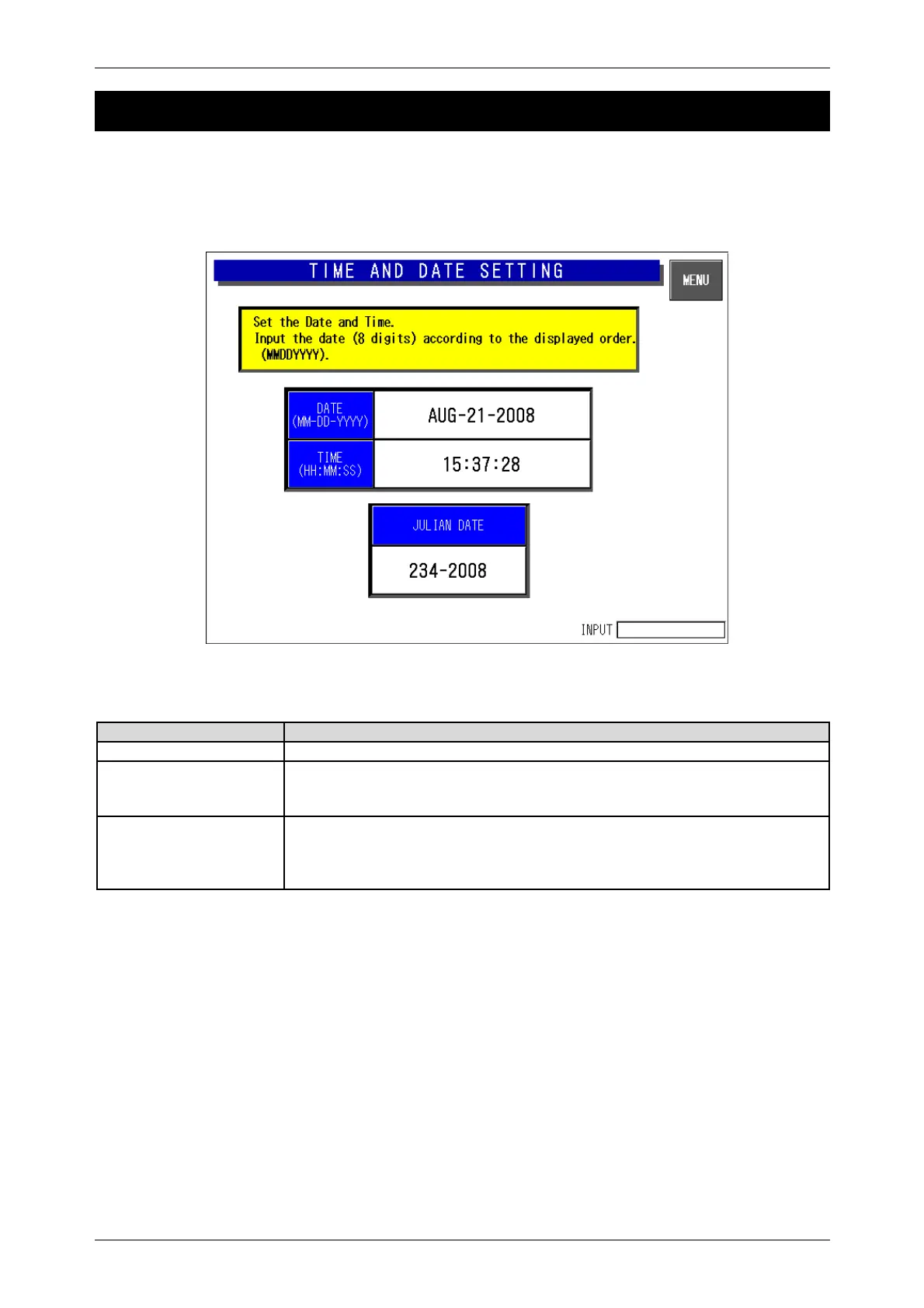
Press the [Time & Date Setting] button on the Test Menu screen. Then, the Time and Date Setting
screen appears. Enter the date (DD-MM-YYYY) and press the Date field to set. In the same manner,
enter the time (HH:MM:SS) and press the Time field to set.
Time and Date Setting Screen
Buttons/Display Fields Function
MENU Returns to the Test Menu 1/2 screen.
DATE Press this button after a numeric entry to set the date.
Non-existent calendar dates cannot be set.
Data format is day (2 digits), month (2 digits), and year (4 digits).
TIME Press this button after a numeric entry to set the time.
Data format is hour (2 digits), minute (2 digits), and seconds (2 digits).
The data range is 0-235959.
Press this button without a numeric entry to set seconds to “00”.



 To Next Page