Chapter 2 SETUP MODE
2-4 IP-EMZ Service Manual
Ä
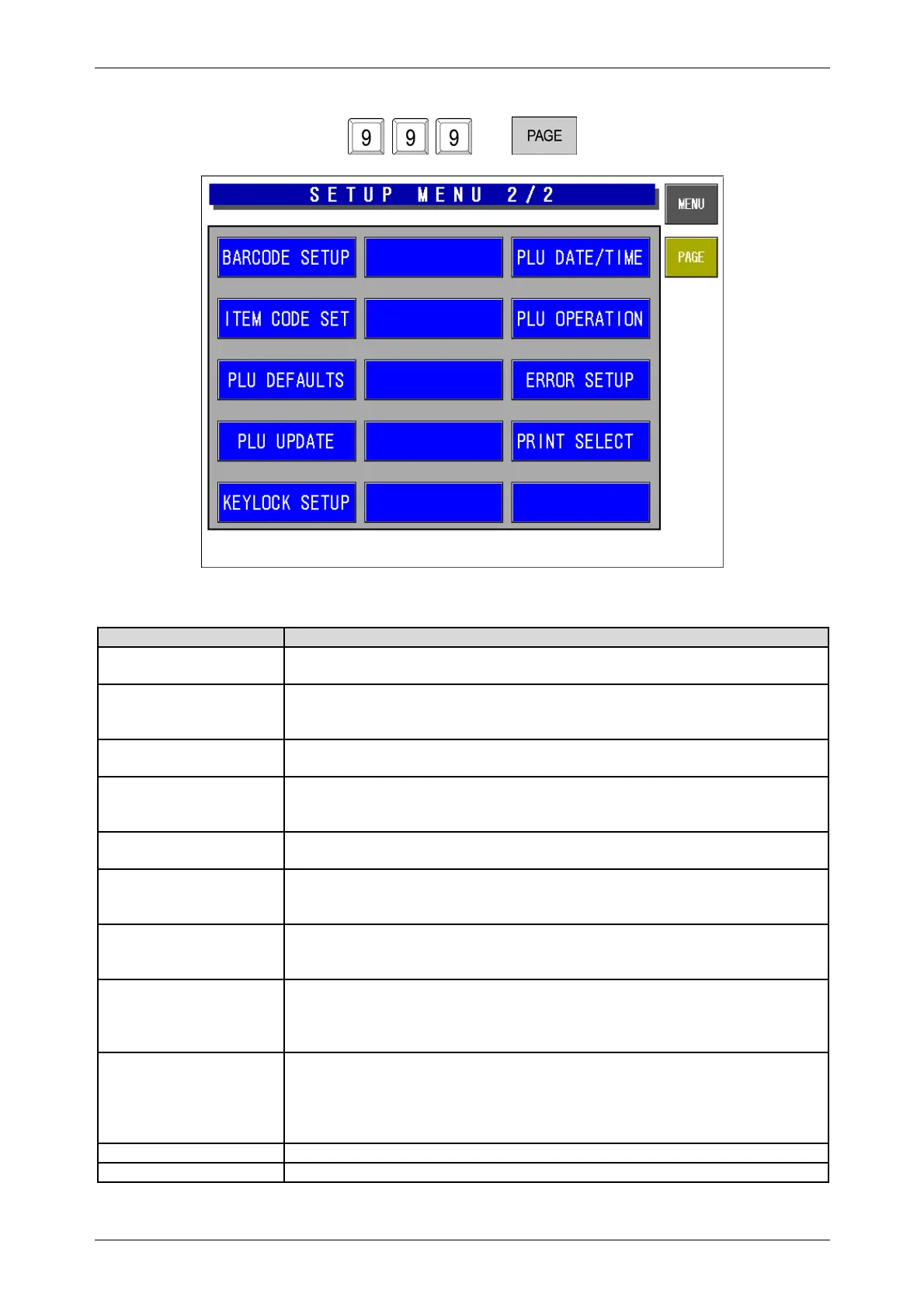
Setup Menu Screen (2/2)
Buttons/Display Fields Function
Barcode Setup Changes to the Barcode Setting screen.
Set the POS type, POS system, and POS flag (system reference data).
Item Code Set Changes to the Item Code Setting screen.
Assign the classification code (position/digit number) in an item code, and set
the code position and the digit number for a barcode.
PLU Defaults Changes to the PLU Default Data Setting screen display.
Set the default master data when newly created in the PLU registration.
PLU Update Changes to the PLU Update screen.
Perform the batch data changing process for the master data of existing
commodities.
Key Lock Setup Changes to the Key Lock Setup screen.
Set the key lock password, and the key lock availability for each item.
PLU Date/Time Changes to the PLU Date/Time Setting screen.
Set the pack date holding function, accrued pack date processing, and time
rounding.
PLU Operation Changes to PLU Operation Setting screen.
Set the number of digits for calling a PLU code, register code, wrapping
mode, unit price holding function, and shop change processing.
Error Setup Changes to the Error Setup screen.
Set the processing procedure when a PLU code is not found, the price data is
“0”, a PLU in which the tare weight is not registered is called, or the head
failure is detected.
Print Select Changes to the Print Select screen.
Set whether to print the barcode on the top of the tray when two labels are
issued, and the barcode is set to print on the bottom label.
It is referred when “System Reference” is set in the barcode print selection
when two labels are issued in the store master registration.
MENU Changes to the first screen of the Setup Menu.
PAGE Turns over the screen.



 To Next Page