Chapter 4 SYSTEM MODE
IP-EMZ Service Manual 4-11
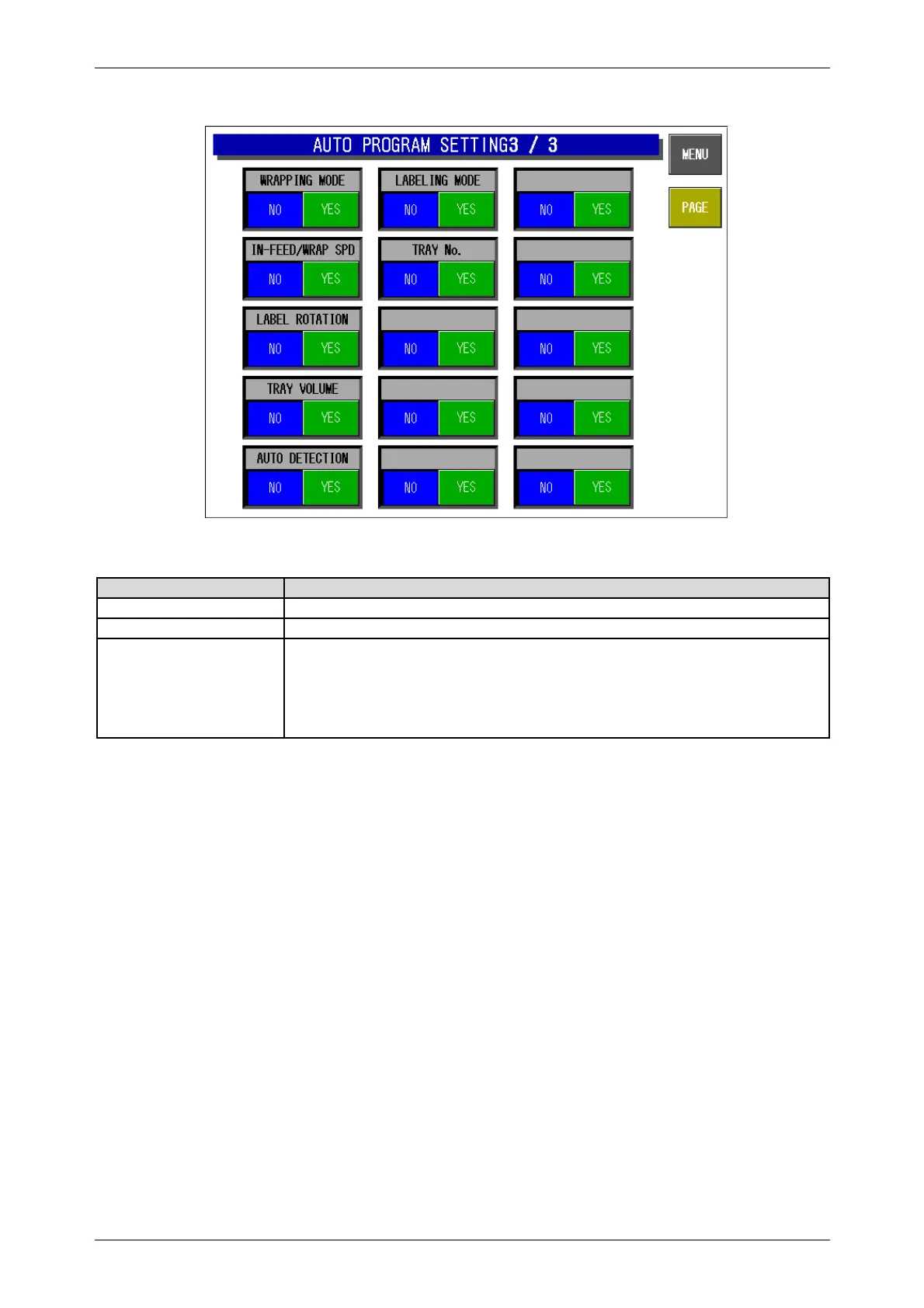
Auto Program Setting 3/3 Screen
Buttons/Display Fields Function
MENU Returns to the System Menu 1/2 screen.
PAGE Turns over the screen.
Automatic Update Select
Reflect changes made in normal mode in the master file.
・ “No”: The master file is not updated.
・ “Yes”: The master file is updated.
・ Press to select the item.
Default data: See the table below.



 To Next Page