OPERATING AND MAINTENANCE HANDBOOK
Overload pilot light
See “Emergencies” section.
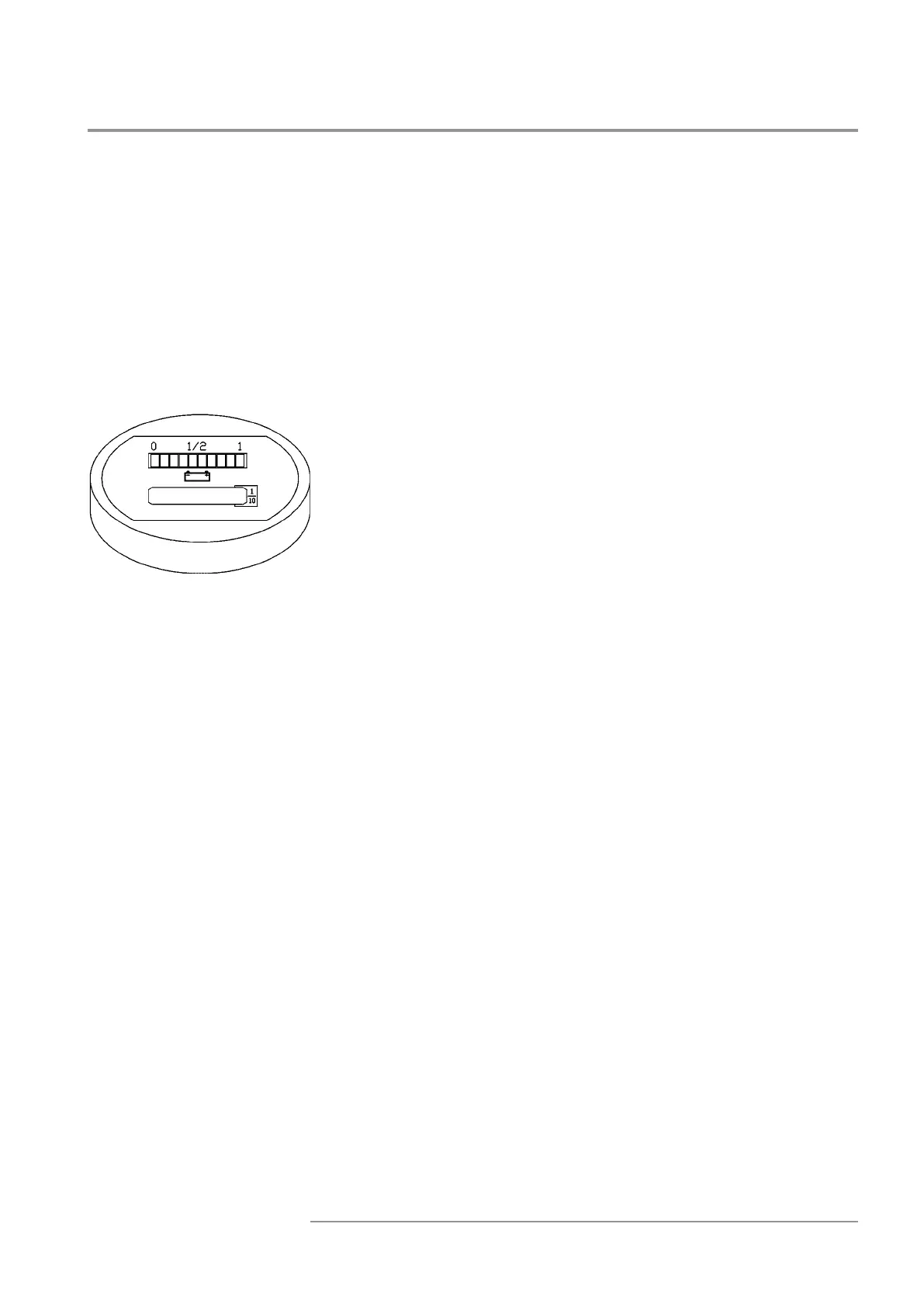
Baery charge indicator - Hour counter
The device provided in the ground control panel shows the baery
charge state and the working hours.
The baery charge state can be read in the upper part of the device.
The discharge is showed by means of luminous bars: 2 reds, 3 oranges,
5 greens.
When the baery is correctly charged, the green bar in the right ex-
tremity turns on.
During the discharge phase, the bars turn on in sequence from right
to le, one aer another.
When baery is discharged for 70%, the rst red bar blinks.
When baery reaches a discharge of 80%, the two red bars blink alter-
natively; in this condition the platform liing is blocked.
For the baery recharge see section “Baery recharge”.
The boom part of the display shows the working hours (machine
actuated).
When baery is connected, the total stored hours are displayed.
When hourglass blinks, the counter is counting the working hours.
Diagnostic
In case of problems or malfunctions the display reports an error code
used by the Aer-sale Service for troubleshooting.
IT10122 - IT12122


 To Next Page