OPERATING AND MAINTENANCE HANDBOOK
Traction
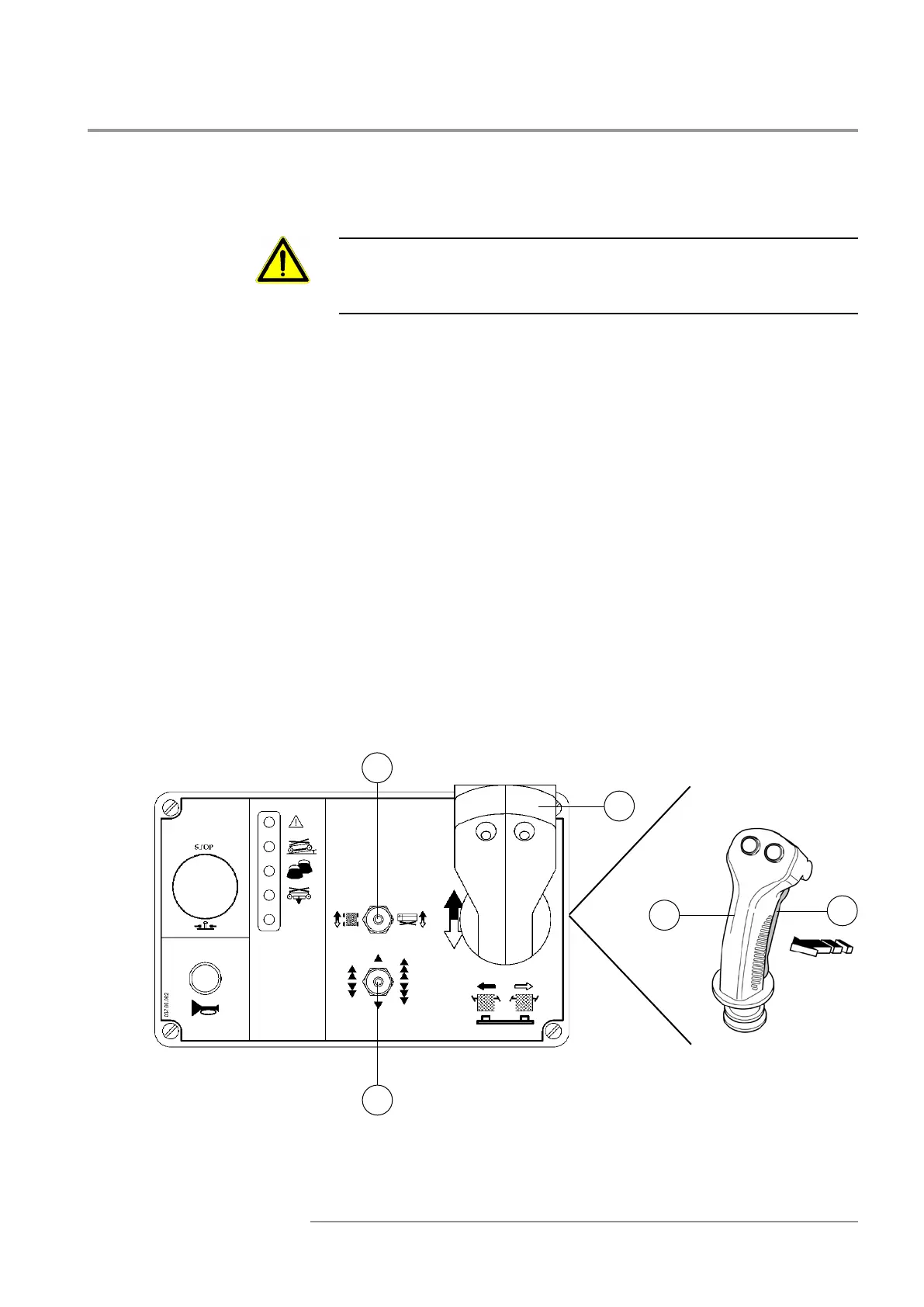
During movement, do not move selector 14 from traction to li ing
position and vice versa. In this case the machine stops. Release the
joystick 8 and give the command again to restore the movement.
• With machine in stop position, move selector 14 le to select the
traction movement.
•Move selector 13 on the desired speed:
Fast: selector to the right
Slow: selector to the le
Safe: selector in the middle
•Hold joystick 8.
•Press push buon 10 “Man present” and keep it pressed.
•Bring the joystick forward or backward depending on the desired
running direction and keep it in that position during the whole move-
ment. It is also possible move as rst think the joystick 8 and aer
press pushbuon 10 to begin the manoeuvring.
The move speed is adjusted according to the inclination given to joystick
8 and to the position of the speed selection push buon 13.
The traction is signalled by an audible alarm.
13
8
8
10
14
IT10122 - IT12122


 To Next Page