584 MULTIMEDIA
Speed Adjusted Volume
Speed Adjusted Volume
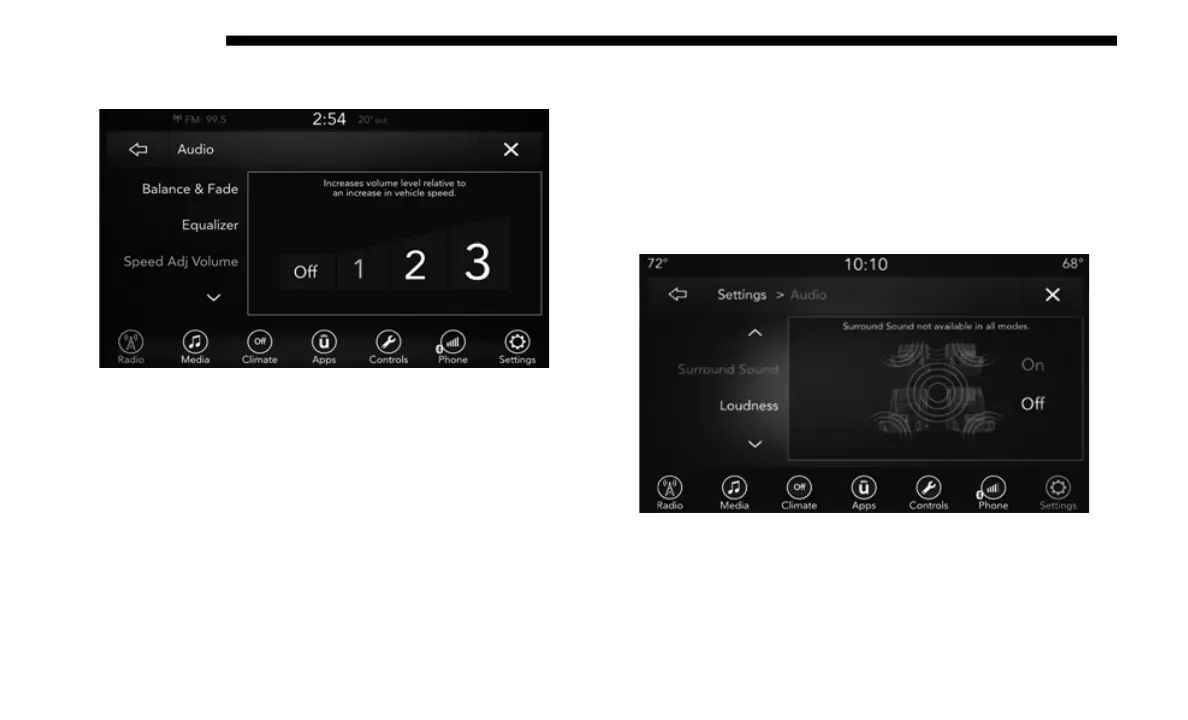
Press the Speed Adjusted Volume button on the touchscreen
to ac
tivate the Speed Adjusted Volume screen.
The Speed Adjusted Volume is adjusted by selecting from
Off,
1, 2, or 3. This alters the automatic adjustment of the
audio volume with variation to vehicle speed. Volume
increases automatically as speed increase to compensate for
normal road noise.
Surround Sound — If Equipped
Press the On button on the touchscreen to activate Surround
Sound
. Press Off to deactivate this feature.
When Surround Sound is On, you can hear audio coming
f
r
om
every direction as in a movie theatre or home theatre
system.
Surround Sound














 To Next Page