Attached documents 3
11/23
4. Executing of updating
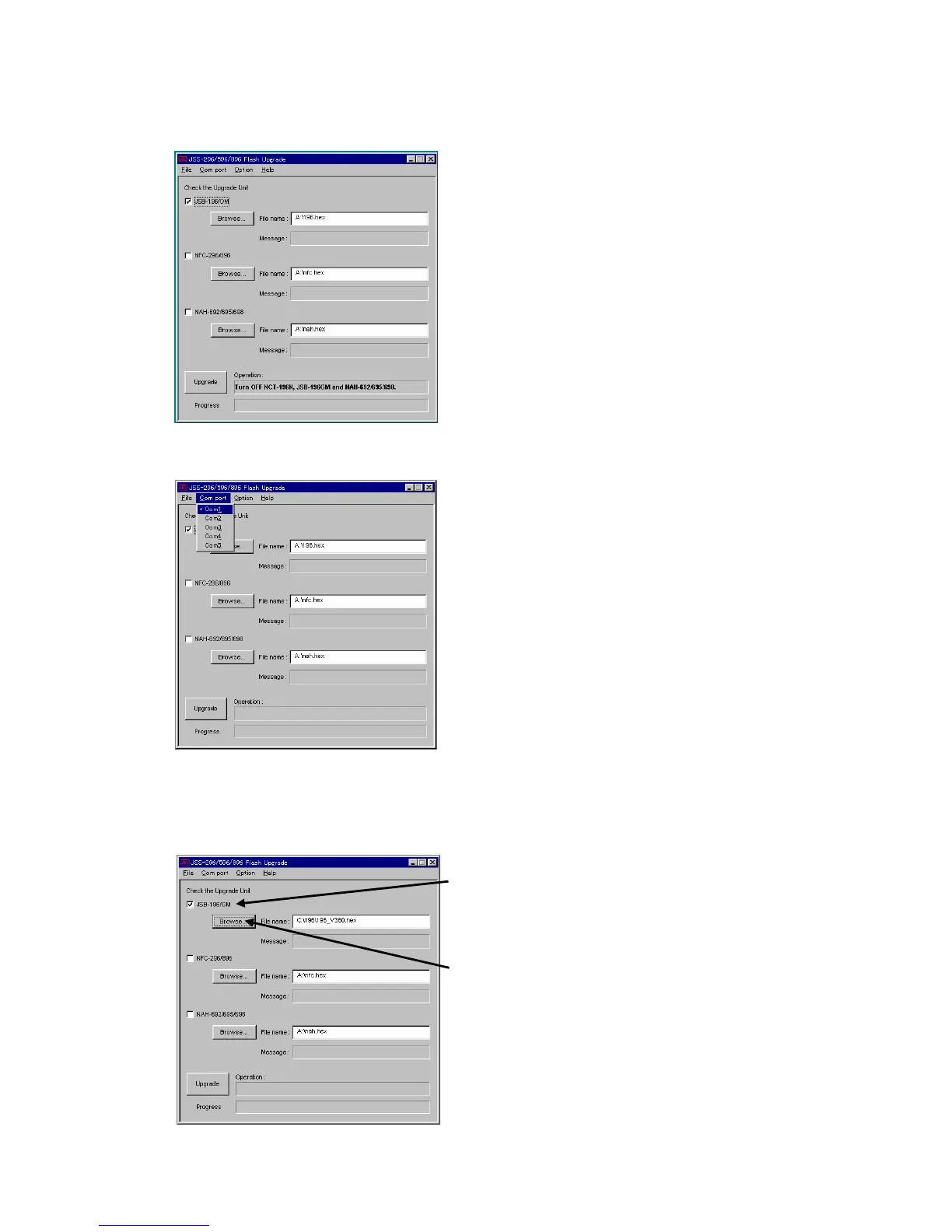
4.1 If other applications are operating, close them. Start the updating program (JSSflash_V100.exe)
on the personal computer.
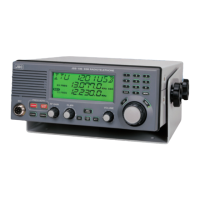
4.2 Select “Com port” menu, and select the connected Com port.
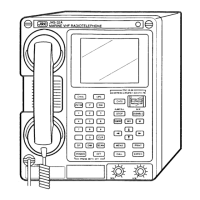
4.3 Check only the check box of JSB-196/GM.
4.4 Click the “Browse” button and select the JSB-196/JSB-196GM upgrade software (ex.
196_V360.exe).
Check only the “JSB-196/GM”
Click the “Browse” button and select the
JSB-196/GM update software.
(ex. 196_V360.hex)



 To Next Page