Table 7: Status LED on the Management Port on EX2300 Switches Except the EX2300-24MP and
EX2300-48MP Switch Models
LED Color State and Descripon
Status Green Indicates the speed. The speed indicators are:
• O—Link speed is 10 Mbps.
• Blinking—Link speed is 100 Mbps.
• On Steadily—Link speed is 1000 Mbps.
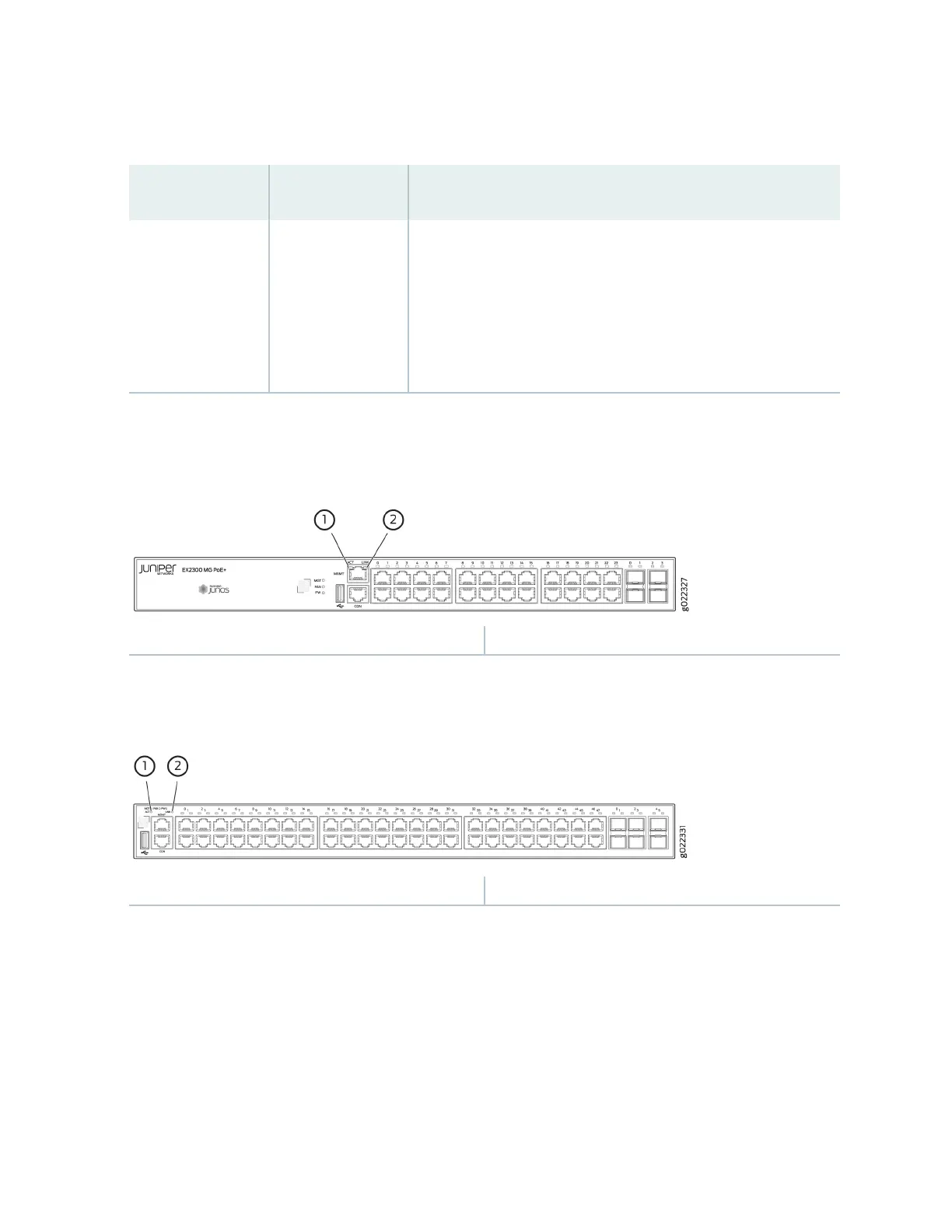
Figure 22: LEDs on the Management Port on EX2300-24MP Switches
1—
Link LED
2—
Acvity LED
Figure 23: LEDs on the Management Port on EX2300-48MP Switches
1—
Link LED
2—
Acvity LED
Table 8 on page 33 describes the Link LED on the management port on EX2300-24MP and
EX2300-48MP switch models.
32


 To Next Page
 Loading...