Xcvr 53 XXXX NON-JNPR INNBD6580026 UNKNOWN
Xcvr 56 XXXX NON-JNPR N6WT000065 UNKNOWN
Xcvr 58 XXXX NON-JNPR N6WT000068 UNKNOWN
Xcvr 60 REV 01 740-174933 XA1CRMD OSFP-800G-DR8
Fan Tray 0 QFX5240-64OD/QFX5240-64QD Fan Tray,
Front to Back Airflow - AFO
Fan Tray 1 QFX5240-64OD/QFX5240-64QD Fan Tray,
Front to Back Airflow - AFO
Fan Tray 2 QFX5240-64OD/QFX5240-64QD Fan Tray,
Front to Back Airflow - AFO
Fan Tray 3 QFX5240-64OD/QFX5240-64QD Fan Tray,
Front to Back Airflow - AFO
NOTE: You must remove the fan module to read the fan serial number from the serial number ID
label. The fan module serial number cannot be viewed through the CLI. Fan Tray 2 refers to the
third module from the le, counng from 0.
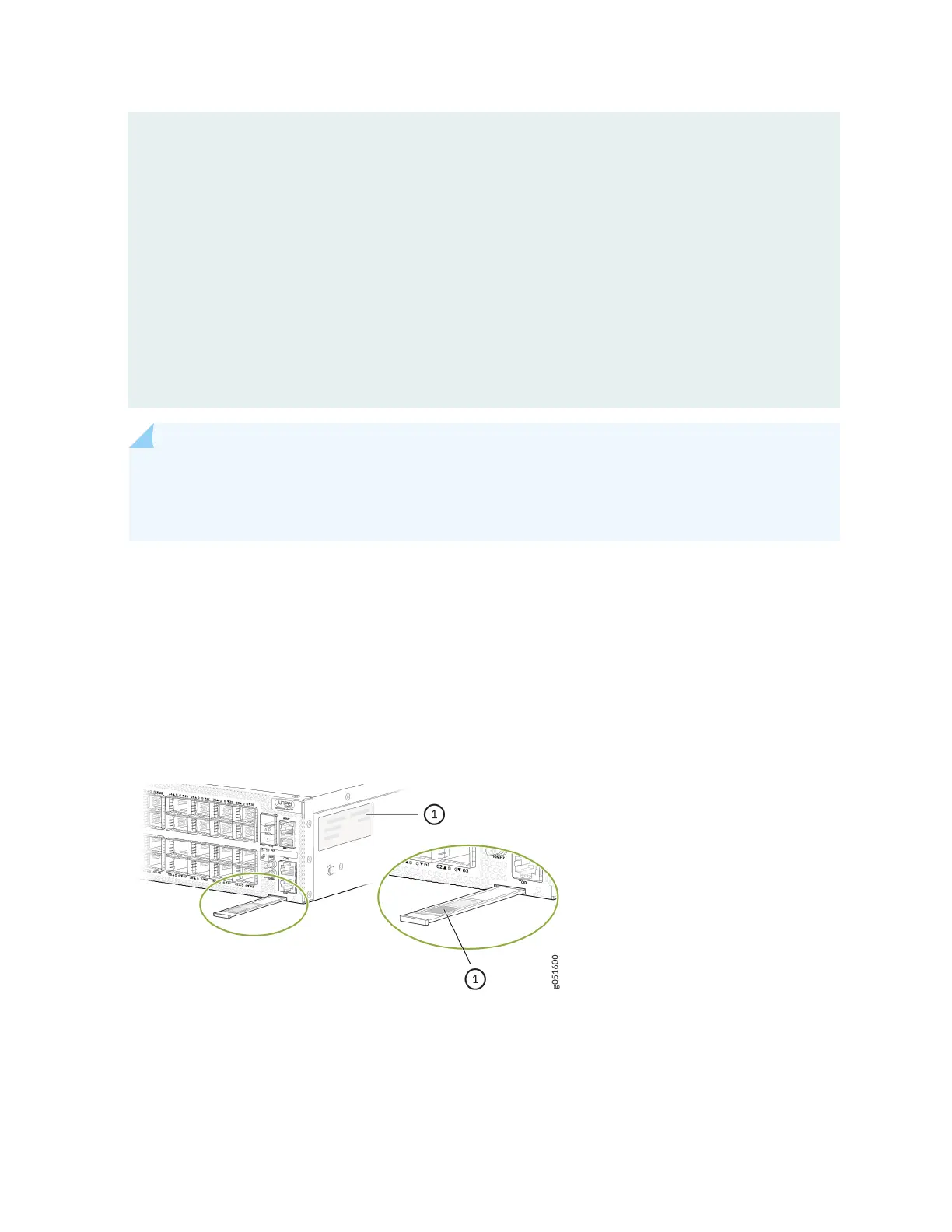
Locate the Chassis Serial Number ID Label on a QFX5240 Switch
You can nd the chassis serial number in either the show chassis hardware command output or physically on
a pull-out tab located on the right side of the QFX5240 port panel. See Figure 43 on page 121 for the
QFX5240-64OD Switch and Figure 44 on page 122.
Figure 43: Locaon of the Serial Number ID Label on a QFX5240-64OD Switch
121













 To Next Page