Install a Fan Module in QFX5240 Switches
Before you install a fan module in a QFX5240 switch, ensure that you have taken the necessary
precauons to prevent electrostac discharge (ESD) damage.
The fan modules in a QFX5240 switch are hot-removable and hot-insertable eld-replaceable units
(FRUs); you can remove and replace them without powering o the switch or disrupng switch
funcons.
CAUTION: To ensure proper airow, keep a failed fan module in place unl you have a
replacement fan module at hand. Do not run the device with an open fan tray slot for
an extended amount of me.
NOTE: The fan module provides FRU-to-port or port-to-FRU airow depending on the switch
product variant you purchase.
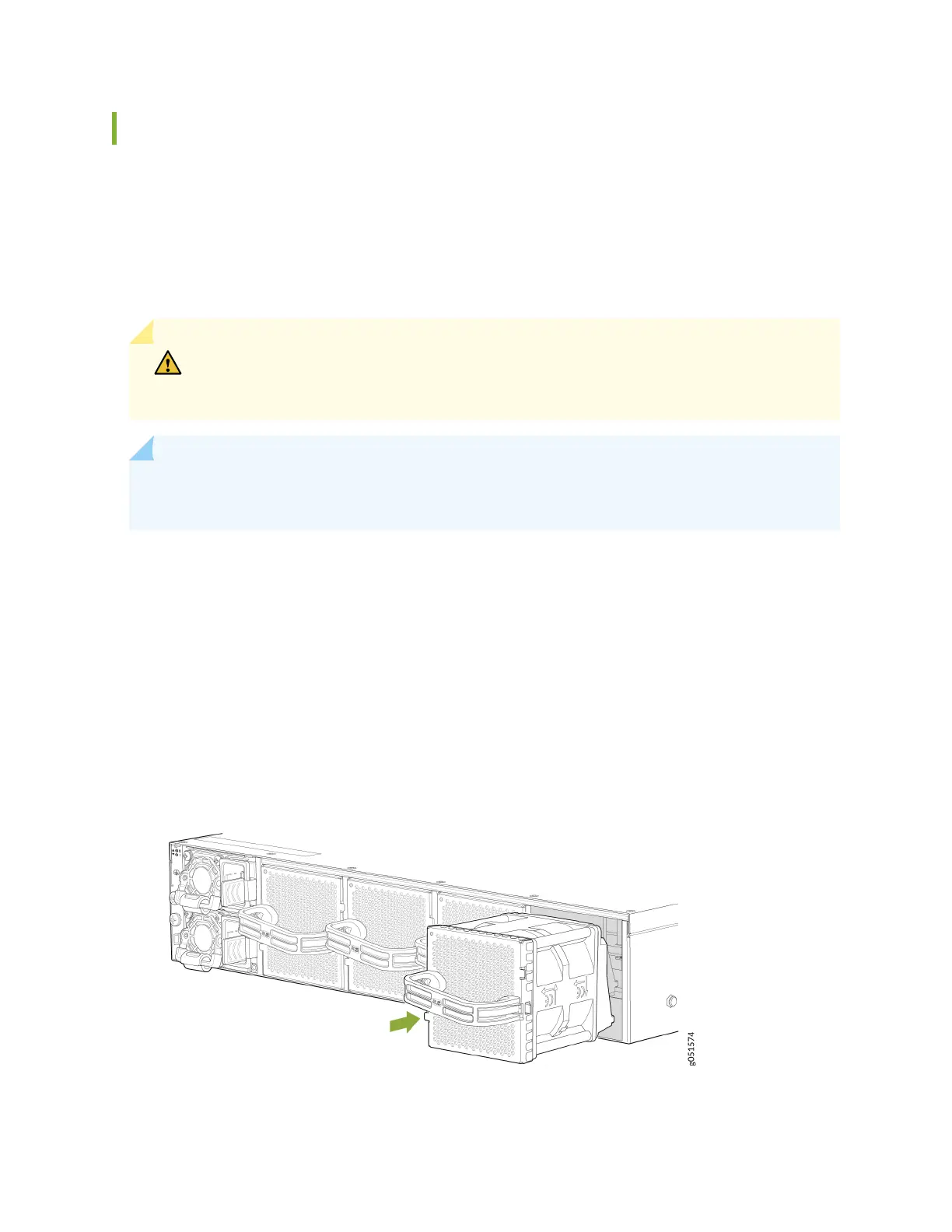
To install a fan module in a QFX5240 (see Figure 32 on page 92):
1. Aach the ESD grounding strap to your bare wrist, and connect the strap to the ESD point on the
chassis.
2. Take care not to touch the connectors as you remove the fan module from its bag.
3. Align the module with the open slot and slide it in unl it is fully seated. Figure 32 on page 92
shows how to install a fan module in a QFX5240 switch.
Figure 32: Install a Fan Module in a QFX5240 Switch
92













 To Next Page