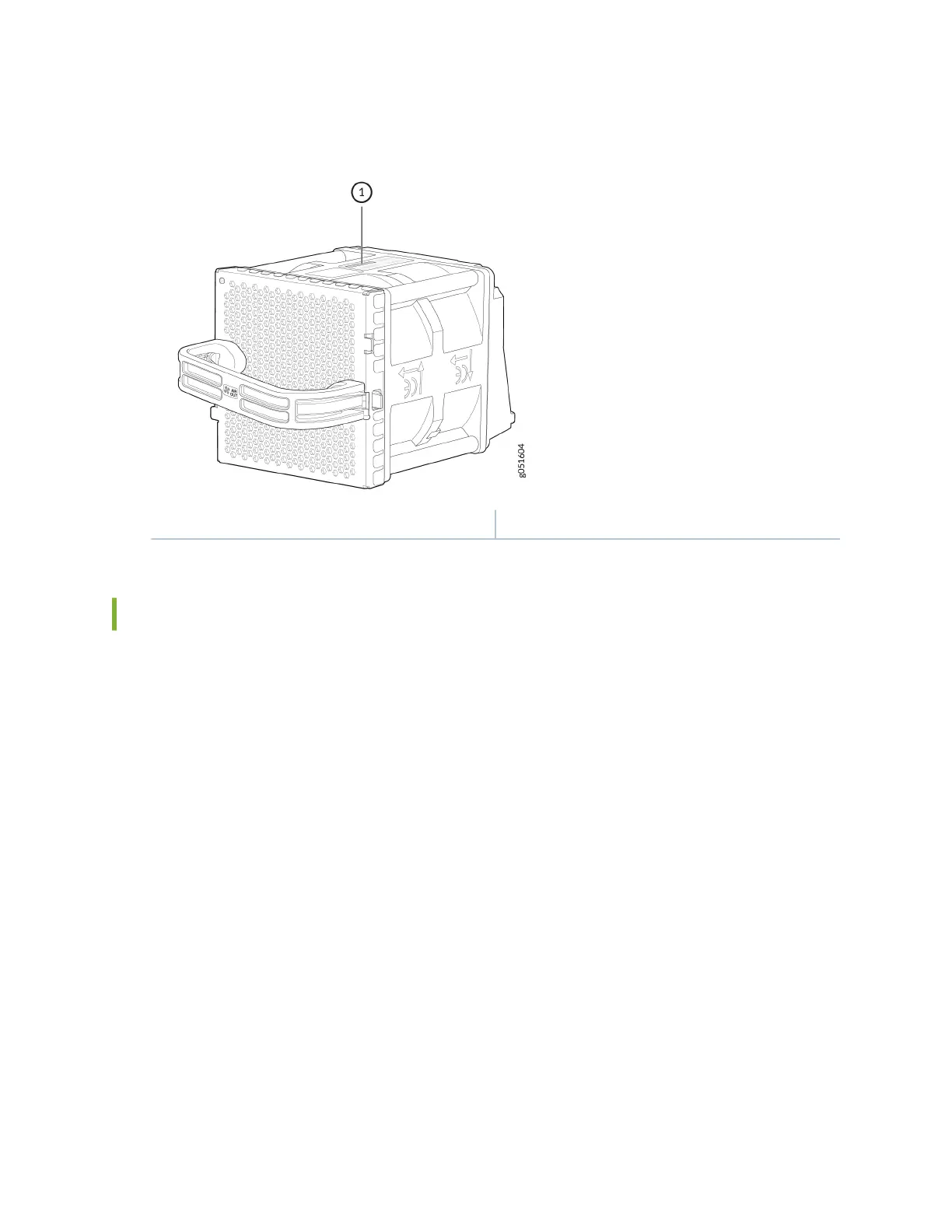
Figure 46: Serial Number ID Label on a QFX5240 Fan Module
1— Serial number ID label
Remove the Solid-State Drives for RMA on QFX5240 Switches
The QFX5240 switches have two solid-state drives (SSDs) that store the soware images, system logs,
and the conguraon les. Before returning a chassis to Juniper Networks as part of a Return Material
Authorizaon (RMA), you have the opon of removing the SSDs and disposing them according to your
own company’s security procedures. Before you begin this procedure, ensure you have the following
tools:
• ESD grounding strip (not provided)
• Phillips screwdriver, number 2
Use this oponal procedure to remove the drives from the QFX5240 switches aer the device has shut
down and you’ve removed it from the rack or cabinet. The SSD doors are located on the top of the
QFX5240 switch.
1. Aach the ESD grounding strap to your bare wrist and to a site ESD point.
2. Place the device on a rm surface such as a workbench or a table with the SSD doors facing up.
3. Use the Phillips screwdriver to remove the three at-head screws from each door on the top of the
device. See Figure 47 on page 124.
123













 To Next Page