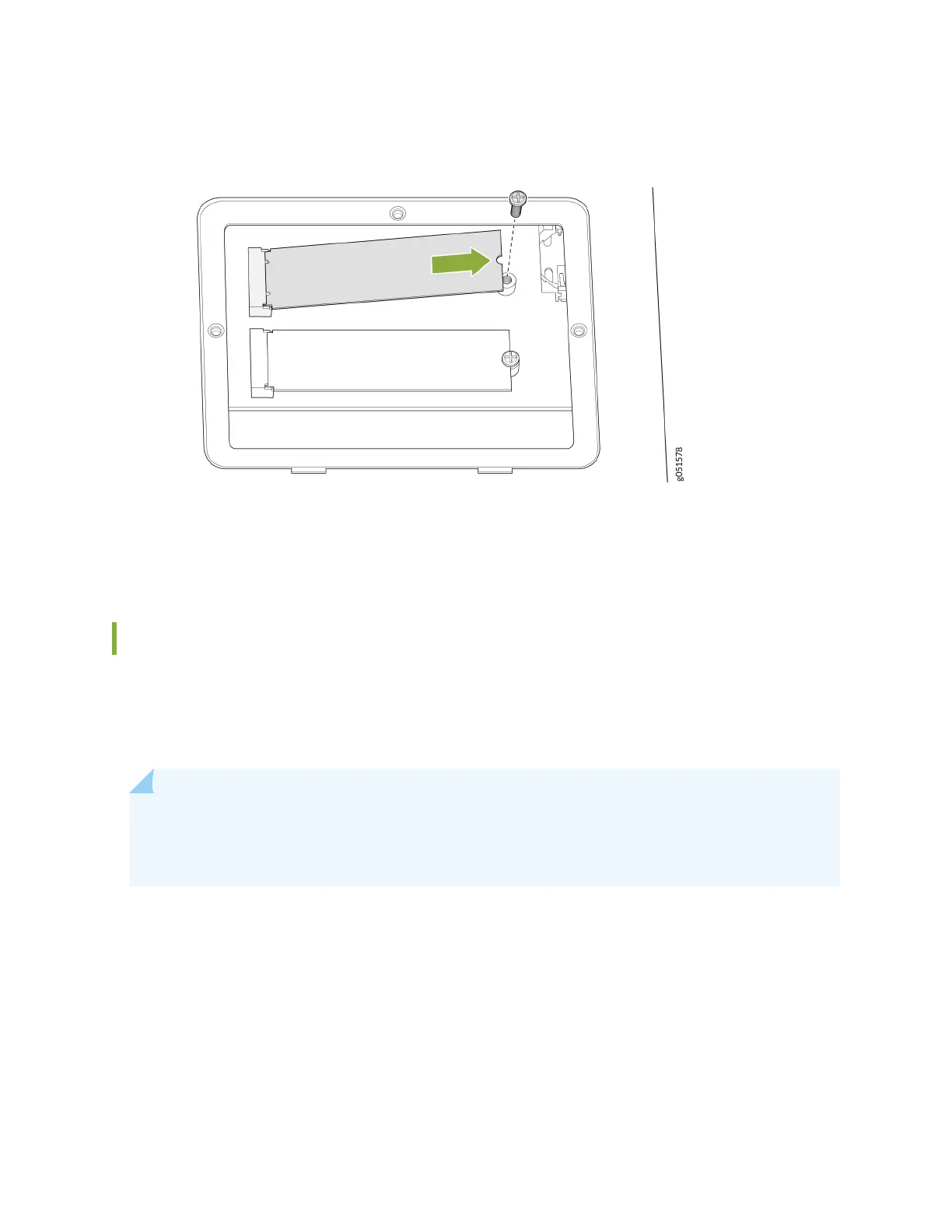
Figure 49: Replace the SSD Doors
9. Hand-ghten the screws using the Phillips screwdriver.
10. Dispose of the SSDs according to your site security procedures.
How to Return a Hardware Component to Juniper Networks, Inc.
If a hardware component fails, please contact Juniper Networks, Inc. to obtain a Return Material
Authorizaon (RMA) number. This number is used to track the returned material at the factory and to
return repaired or new components to the customer as needed.
NOTE: Do not return any component to Juniper Networks, Inc. unless you have rst obtained an
RMA number. Juniper Networks, Inc. reserves the right to refuse shipments that do not have an
RMA. Refused shipments are returned to the customer by collect freight.
For more informaon about return and repair policies, see the customer support webpage at hps://
support.juniper.net/support/.
For product problems or technical support issues, contact the Juniper Networks Technical Assistance
Center (JTAC) by using the Service Request Manager link at hps://support.juniper.net/support/ or at
1-888-314-JTAC (within the United States) or 1-408-745-9500 (from outside the United States).
To return a defecve hardware component:
1. Determine the part number and serial number of the defecve component.
125













 To Next Page