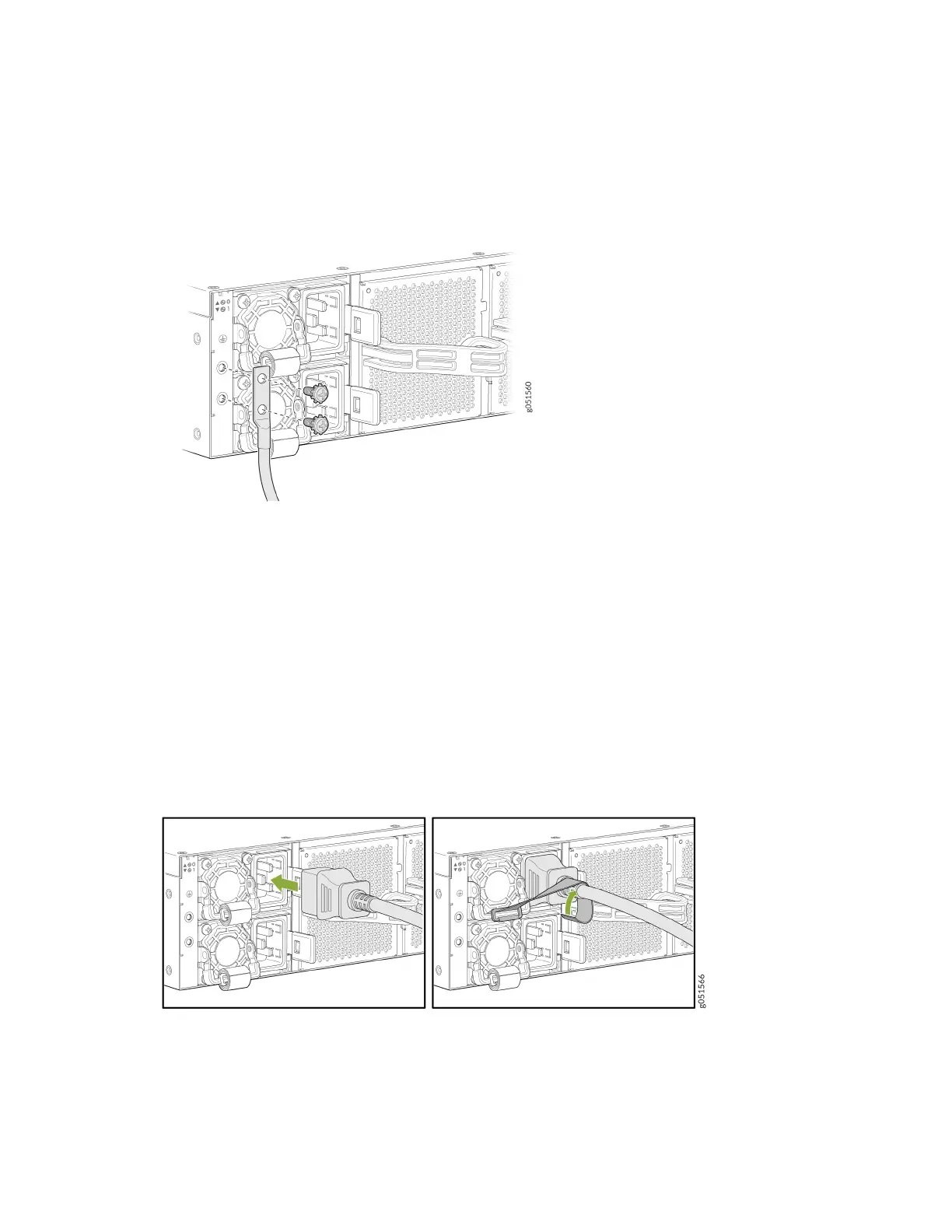
4. Secure the grounding lug to the protecve earthing terminal with the M6 screws and star washers.
Figure 1: Aach the Grounding Cable to the QFX5240
5. Dress the grounding cable and ensure that it does not touch or block access to other device
components. Also make sure the cable does not drape where people could trip over it.
Connect the Power Cord and Power On the Switch
For informaon about the supported AC power cord specicaons, see No Link Title.
To connect the power cord, do the following:
1. Ensure that the power supply is fully inserted in the rear panel of the switch and the latches are
secured.
2. If the AC power source outlet has a power switch, turn it o.
3. Plug in the power cord to the AC power source outlet.
9













 To Next Page